Quality Teams Don’t Need More Tools. They Need More Clarity.
And clarity is exactly what the latest QEval enhancements deliver.
Seven new updates are now live designed to simplify evaluations, accelerate reviews, and give QA teams deeper visibility into disputes, reports, and performance insights.
From intelligent silence detection during call reviews to configurable dispute workflows and faster reporting capabilities, these improvements make every day QA operations smoother, faster, and more transparent.
Take a quick look at what’s new in the QEval March Release through this video walkthrough. Launching 23 March, the update brings a faster, more efficient experience. Watch the highlights and read more below.
Discover what’s new in QEval.
1. Dispute Summary Report
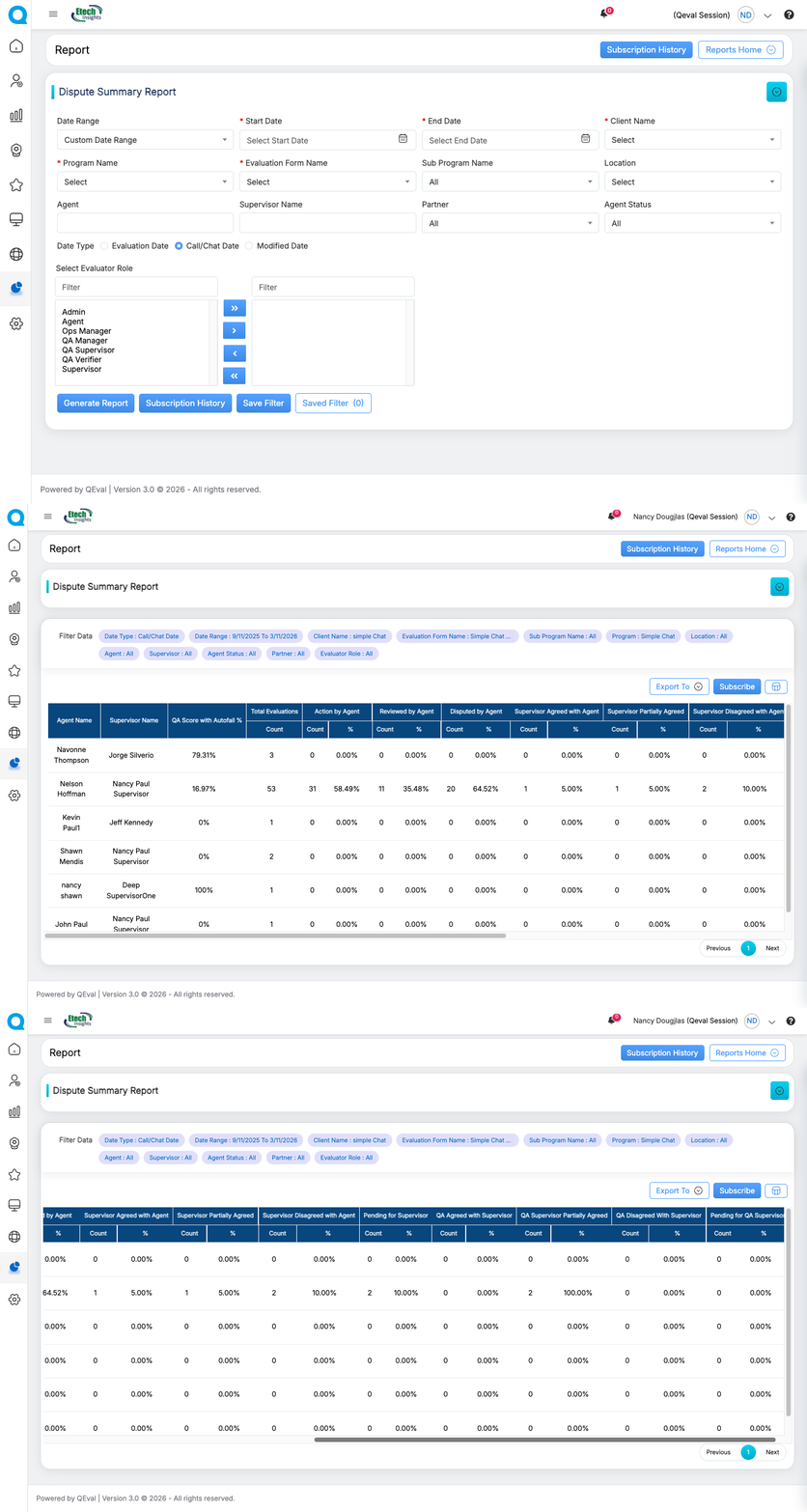
Gain a complete view of dispute activity in one consolidated report.
Track disputes that are raised, pending, accepted, partially accepted, partially rejected, or rejected in one place. Apply filters by agent, program, supervisor, evaluator role, or date to quickly analyze patterns.
Results are displayed in a structured table format, making it easier to identify and monitor dispute trends.
2.Skip & Highlight Silent Audio
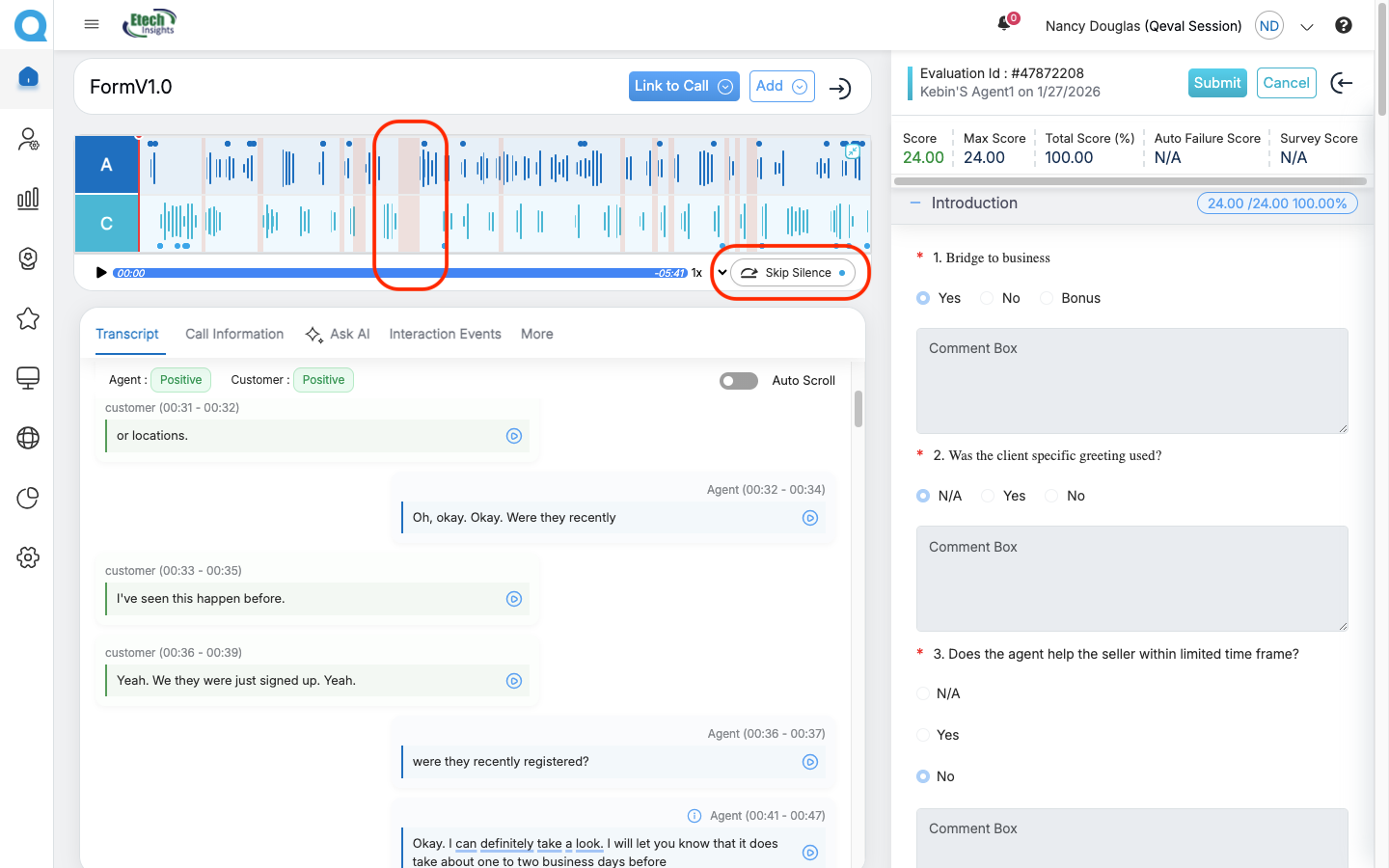
Review calls more efficiently.
Silent segments within recordings are automatically detected and highlighted directly on the call waveform. Hovering over each segment reveals the exact start time, end time, and duration.
With Skip Silence enabled, playback automatically moves to the next moment of conversation — eliminating the need to manually navigate through silent portions.
3.Saved Filter Feature
Save time by storing frequently used filter combinations.
Filters can now be saved with custom names and accessed instantly whenever needed. These filters can be used for personal workflows or shared with teams to ensure consistent search views.
No more rebuilding the same filters repeatedly.
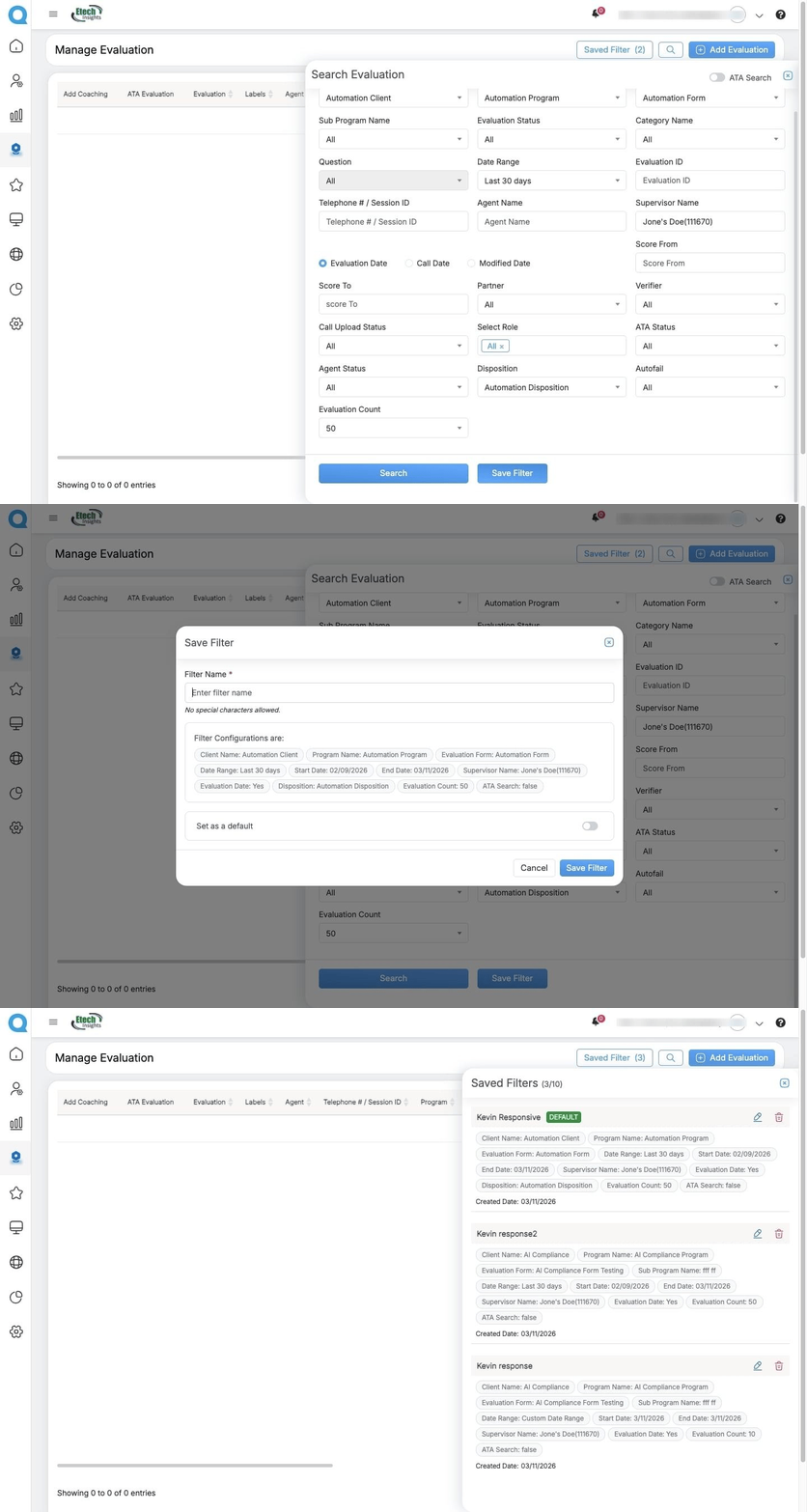
The Saved Filters functionality is available in the following sections:
- Search Evaluation
- My Evaluations
- My Disputes
- Reports
4. Evaluation Results Count Selection
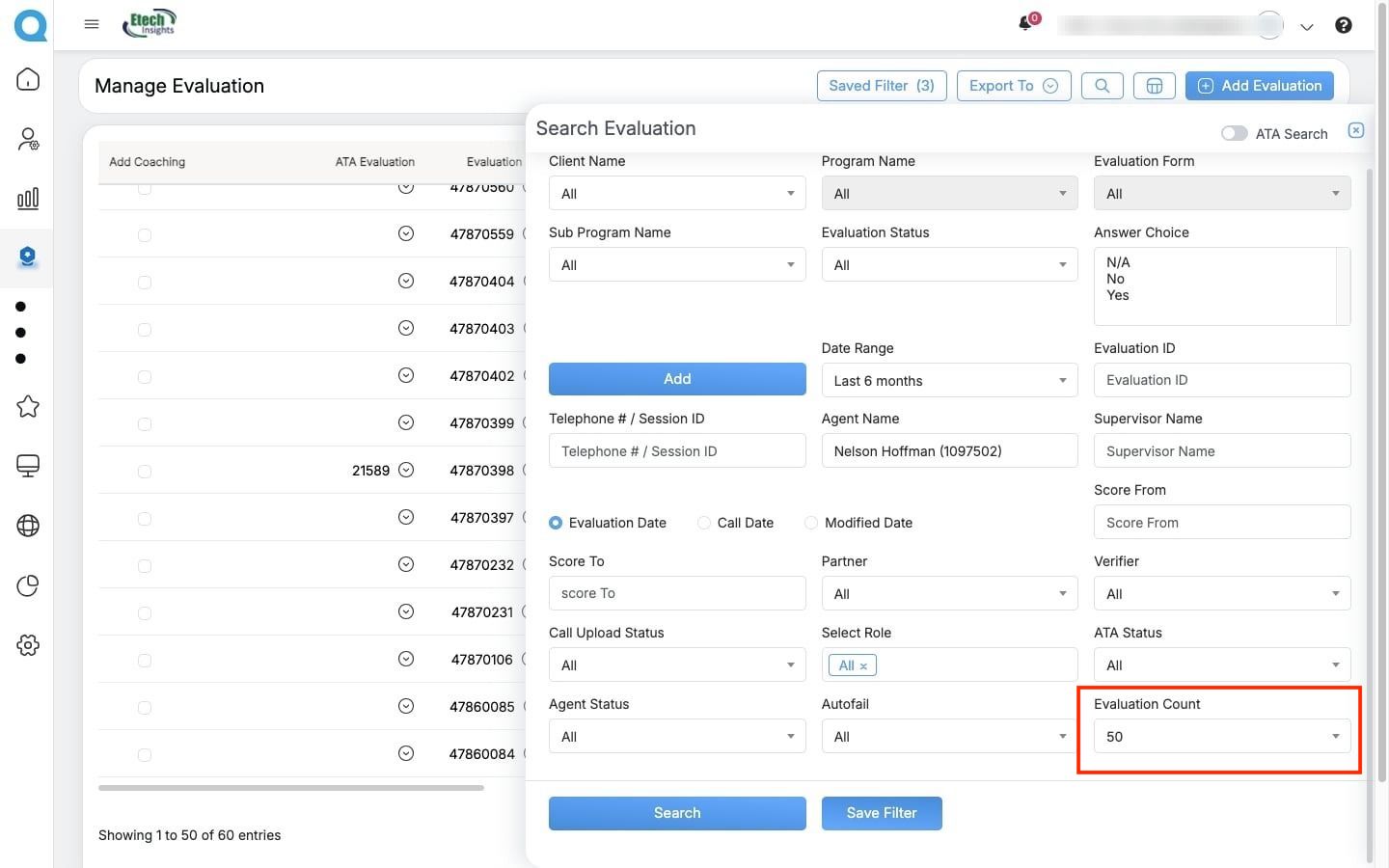
Evaluation Search now offers greater flexibility, allowing users to choose how many results appear per page—10, 25, or 50 evaluations. This enhancement helps users working with large evaluation volumes review and navigate results more efficiently without repeatedly switching pages.
5.Dispute Process Modification
Dispute workflows are now more flexible and better aligned with organizational processes.
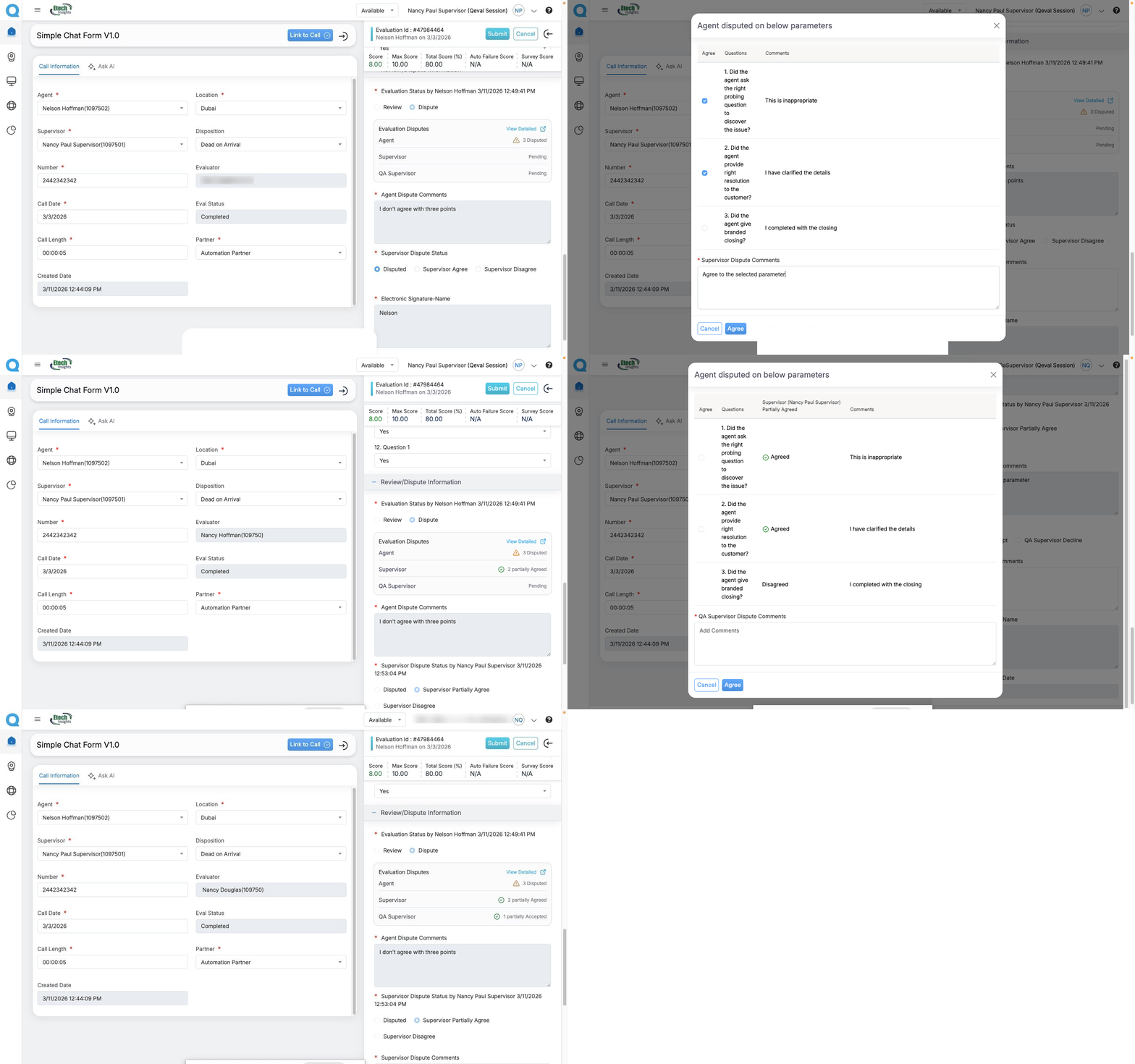
When the “Question-Based Dispute Enabled” option is selected in the Evaluation Form Settings, agents can raise disputes at the parameter level. Supervisors can review and take action on the specific disputed parameters, instead of accepting or rejecting the entire evaluation.
The dispute is then escalated to the QA Supervisor, who can partially accept or partially reject the dispute based on the review of each parameter.
This enhancement improves accuracy, flexibility, and control in the dispute resolution process while ensuring greater transparency, accountability, and consistent dispute management across teams.
6.Report Subscription with CSV Export
Scheduled reports now deliver faster and with greater flexibility.
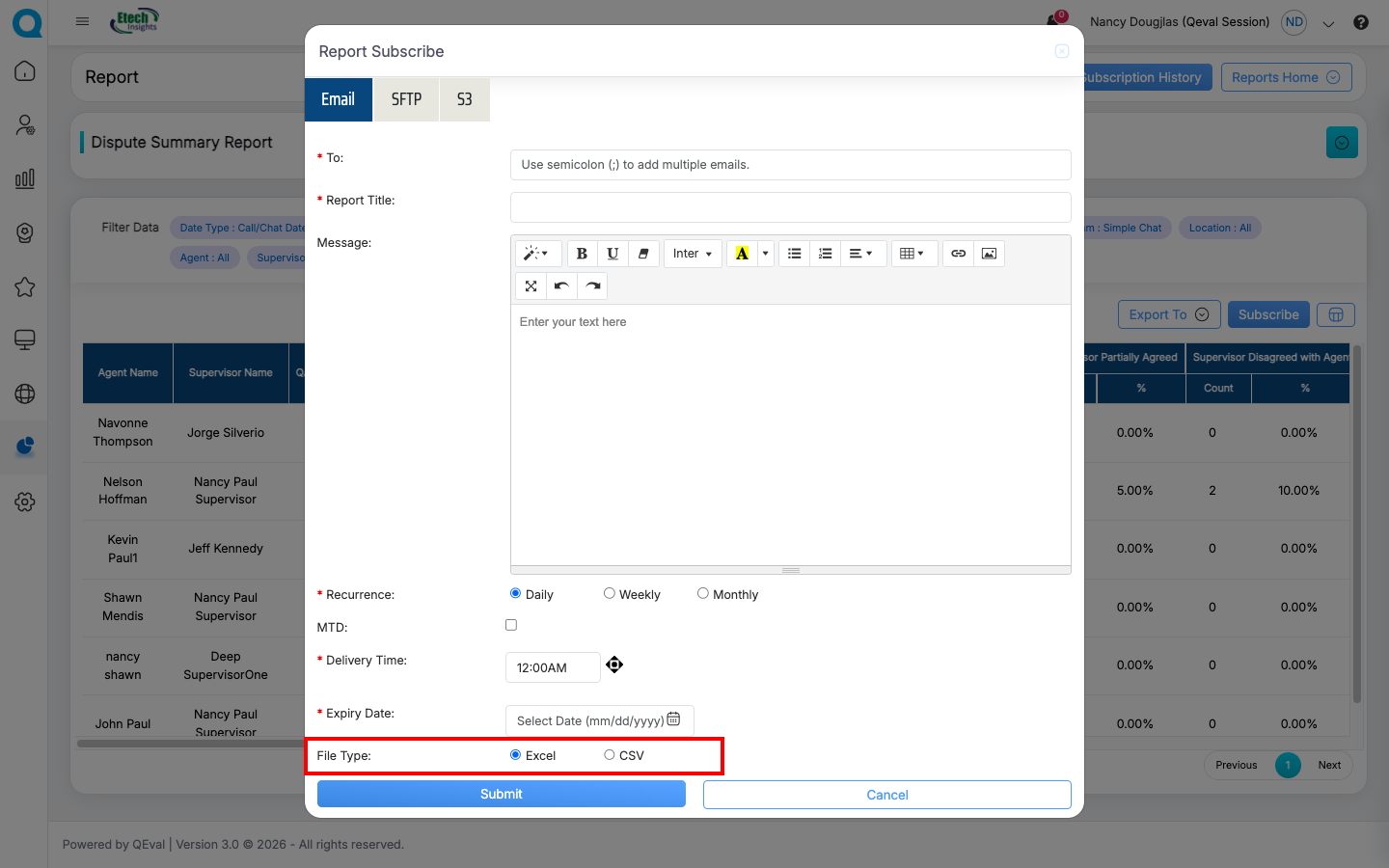
Reports can now be exported in CSV format, allowing data to integrate seamlessly with Excel, business intelligence platforms, or internal analytics tools.
Report Subscription with CSV Export
7.Report Filter Enhancement
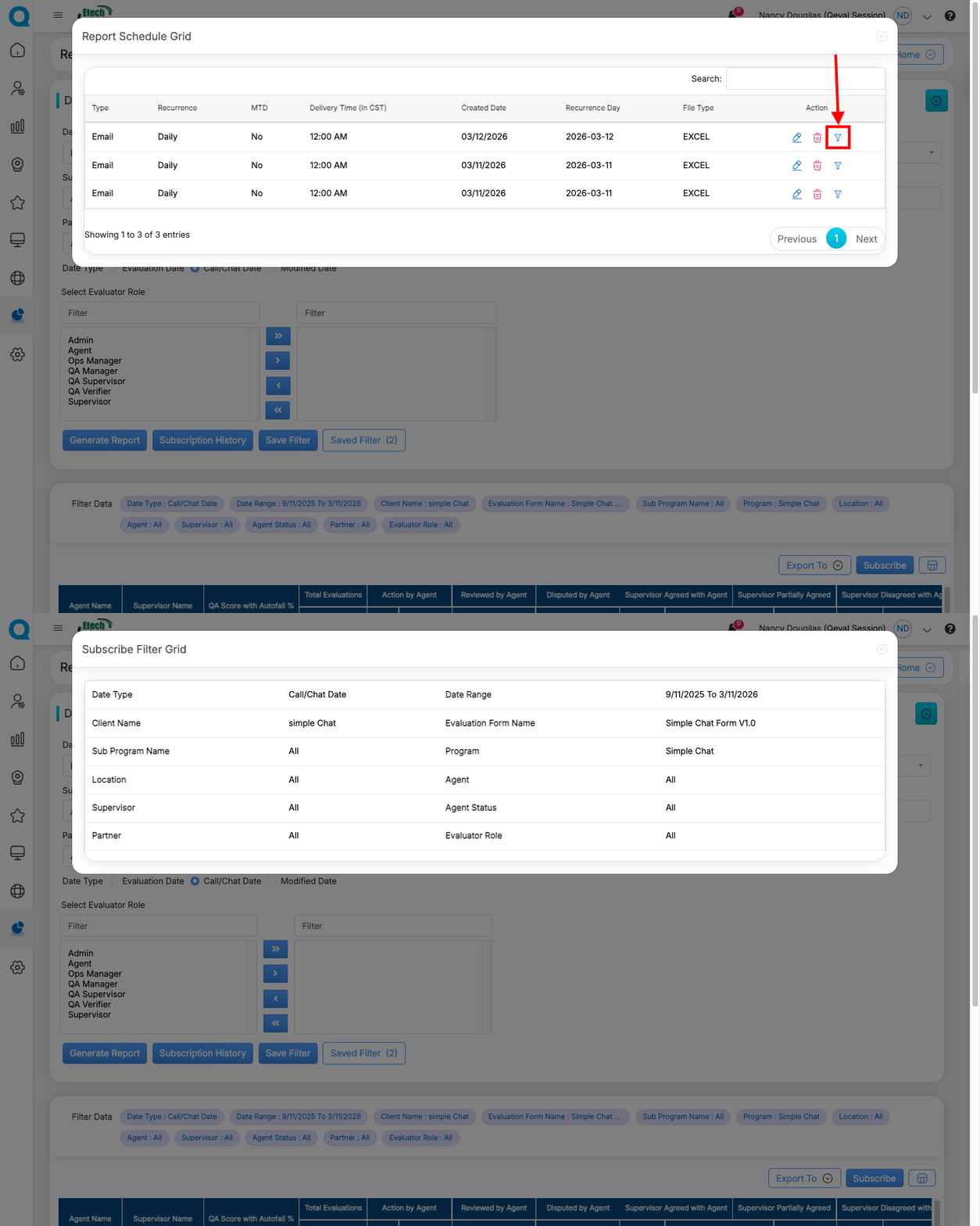
Report screens now clearly display the filters applied to the data being viewed.
This provides immediate context and ensures users always understand which parameters are shaping the report results.
Why These Enhancements Matter?
This release introduces several enhancements that improve visibility, flexibility, and efficiency across evaluation, reporting, and dispute management workflows in QEval.
These updates help users review interactions more efficiently, access reporting insights with greater clarity, and manage dispute processes more effectively.
Key improvements include:
• Consolidated visibility into dispute activity
• Faster call evaluations with automatic silence detection
• Reusable filters for quicker search and reporting views
• Flexible evaluation result display options
• Configurable dispute workflows aligned with organizational policies
• Faster report access with CSV export support
• Clear visibility of applied filters in scheduled reports
Together, these enhancements support more streamlined workflows and improved transparency when working with evaluation and reporting data.
Video