Absolutely. Date filters are available for all performance reports, allowing you to analyze data for specific time periods such as daily, weekly, monthly, or custom date range
Can I download reports?
Yes, most reports can be exported to Excel or PDF format for offline analysis, sharing with stakeholders, or archival purposes.
Which report shows QA accuracy?
The “Overall Accuracy Report by QA” displays quality assurance accuracy metrics, showing how consistently QA evaluators are scoring evaluations
How do I access reports?
Navigate to the “Reports” module on the left panel. Select the specific report category you need, apply any desired filters, and generate the report
What types of reports are available in QEval?
QEval offers seven comprehensive report categories:
- Agent Level Reports - Individual agent performance metrics
- Overall Performance Reports - Organization-wide performance summaries
- QA Performance Reports - Quality assurance team effectiveness
- Access/Change Log Reports - Audit trails and system changes
- Supervisor Level Reports - Team and supervisor-specific data
- Trending/Audit Trail/Tactical Reports - Historical trends and patterns
- ATA Level Reports - After-the-action analysis
How to filter score base who has achieved 100% of the score
Select Quality > Evaluation/ATA and the Manage Evaluation screen will be displayed. On this page, click on the Search Evaluation button.
The following screen appears.
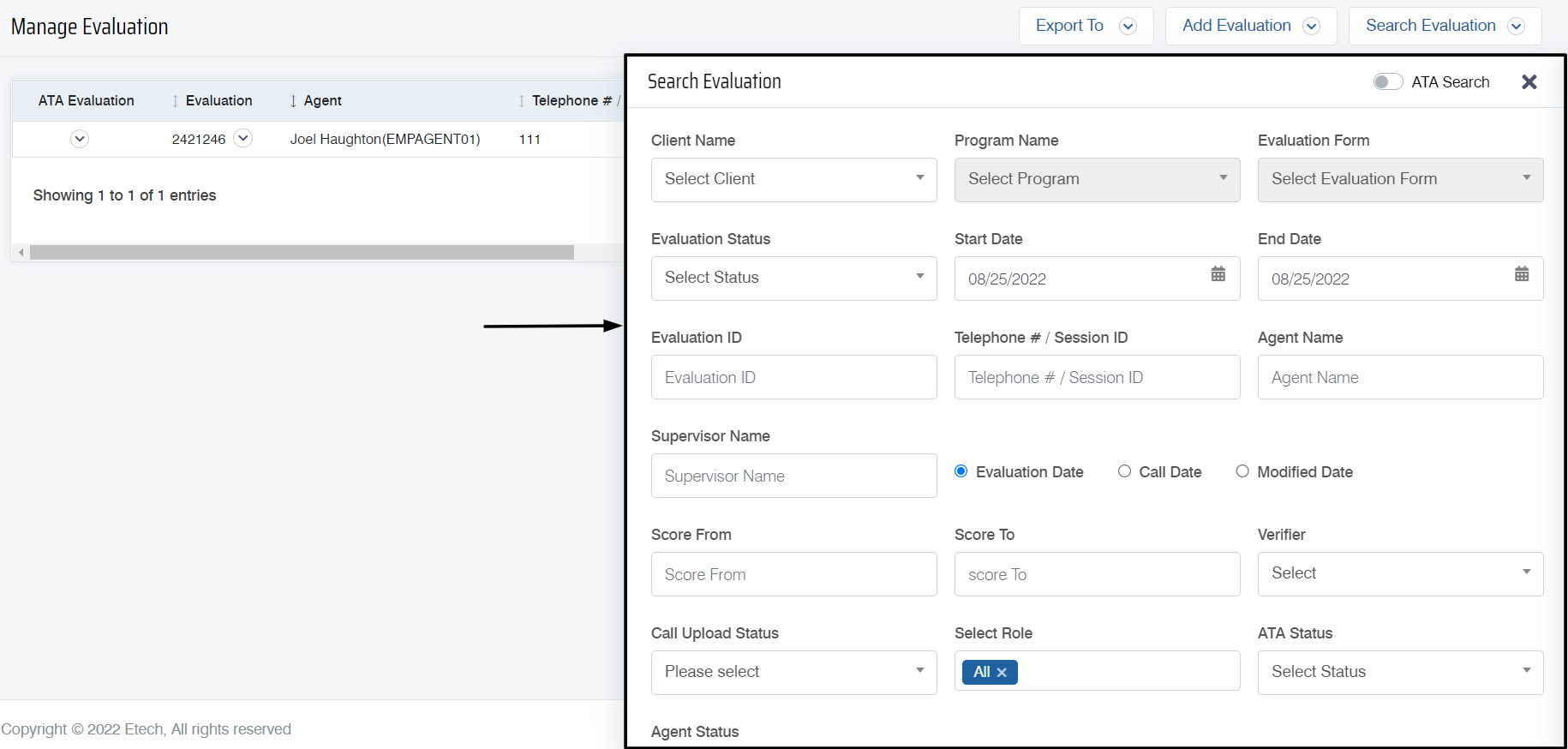
Users can set different filters on this screen to search for a specific evaluation. To filter on the basis of scores who have achieved 100% of the score, define the score range, by entering the Score From and Score To numbers.
How to find agents who are logged into the QEval platform?
The logged-in agents in QEval can be determined using the Active User tab on the dashboard.
Video