No, weights apply to the form, not the evaluator. All evaluators using the same form apply the same weight allocations to ensure consistency.
Who sets the weights?
Admins or QA Managers typically configure weight allocations, ensuring they align with organizational quality priorities and business objectives.
Can weights vary by Program?
Yes, weight settings can be program-specific. Different programs may prioritize different behaviours based on their unique quality standards and client requirements.
Why is weight allocation important?
Weight allocation ensures that critical behaviours carry more scoring importance. This allows you to emphasize key performance indicators while still monitoring secondary criteria.
What is Weight Allocation?
Weight Allocation is a tool that assigns scoring weight to questions or sections in evaluation forms. It ensures that more critical behaviours or criteria have greater impact on the overall score.
What if a user needs to allocate weight to a question of the particular category?
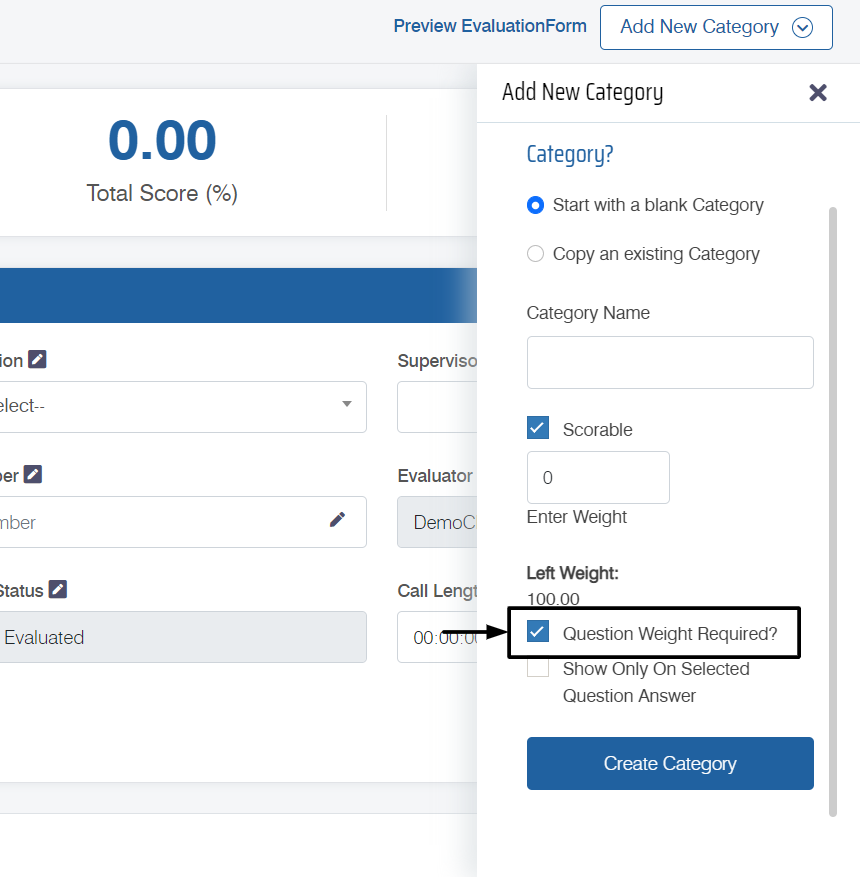
QEval also provides the functionality to apply weights (marks) to question(s) of the categories. The procedure is the same as allotting a weight to the category, with an additional factor of checking the Question Weight Required to create a weight-based question. This is as shown in the below screen:
How is a weight allocated to the category?
Firstly, an evaluation form is created by an authorized user with Admin rights. Now, follow the steps mentioned below:
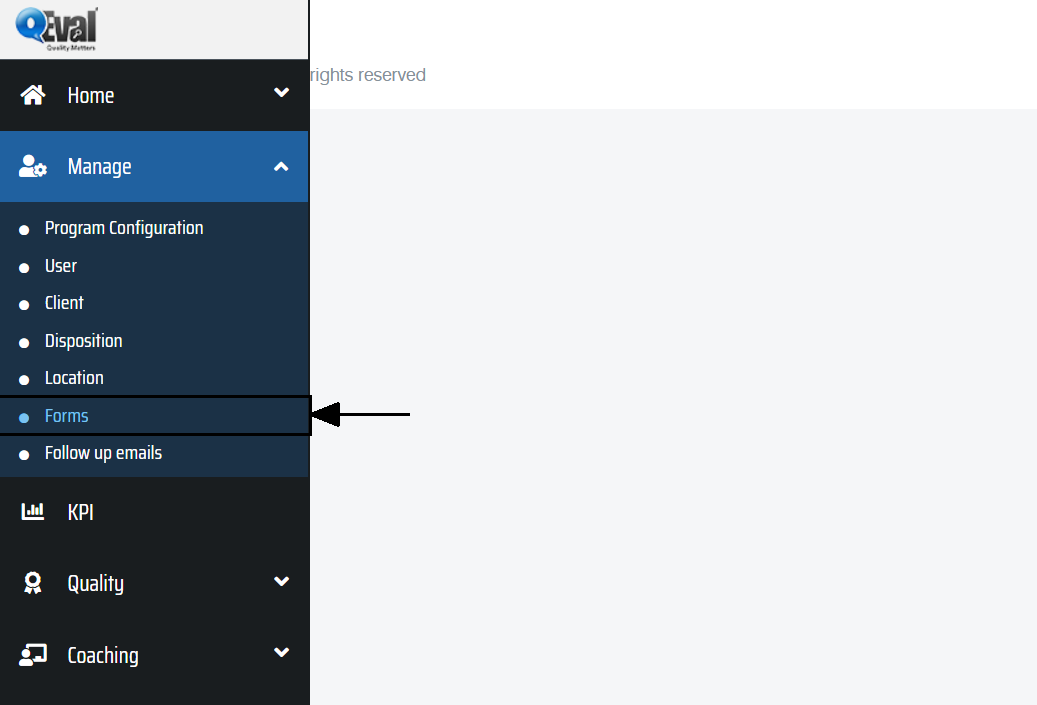
- Select Manage > Forms as shown below:
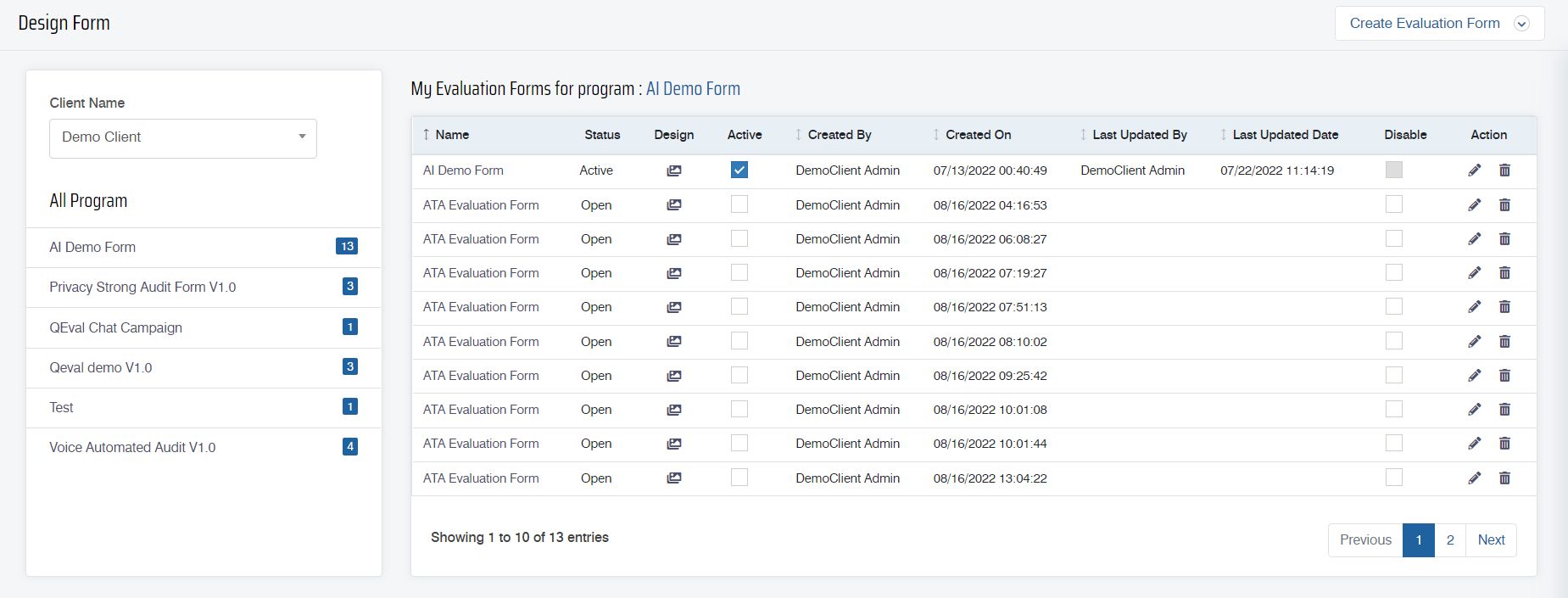
- The Design Form page will be displayed as shown below:
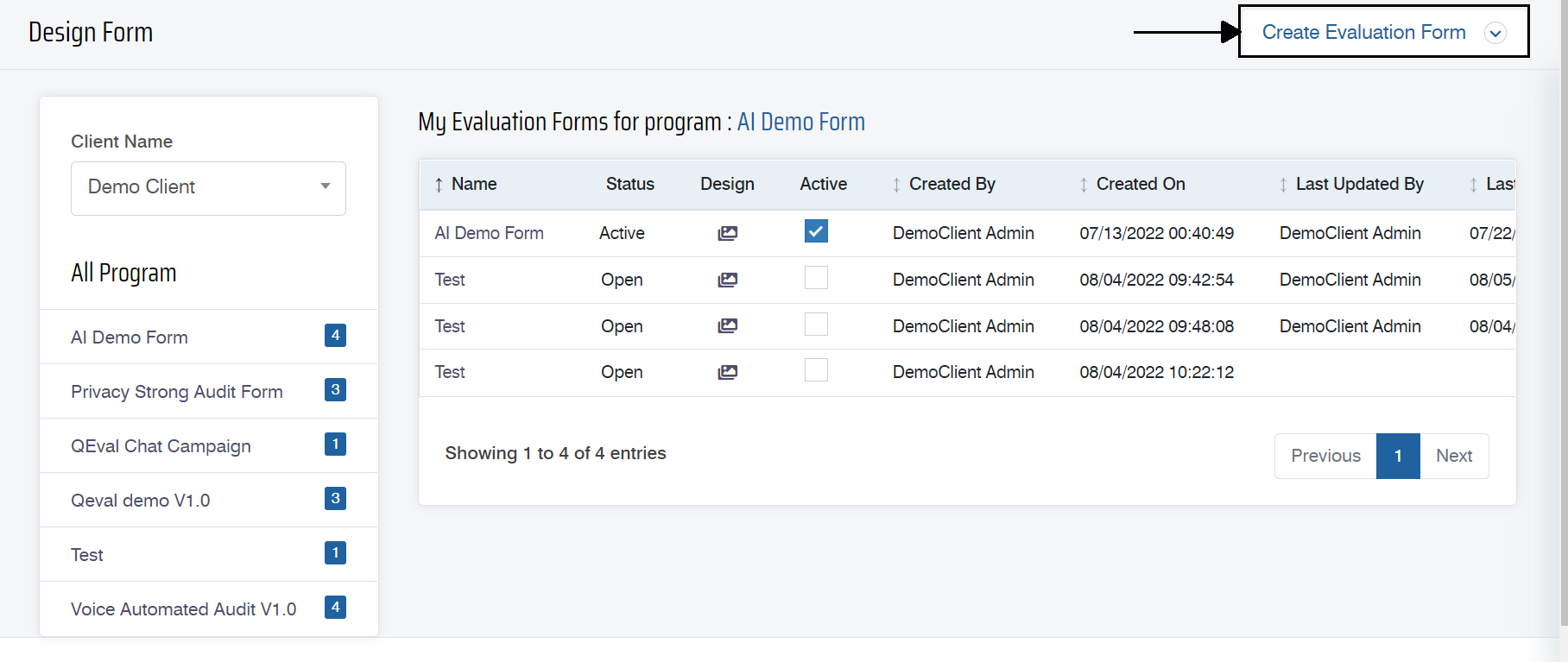
- Click on the Create Evaluation Form button.
The following screen appears:
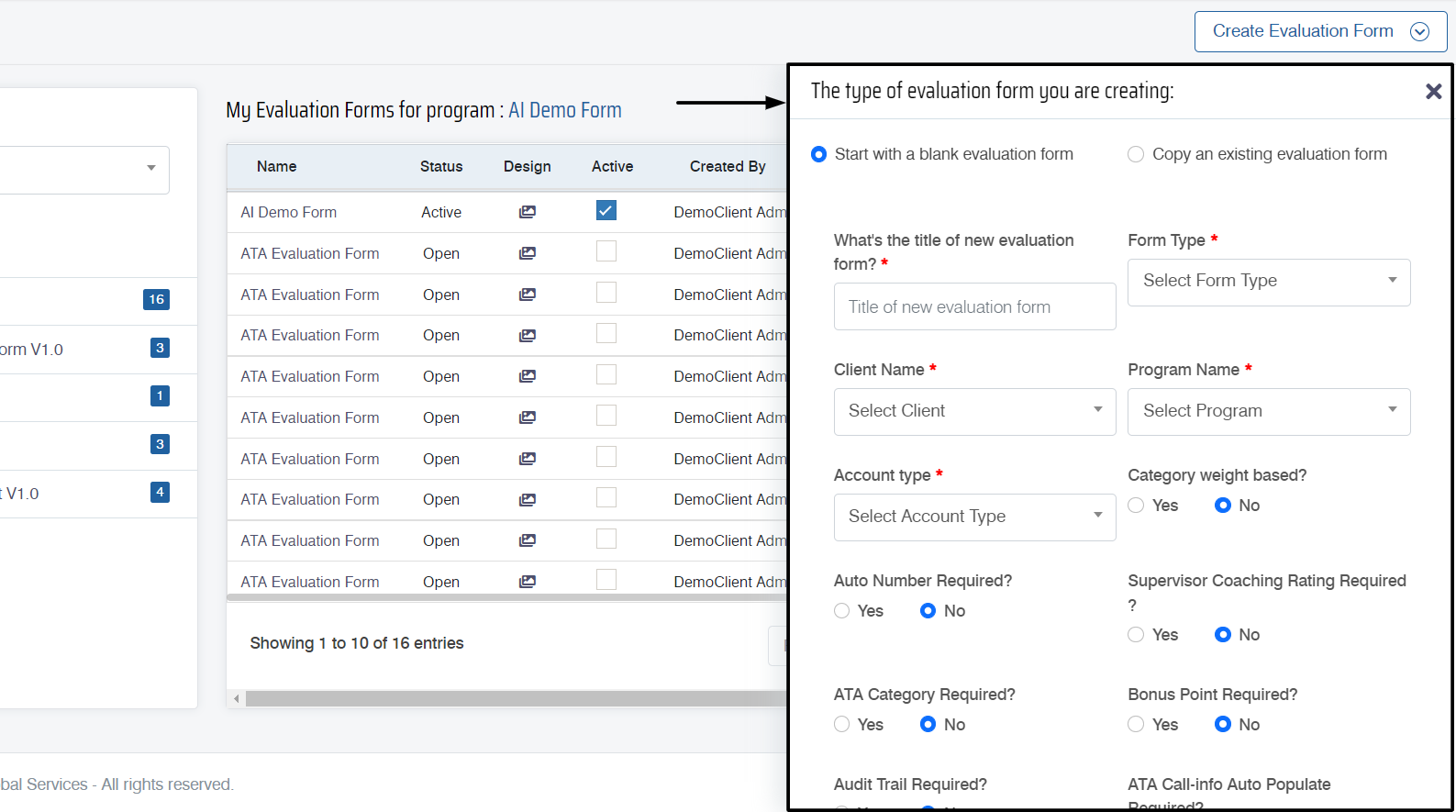
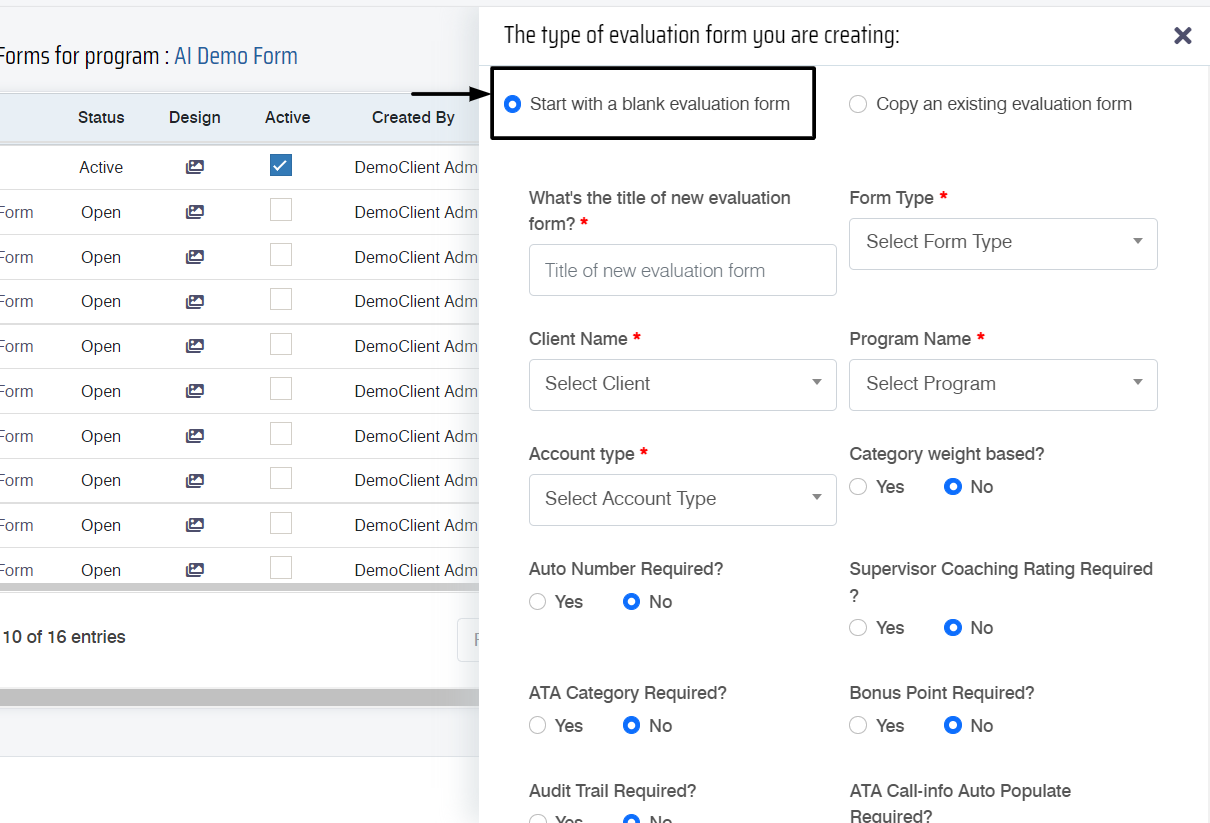
- Select Start with a blank evaluation form which will open up the list of options on the same screen.
- To create a weight-based category, the user needs to select the Yes radio button under Category weight based.
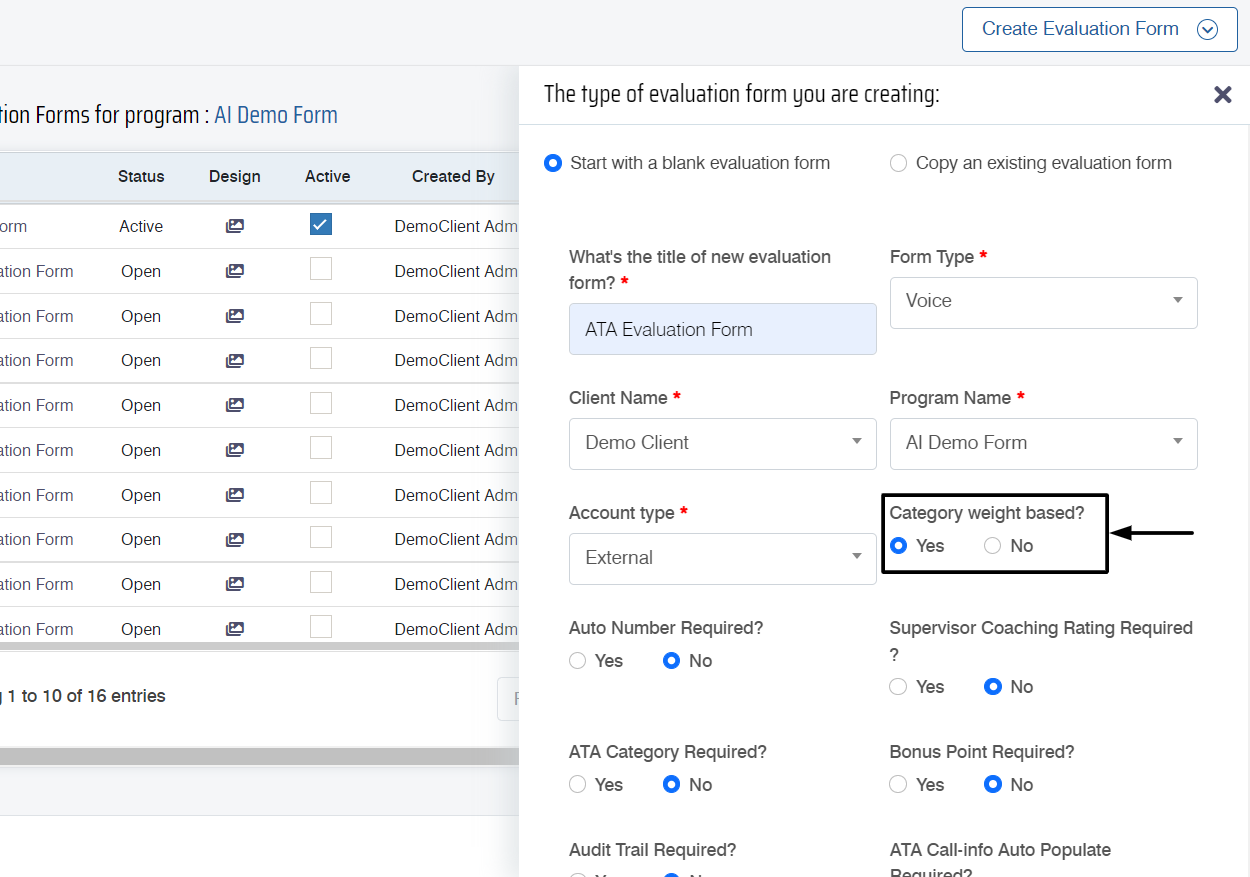
- Once the new form configuration is done, click on the
 button. Then the system will redirect to the newly created form.
 - To provide weight to the category, click on the Add New Category button displayed on the form page.
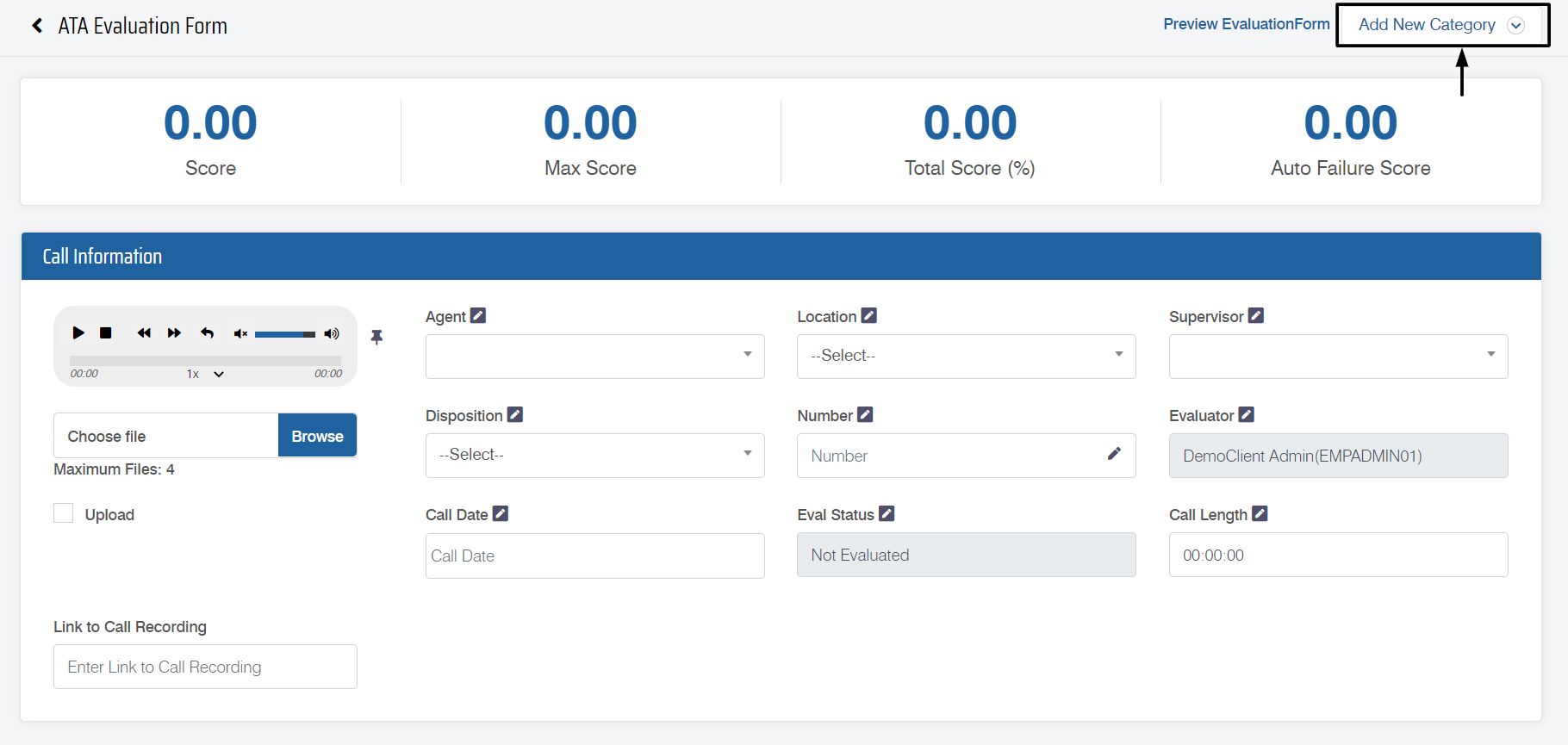
- Select Start with a blank category on the pop-up screen, which will list out the following options shown on the below screen:
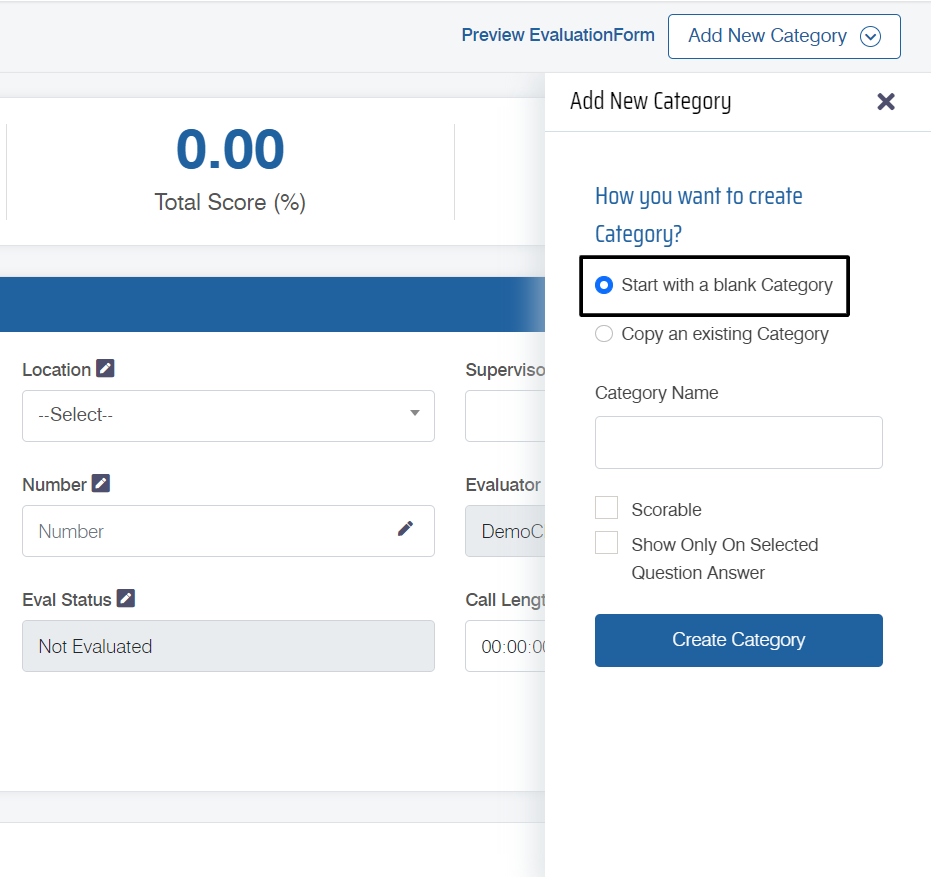
- From the above screen, weight can only be allocated to a category only if the user selects the Scorable checkbox and configures the weight details.
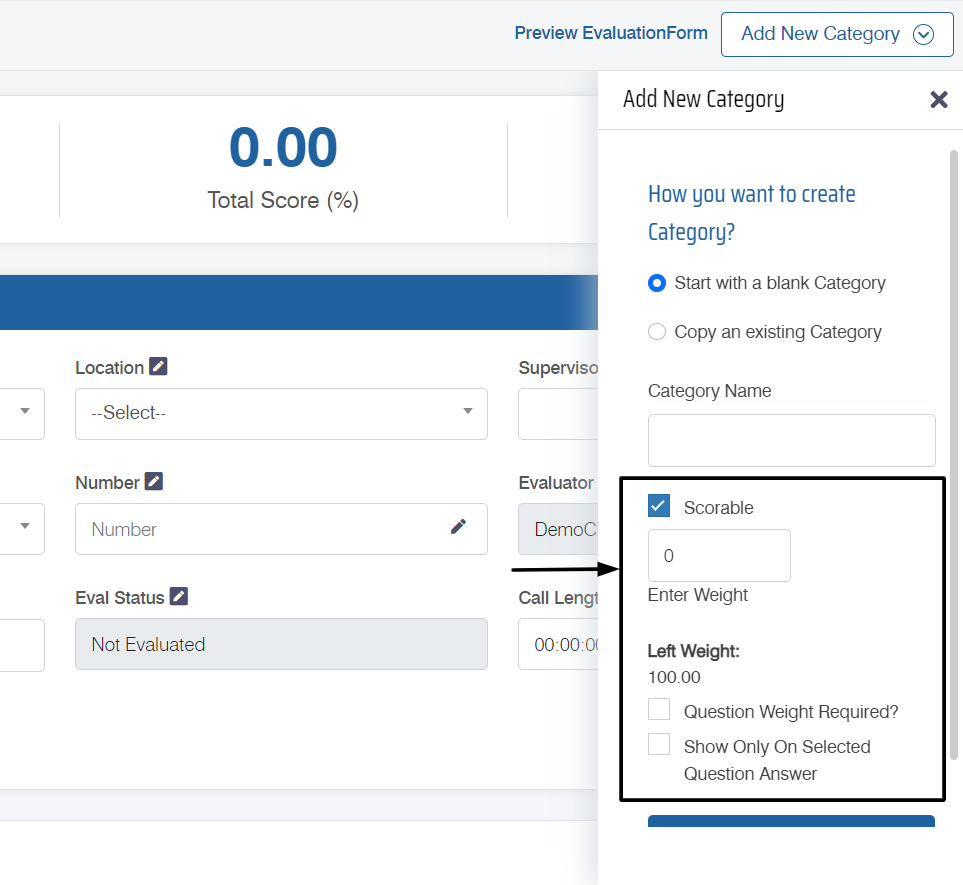
- This condition will be applicable to all the created categories.
What is meant by weight of a category?
There are certain questions which have more importance when compared with the other question. Keeping up with this logic, the concept of weight has been implemented in the software where a question of a category can be provided with more weight than other questions. Please note that weight here means total marks or points associated with that question.
Video