Get a quick overview of the QEval March Release through this video walkthrough.
The update goes live on 23rd March, bringing a faster and more efficient experience. Watch the attached video for highlights and explore the detailed information below.
The latest QEval release introduces several enhancements designed to improve evaluation efficiency, reporting transparency, and dispute management workflows. These updates help quality teams review interactions faster, manage disputes more accurately, and access reporting insights with greater clarity.
Below are the key enhancements included in this release.
1. Saved Filter Feature
The Saved Filter functionality allows users to store frequently used filter combinations and reuse them instantly across different sections of the platform.
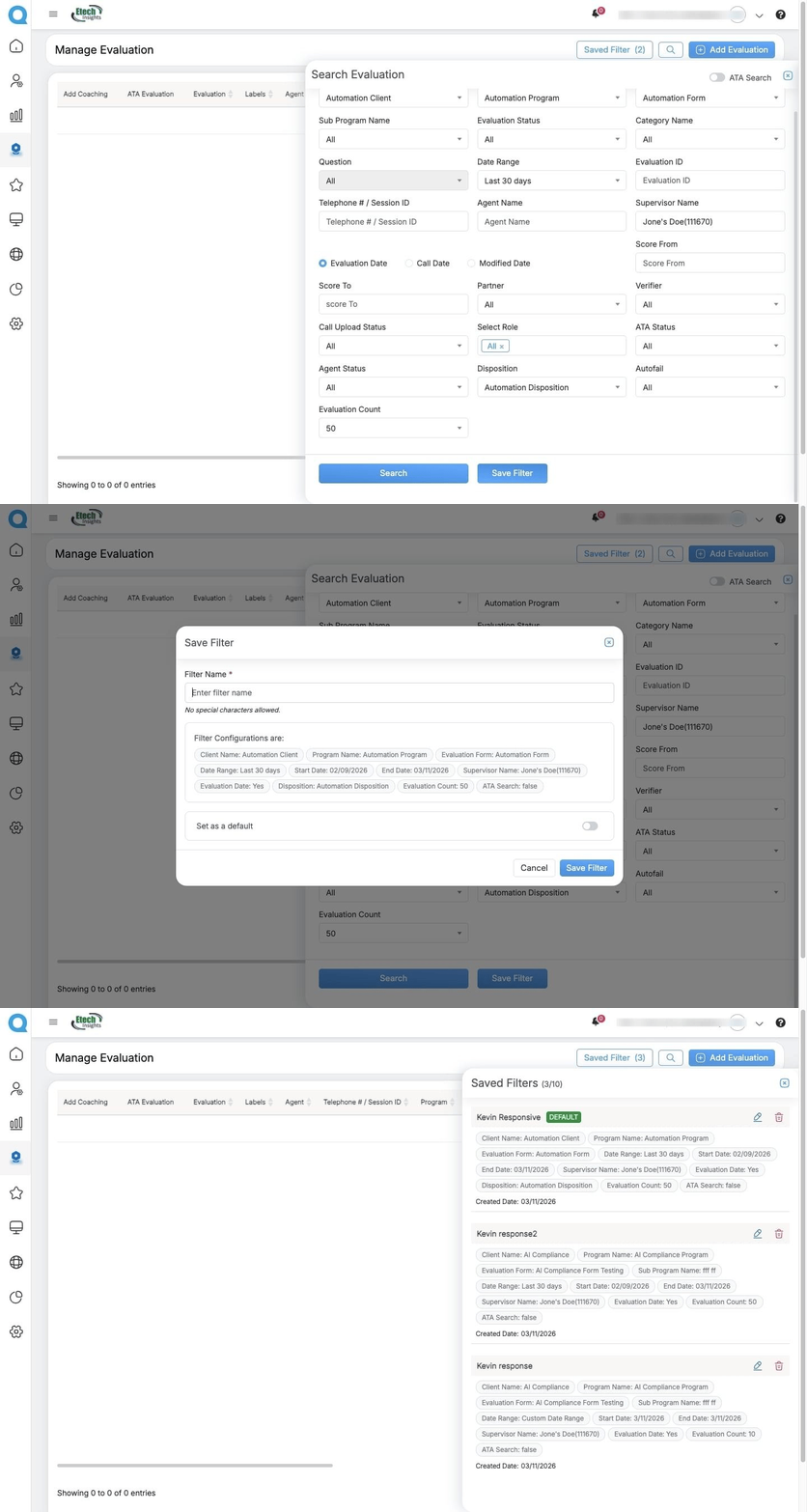
The Saved Filters functionality is available in the following sections:
- Search Evaluation
- My Evaluations
- My Disputes
- Reports
Users can create a filter configuration by applying the required filtering criteria and clicking Save Filter.
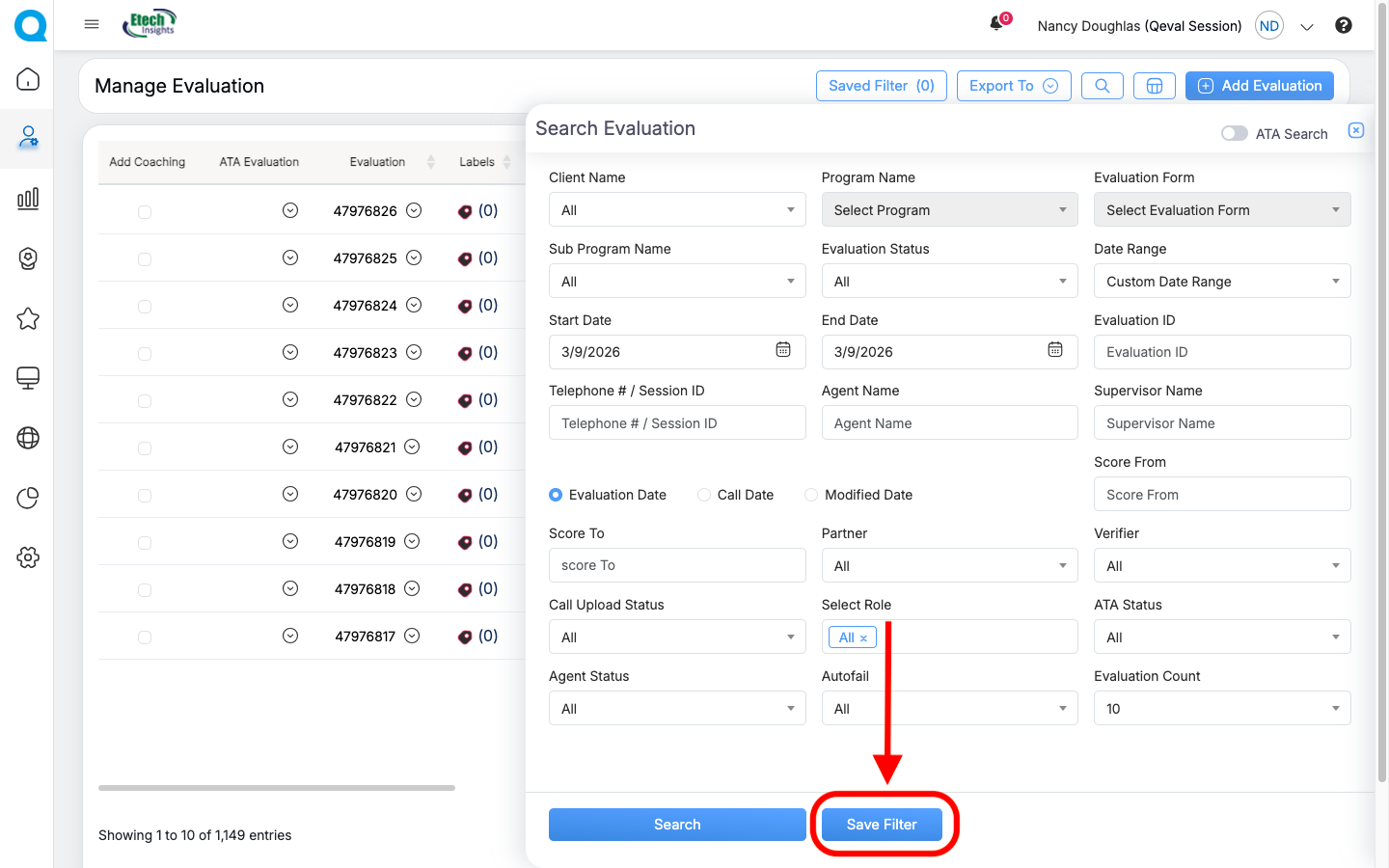
A pop-up window will appear where users can assign a filter name, review the applied configuration, and optionally set it as the default filter. Once saved, the filter can be reused whenever needed.
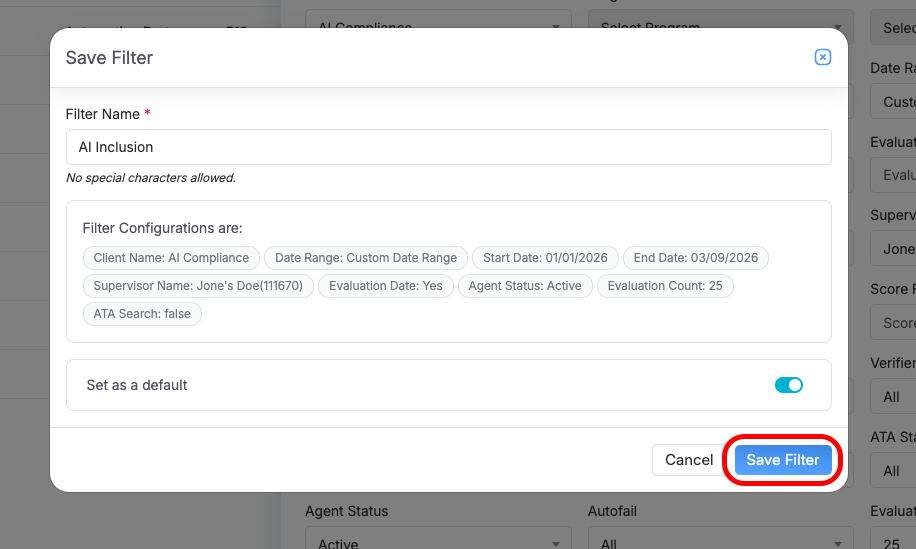
This functionality eliminates the need to repeatedly rebuild filters and helps maintain consistent search and reporting views across workflows.
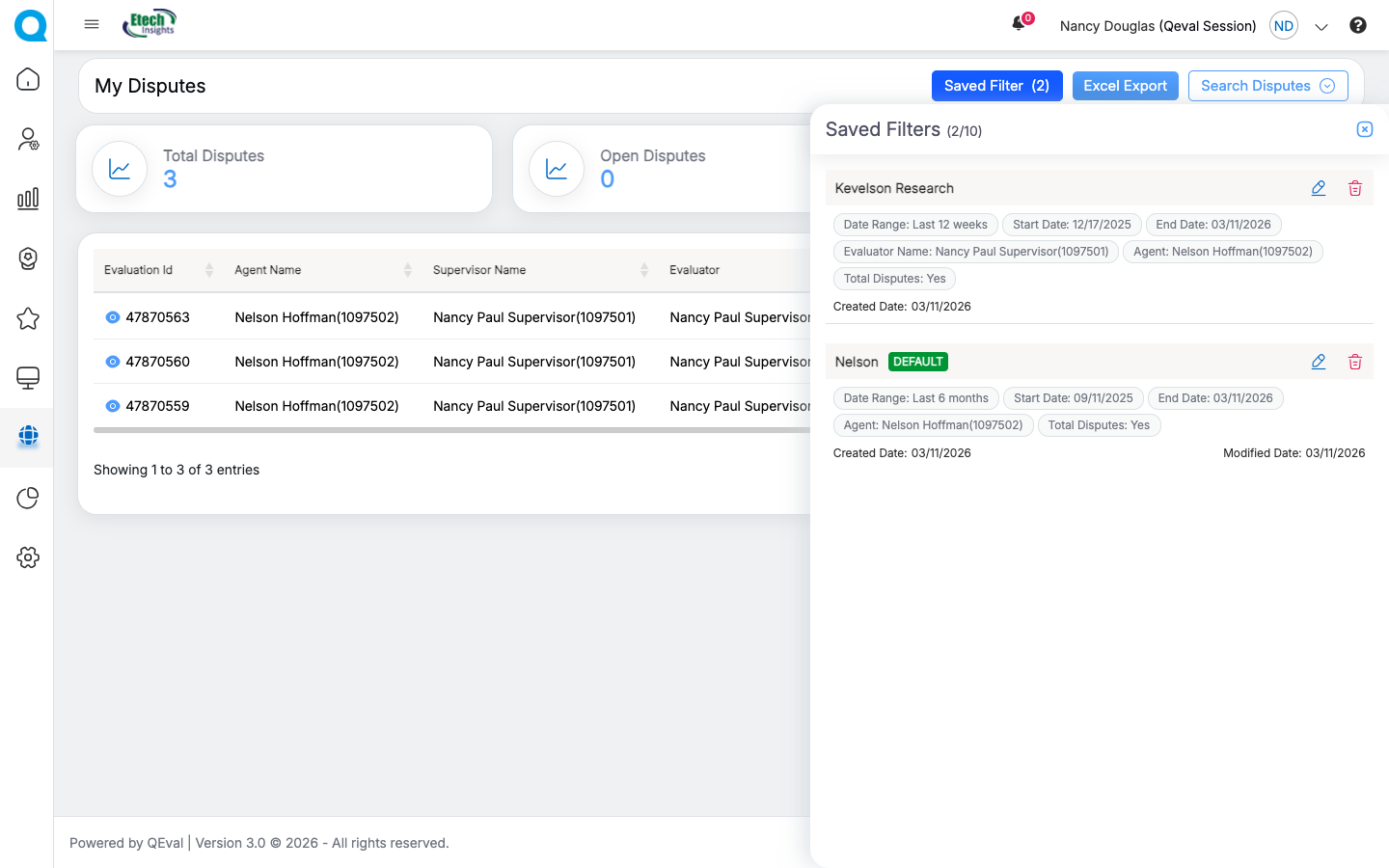
Users can also click Saved Filters to view all previously created filters. From this section, they can edit, delete, or set any saved filter as the default.
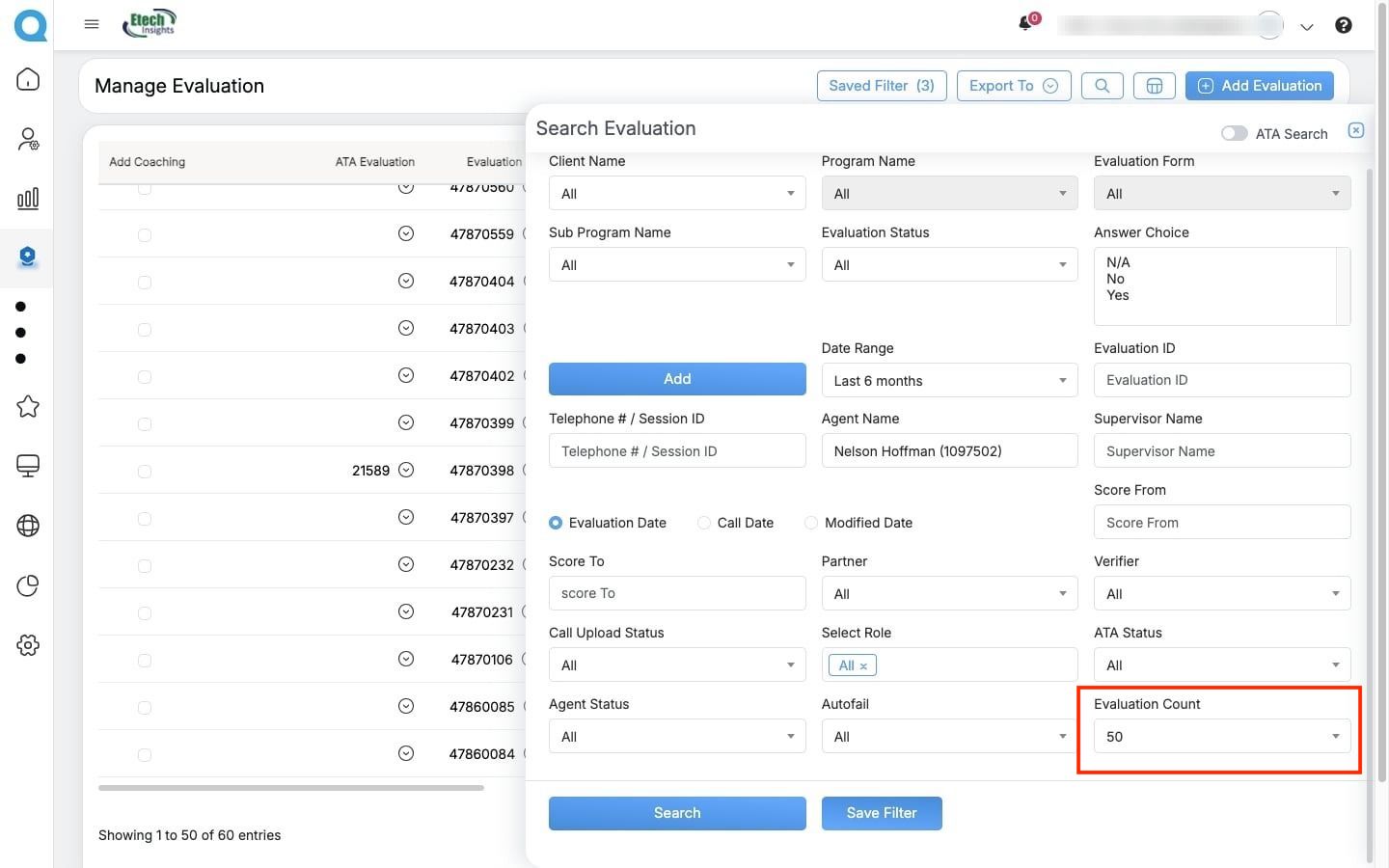
2. Evaluation Count feature
Evaluation Search now offers greater flexibility, allowing users to choose how many results appear per page—10, 25, or 50 evaluations. This enhancement helps users working with large evaluation volumes review and navigate results more efficiently without repeatedly switching pages.
3. Skip & Highlight Silent Audio
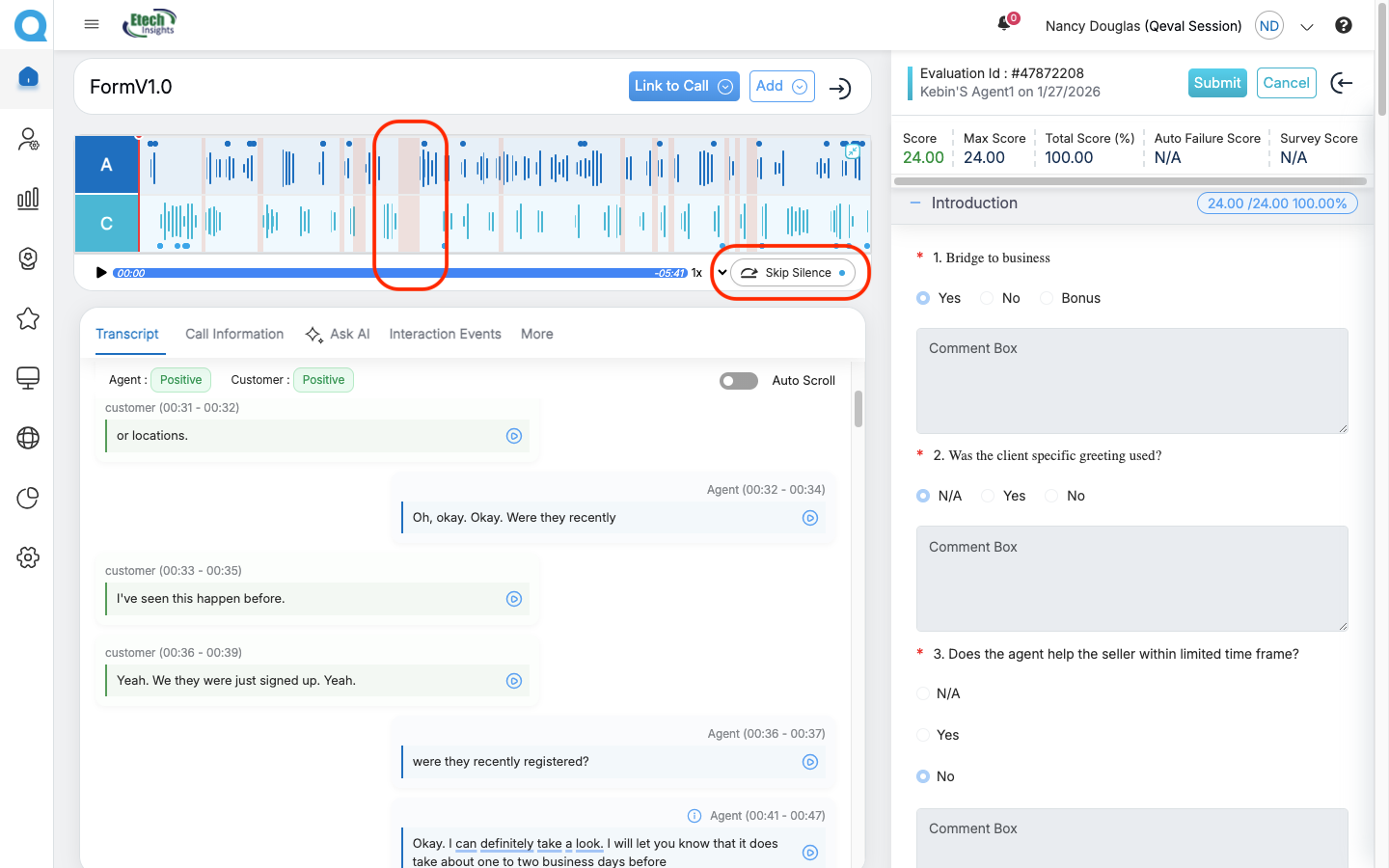
QEval now automatically detects and highlights silent segments directly on the audio waveform in call recordings, allowing users to hover over each highlighted section to view the start time, end time, and duration of the silence.
With Skip Silence enabled, playback automatically jumps past silent portions of the recording, allowing reviewers to focus only on active conversation segments.
4. Compliance AI – One-Time Scheduler
The Compliance AI module now supports a one-time execution scheduler.
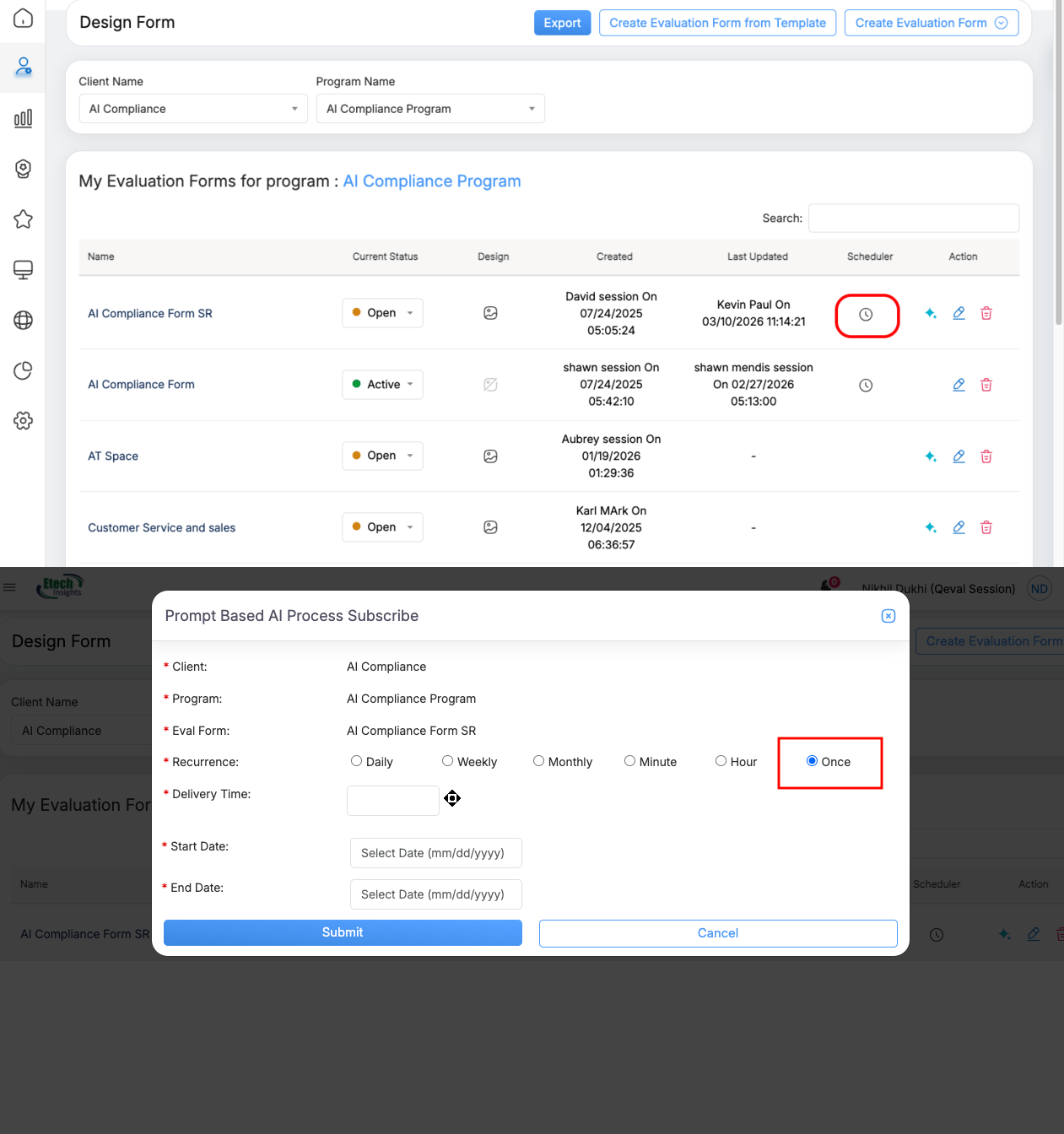
Users can now run a one-time compliance review by selecting the “Once” recurrence option and defining the Scope, Rule Set, and Execution Date. This feature allows teams to easily load and audit existing or historical data, making it ideal for campaign reviews, spot audits, and targeted compliance checks.
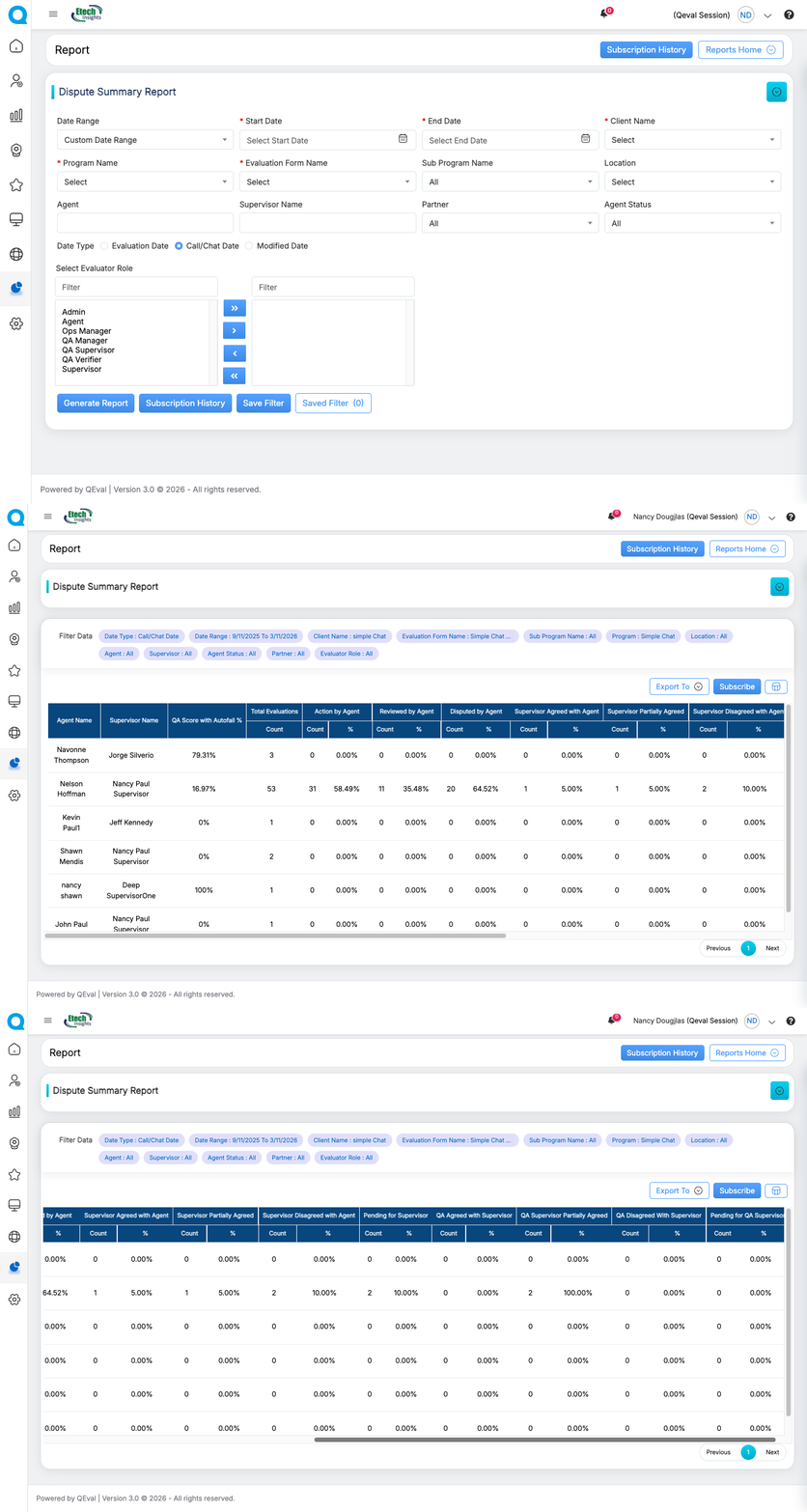
5. Dispute Summary Report
Benefits
- Centralized view of dispute activity
- Improved dispute monitoring and analysis
- Better reporting visibility for quality managers
6. Report Subscription with CSV Export
Users can now subscribe to schedule reports with CSV export support, in addition to existing Excel formats.
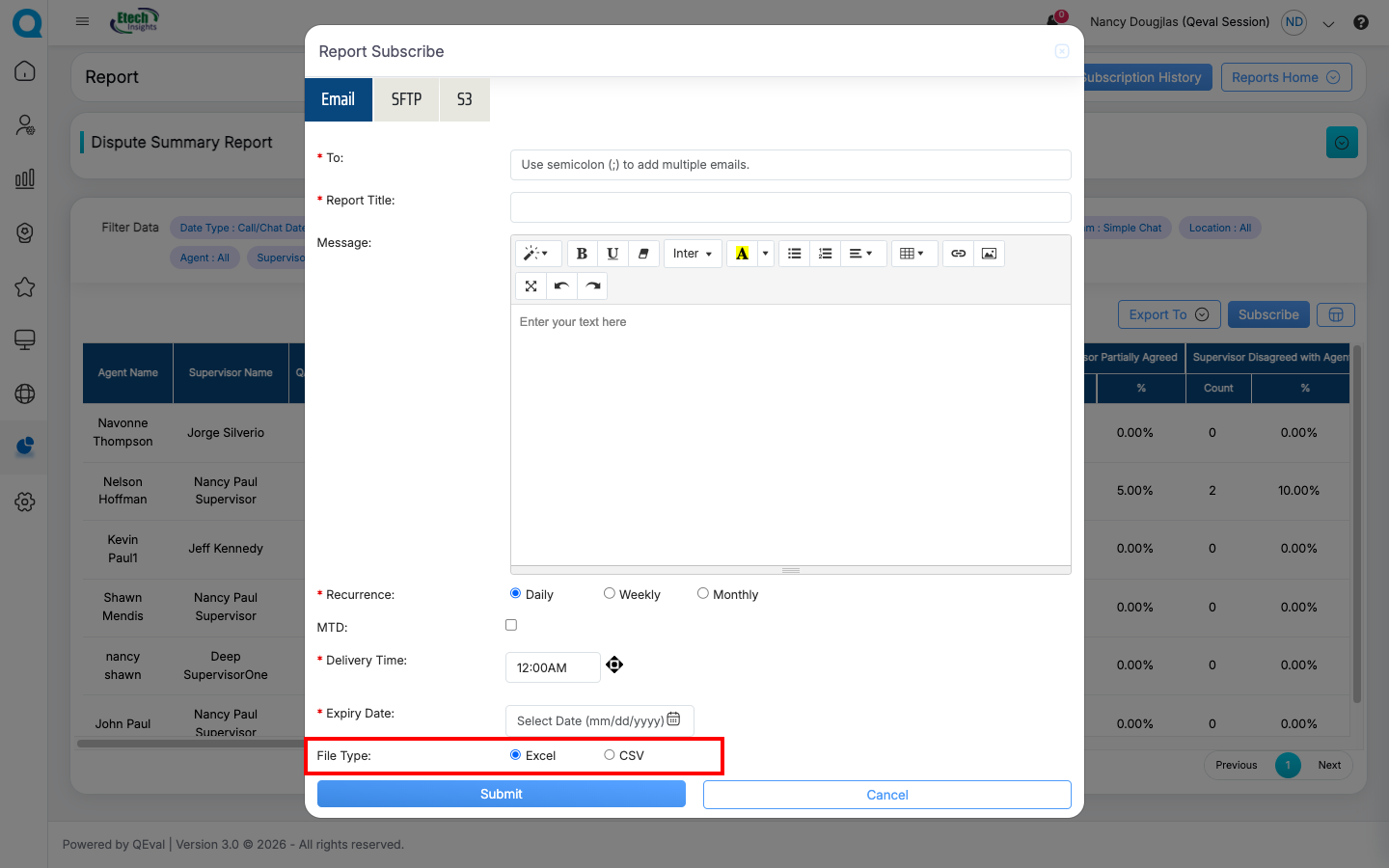
CSV files make it easier to integrate report data with:
- Excel spreadsheets
- Business intelligence tools
- External analytics platforms
Benefits
- Faster report distribution
- Improved data integration capabilities
- Greater flexibility in report analysis
7. Report Filter Enhancement – Display Filters
A new Display Filters option has been introduced in the Report Scheduler Grid.
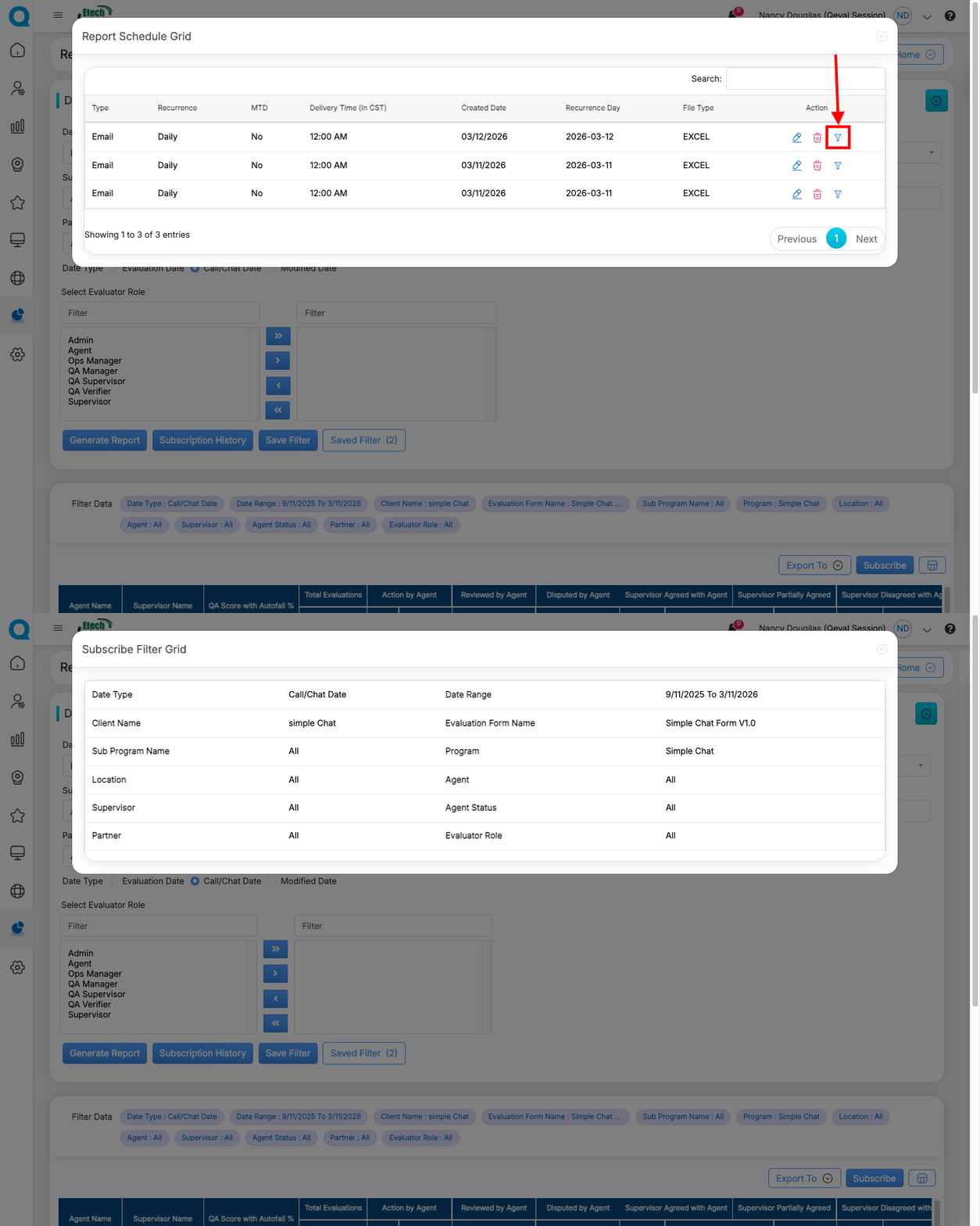
This feature allows users to view the exact filter parameters used when generating a scheduled report.
By displaying applied filters, the system ensures greater transparency and helps users better understand the context behind the report data.
Benefits
- Improved report transparency
- Clear understanding of applied filters
- Better confidence in report interpretation
8. Dispute Process Modification (Parameter-Level Dispute Handling)
The dispute workflow has been enhanced to support parameter-level dispute resolution.
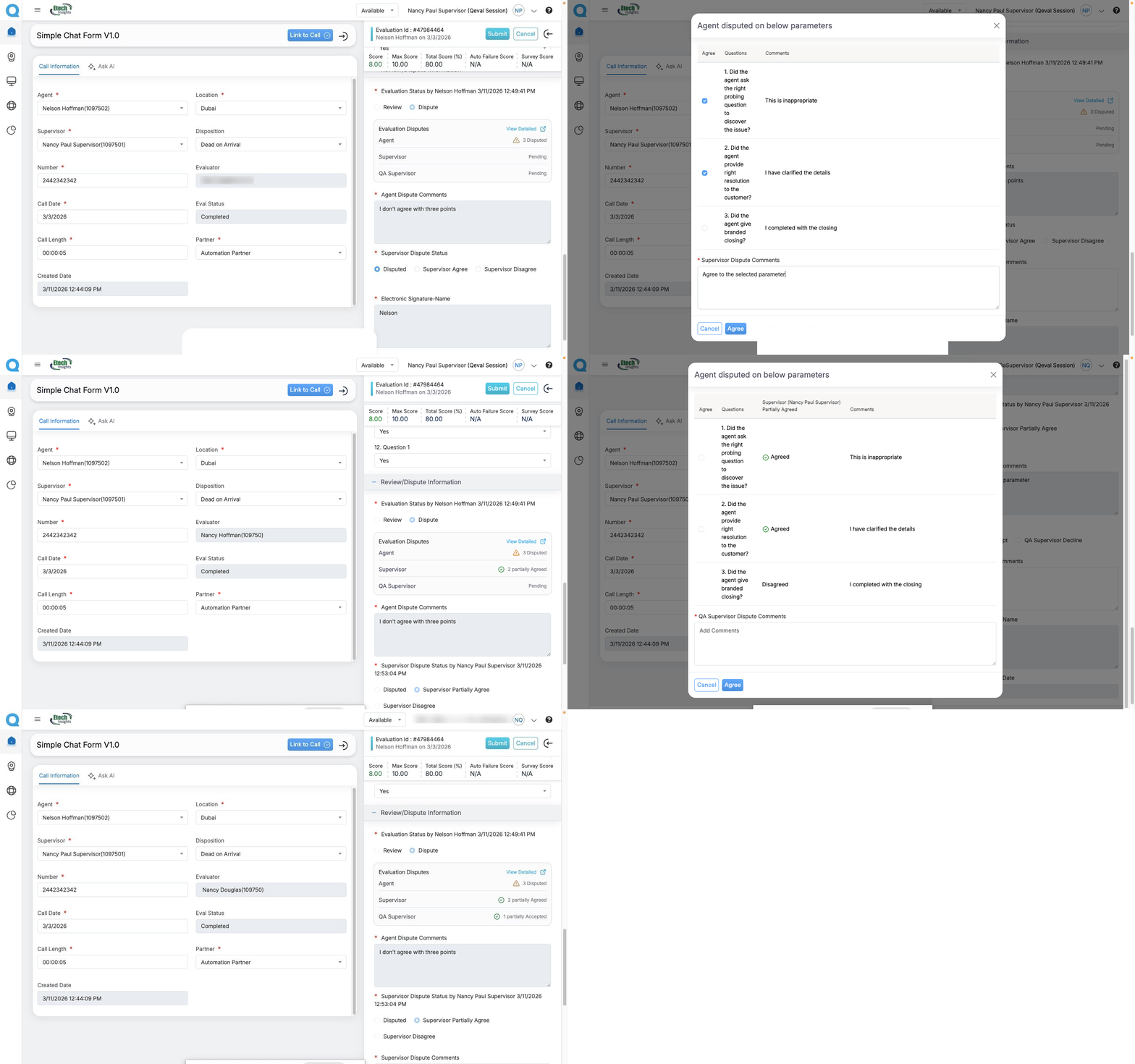
QEval now introduces parameter-level dispute resolution, enabling more accurate and transparent evaluation reviews.
Previously, when agents raised disputes on multiple parameters, supervisors could only accept or reject all disputes collectively.
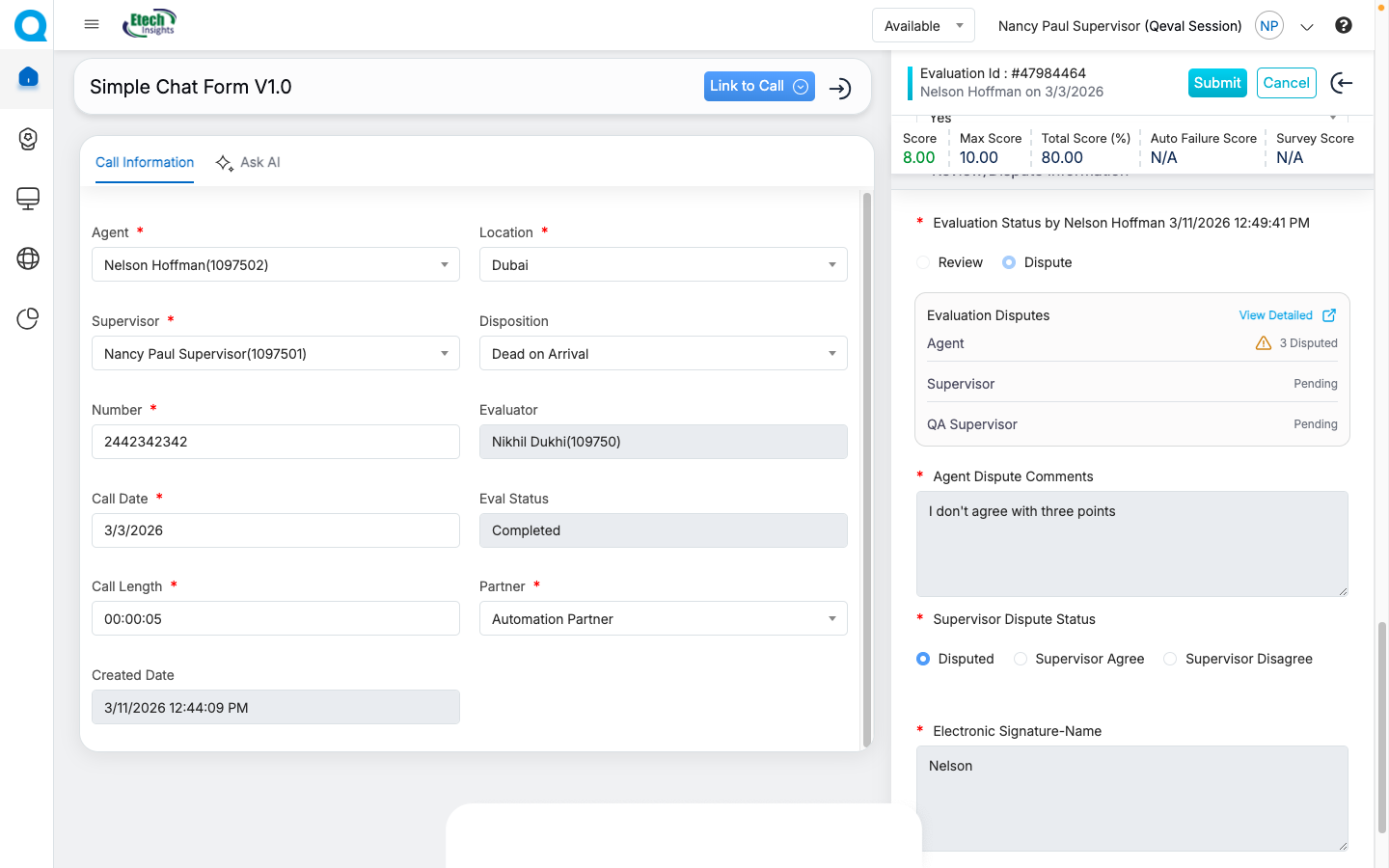
With this enhancement, supervisors can now review each disputed parameter individually and choose to agree or disagree using simple radio buttons and checkboxes.
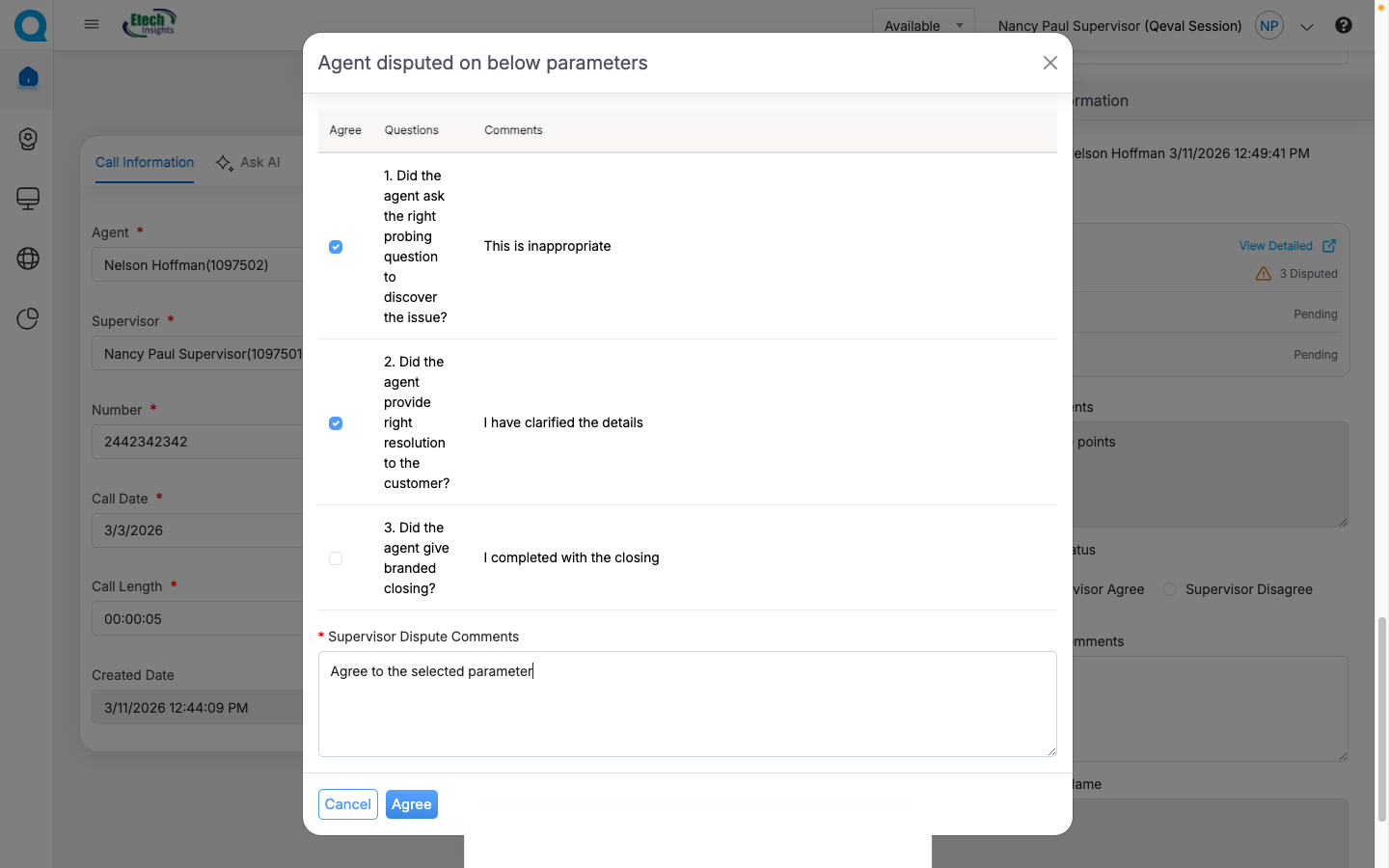
Supervisors can select Agree or Disagree as needed and choose the specific parameters they want to approve. The selected parameters are then forwarded to the QA Supervisor for further review.
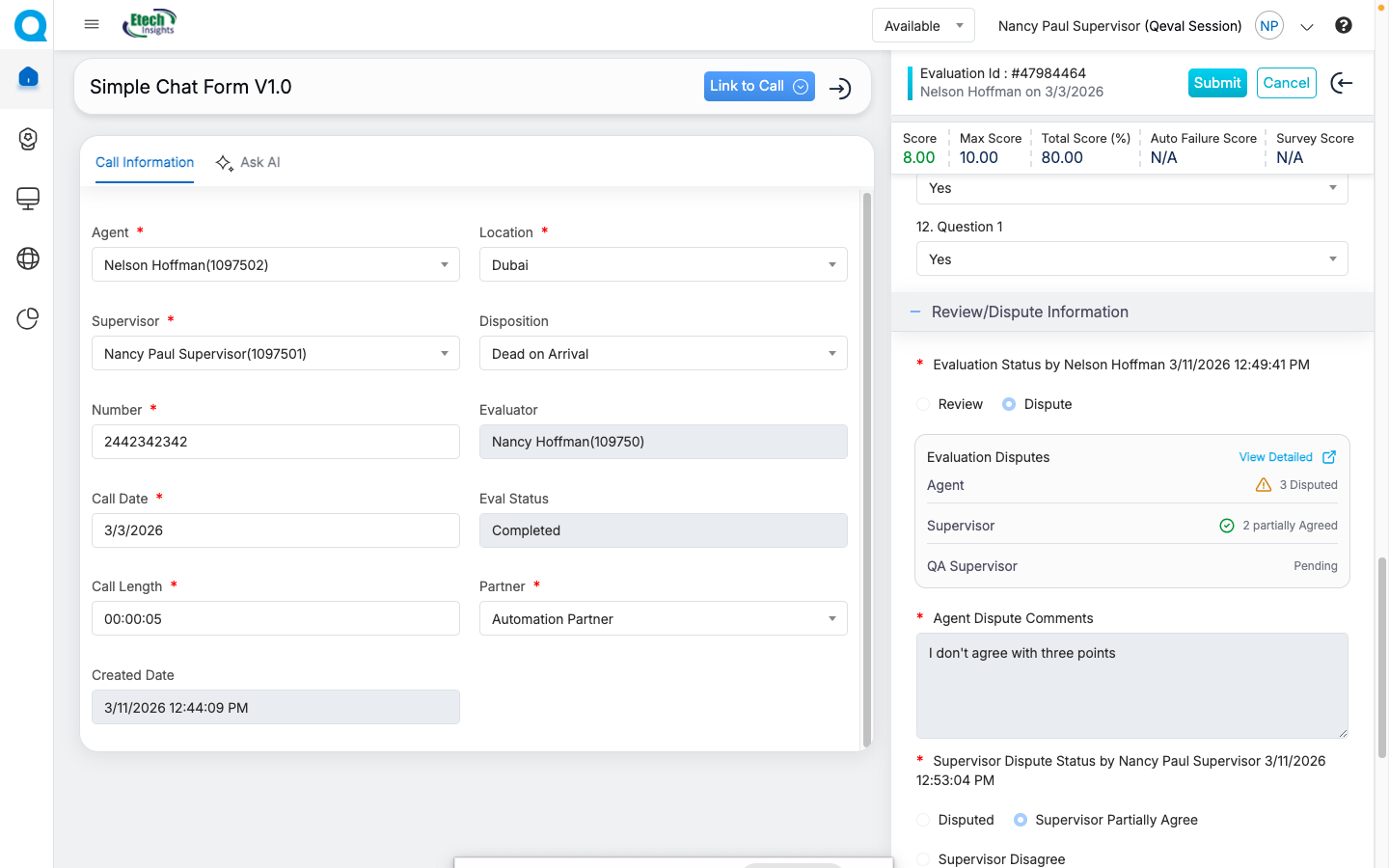
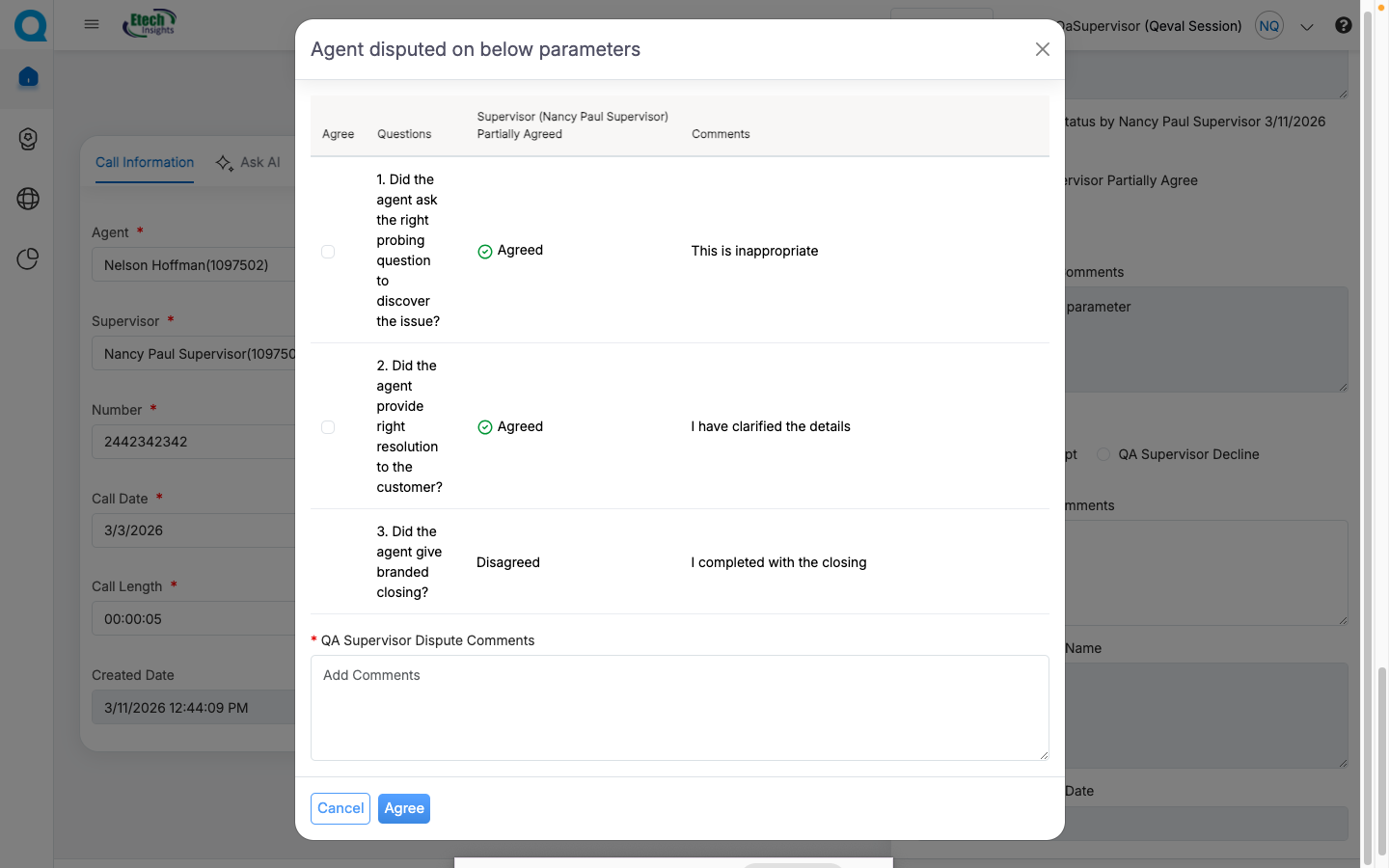
The QA Supervisor can review these parameters and accept or decline them individually, ensuring a structured multi-level review process.
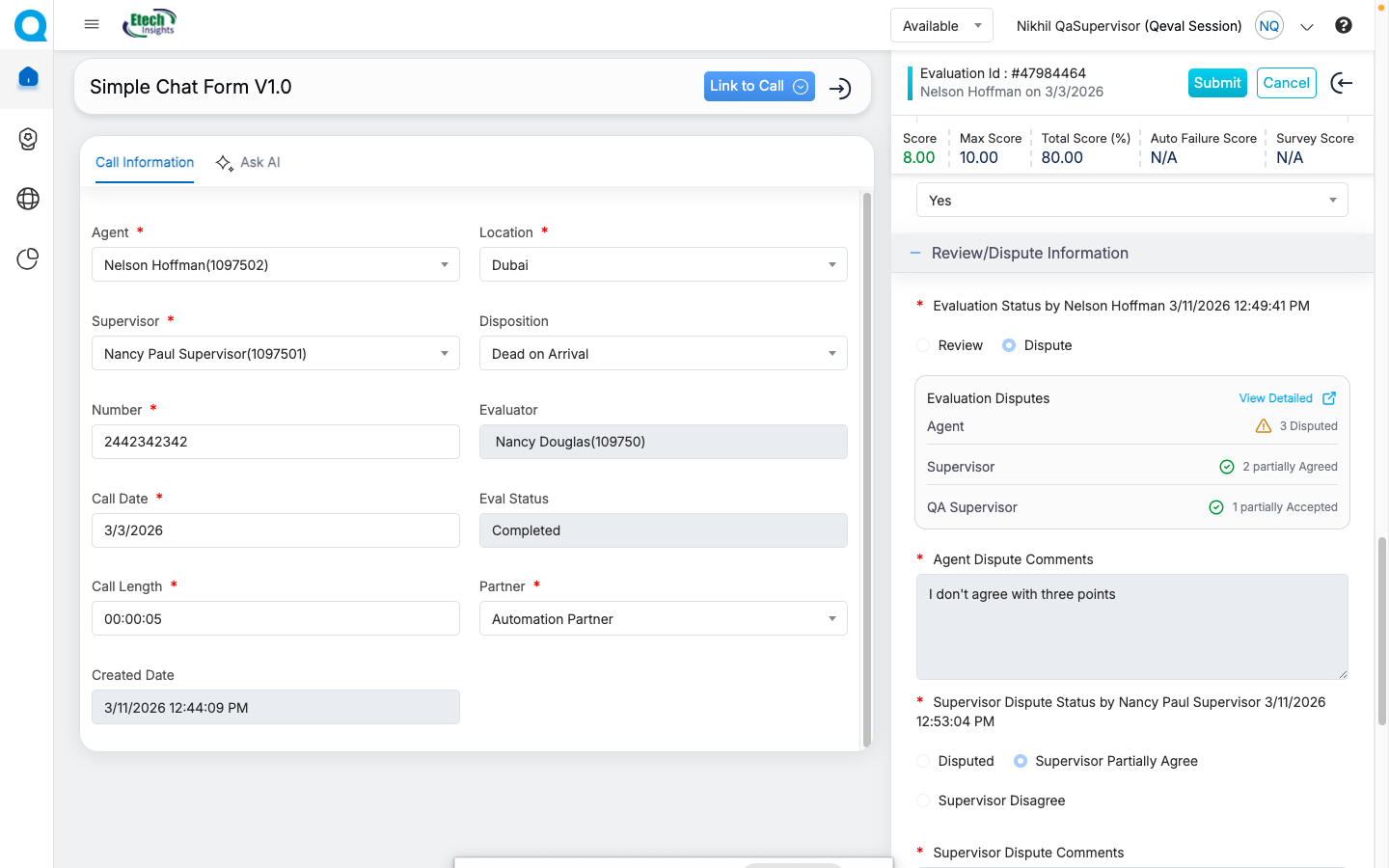
If only some disputes are approved, the evaluation will automatically display a “Partially Accepted” status, clearly indicating partial resolution.
This update introduces enhanced dispute reporting, improving transparency and compliance across the dispute workflow.
If a Supervisor raises a dispute on behalf of an Agent, it is automatically marked as Supervisor Agreed and forwarded to the QA Supervisor, skipping the Supervisor approval step while maintaining the workflow hierarchy.
With parameter-level dispute handling, QEval enables fairer dispute resolution, clearer review visibility, and more accurate reporting for quality teams.
Benefits
- More accurate dispute resolution
- Improved transparency across review levels
- Stronger audit and compliance tracking
What This Release Means for Your QA Teams
These enhancements improve evaluation efficiency, reporting transparency, dispute resolution accuracy, and compliance monitoring flexibility, helping streamline overall quality monitoring workflows.
With these updates, QA teams can spend less time navigating operational processes and more time focusing on performance insights, coaching opportunities, and continuous quality improvement.
Video