The Supervisor View is an interface designed for supervisors to review evaluations and address disputes raised by agents. It provides functionality for supervisors to review evaluation statuses, update dispute resolutions, and provide feedback. Depending on whether the agent has raised a parameter-based or general dispute, the interface displays relevant options, including the ability to select a Supervisor Dispute Status (e.g., Disputed, Supervisor Agree, or Supervisor Disagree) and add comments. Supervisors can also electronically sign and date the reviewed evaluations for record-keeping and approval purposes.
Case 1: No Dispute
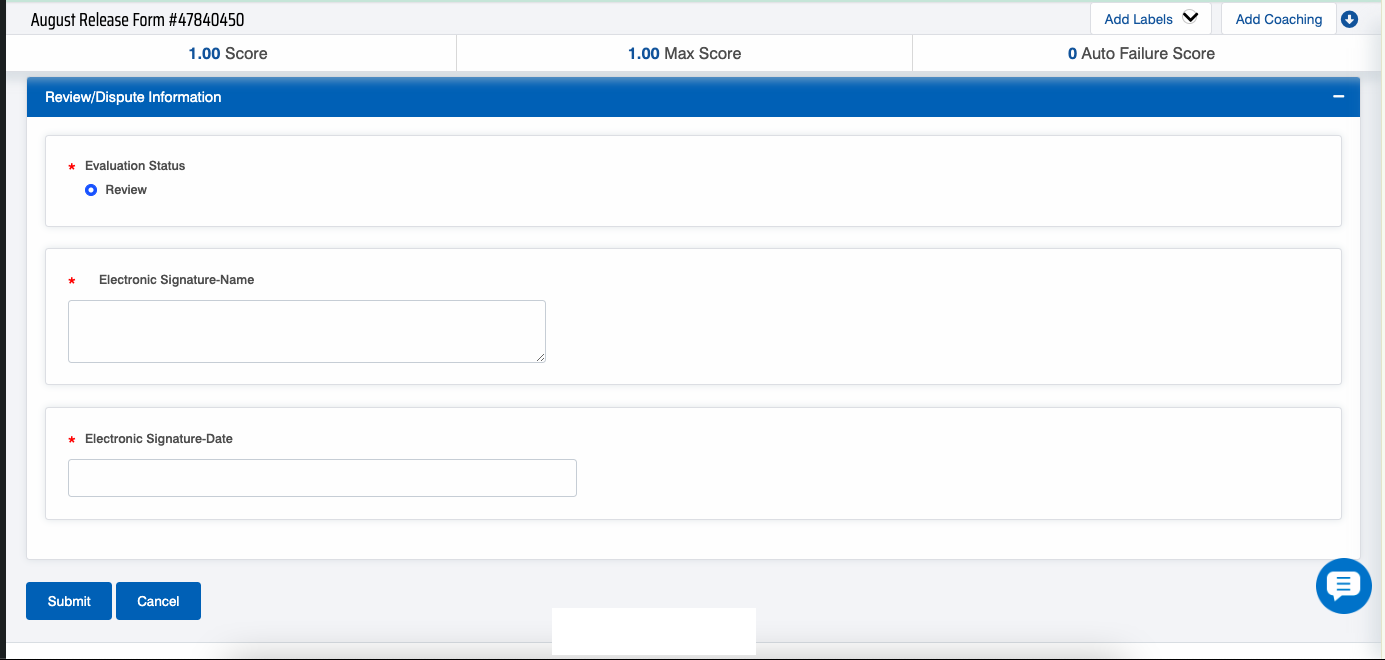
The following screen with Review radio button, will be displayed if the Dispute is not raised for the specific form-
Evaluation Form
Configure the following fields:
- Enter the name under the Electronic Signature-Name.
- Enter the date of submission of evaluation status under Electronic Signature-Date.
Once reviewed, click on the  button.
Case 2: Overall Dispute
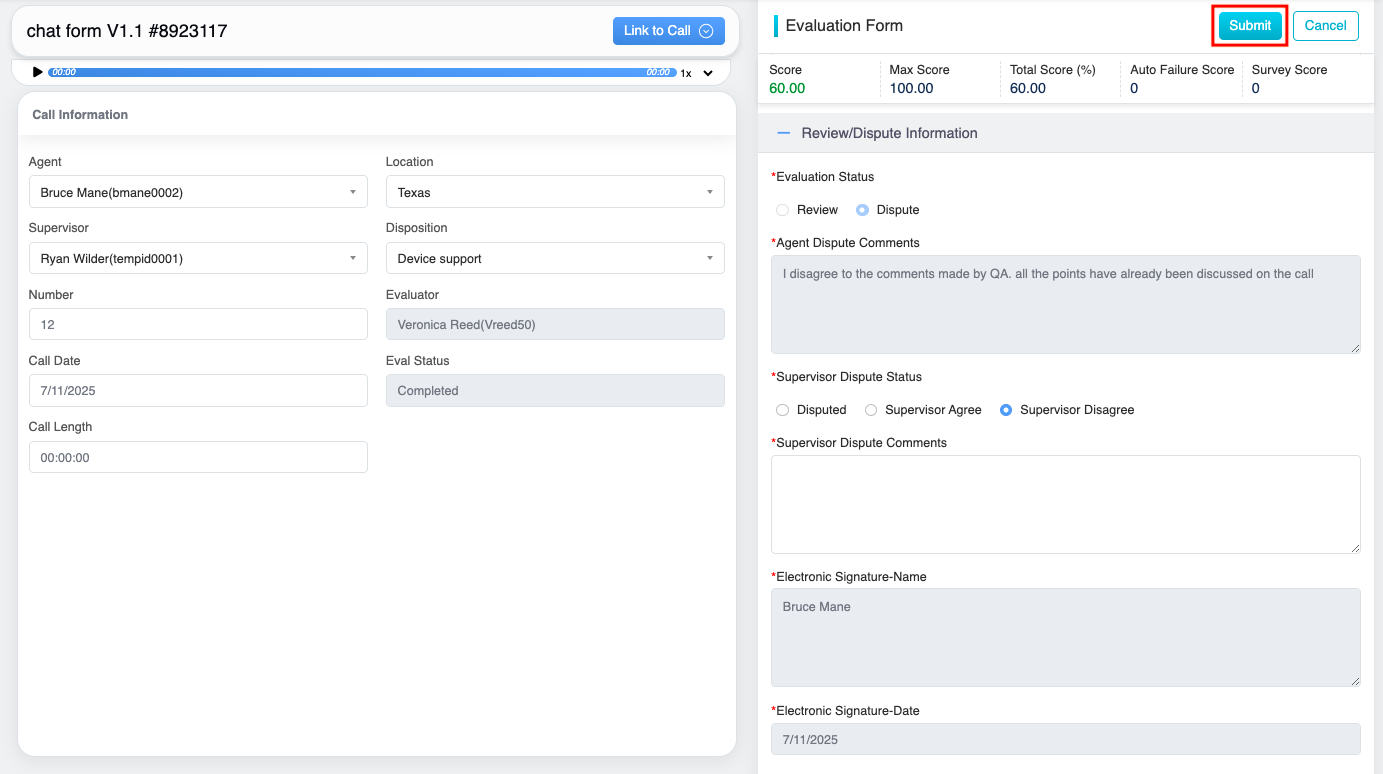
If the agent has already reviewed and disputed the evaluation but not on parameter level, these evaluations will be displayed alongside the agent’s dispute comments, the relevant dispute will appear, as shown in the referenced screen.-
Overall Dispute
After reviewing the agent’s submitted dispute comments,
- Choose the appropriate Supervisor Dispute Status from the available options: Disputed, Supervisor Agree, or Supervisor Disagree.
- Provide the relevant Supervisor Dispute Comments in the designated comment box.
- The Electronic Signature Name and Electronic Signature Date fields will be automatically populated by default.
Once reviewed, click on the  button.
Case 3: Question Based Dispute
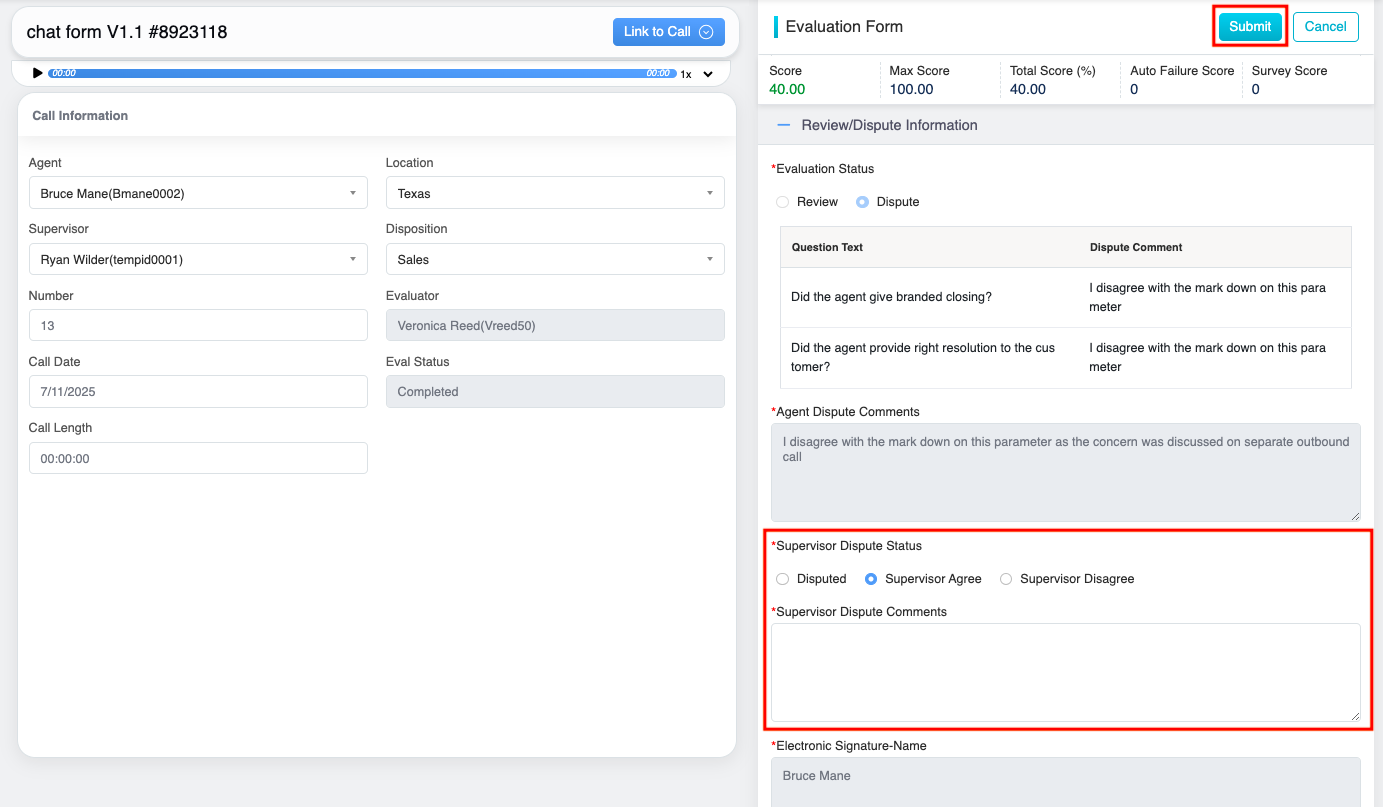
If the agent has already reviewed and disputed the parameter-based question evaluations, these evaluations will be displayed alongside the agent’s dispute comments. Upon selecting the specific evolution, the following question disputes will appear, After reviewing the agent’s submitted dispute comments, the following highlighted fields must be updated by the supervisors, as highlighted in the screen below-
Dispute Radio Button
- Choose the appropriate Supervisor Dispute Status from the available options: Disputed, Supervisor Agree, or Supervisor Disagree.
- Provide the relevant Supervisor Dispute Comments in the designated comment box.
- The Electronic Signature Name and Electronic Signature Date fields will be automatically populated by default.
- Once reviewed, click on the button.
Video