The Team Review/Dispute feature in QEval allows authorized users to complete the pending review or dispute steps on behalf of another user when the responsible person is unavailable.
This ensures evaluations continue to move through the workflow without delays.
This feature is visible only when the Team Review/Dispute access right is enabled for the user.
1. Understanding the Review Flow in QEval
Below is a simplified, interactive breakdown of how evaluations are reviewed — both in the standard flow and when Team Review/Dispute is enabled.
A. Standard Review / Dispute Flow (Default Process)
This is the usual path, where each assigned user completes their own step.
- QA Verifier : Submits the evaluation.
- Agent : The agent evaluates the scorecard and selects one of two actions: Review or Dispute.
- Supervisor : If the agent disputes, the supervisor reviews the dispute, supervisor can agree or disagree.
- QA Supervisor : The QA Supervisor provides the final decision only if the Supervisor agrees.
The flow works as follows: QA Verifier evaluates the call, the Agent reviews or disputes it, the Supervisor agrees or disagrees on the dispute, and if agreed, the QA Supervisor provides the final decision.
B. When Team Review / Dispute Is Enabled
The Team Review feature adds flexibility to the evaluation process, allowing reviews and disputes to continue even when someone is unavailable.
At the same time, team boundaries and ownership remain fully protected.
Who Can Act on Behalf of Whom?
| Role | Allowed to Act On Behalf Of | Denied to Act On Behalf Of |
|---|---|---|
| Supervisor | Their own agents | Agents belonging to another Supervisor |
| Supervisor | Other Supervisors (for the Supervisor’s actions only) |
Agents belonging to another Supervisor |
| QA Supervisor | Another QA Supervisor for completing the final review stage | The QA Supervisor’s agents or their team |
| QA Manager | QA Supervisors | Any supervisors or agents |
| Admin | any Agent, Supervisor or QA Supervisor | QA Manager |
Key Principle:
Team Review allows flexibility without breaking team boundaries—users can cover for their own team or for other supervisors (not their teams).
Summary (Easy to Understand)
Standard Flow: Everyone completes their own part, no delegation.
Team Review Enabled:
- Supervisors can act on behalf of their agents or complete actions on behalf of another supervisor, but not that supervisor’s agents.
- QA Supervisors can finalize on behalf of another QA Supervisor, but not their team.
-
QA Managers can act on behalf of any QA Supervisor, but not on behalf of any Supervisors or Agents.
- Admins can step in to complete actions on behalf of any Agent, Supervisor, or QA Supervisor when the responsible user in the review flow is unavailable.
Goal: Ensure continuity while maintaining team integrity.
2. Access Requirement
The Team Review feature is available only when the user has the Team Review/Dispute access right enabled.
If the checkbox for Team Review/Dispute is selected in the user’s permission settings, the feature becomes active.
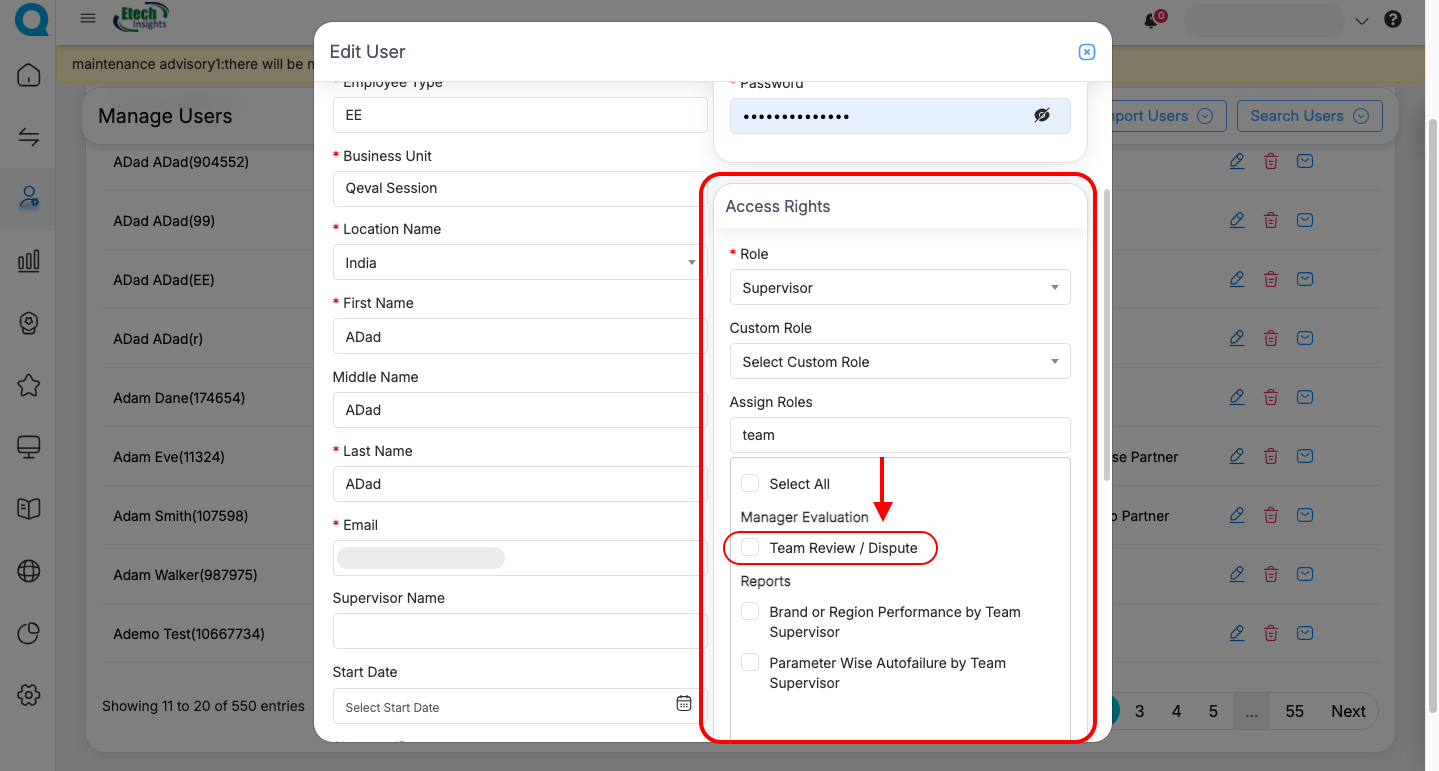
Once enabled, the user can act on behalf of the responsible person whenever needed.
3. How the Feature Works Based on User Role
This section explains how the Team Review feature functions for each user role and outlines who can act on behalf of whom within the review workflow. Below is a breakdown of how the feature works for each role.
A. Supervisor – On Behalf of Their Own Agents
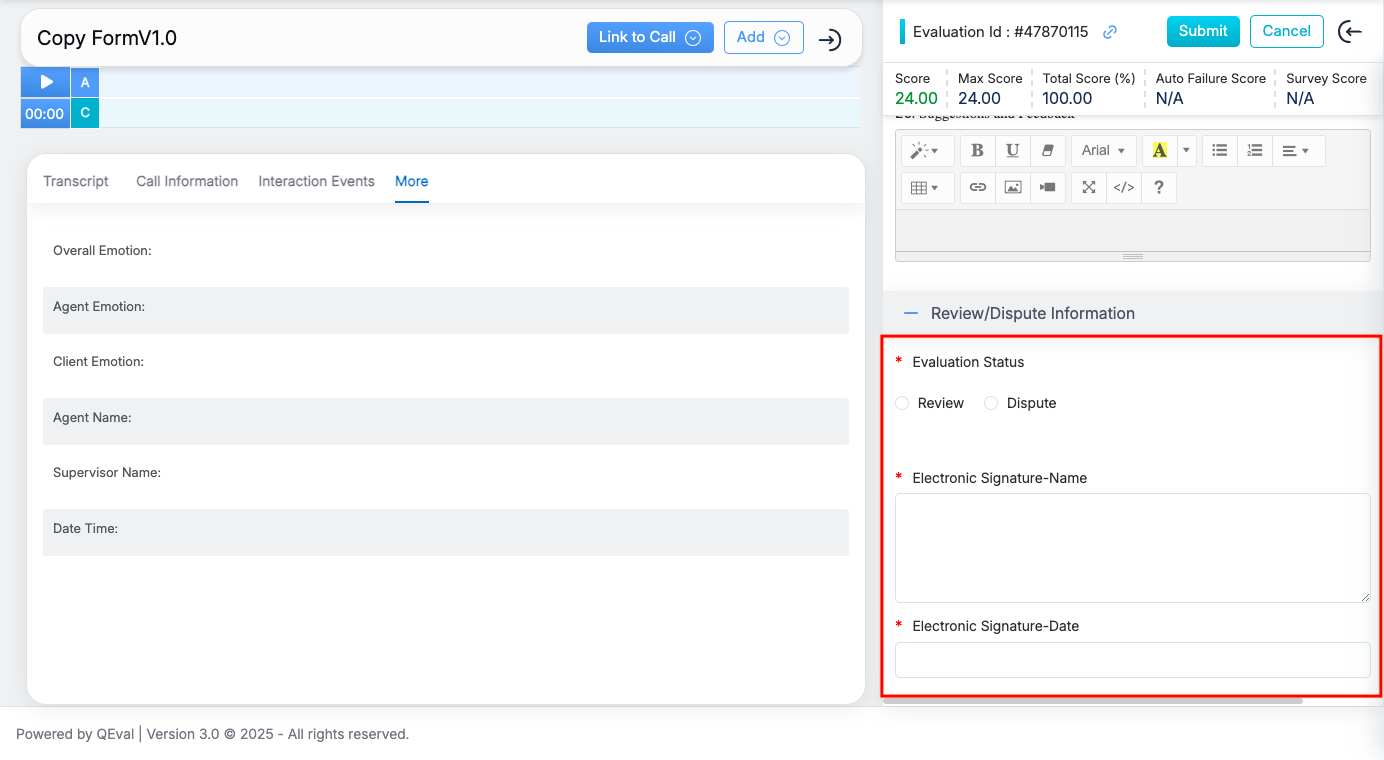
Supervisors can complete the Agent Review/Dispute step only for evaluations assigned to their direct agents.
Steps:
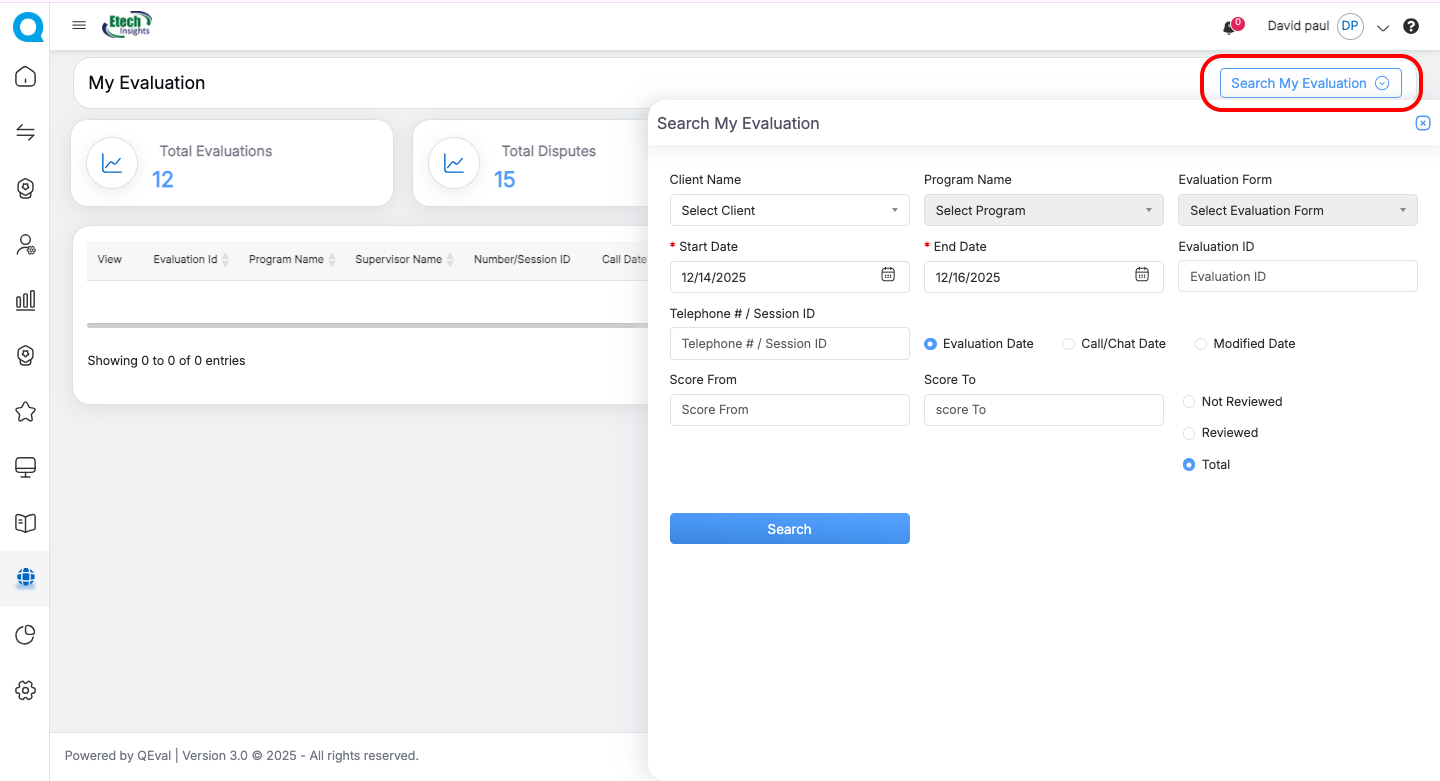
- Go to My Universe → My Evaluation
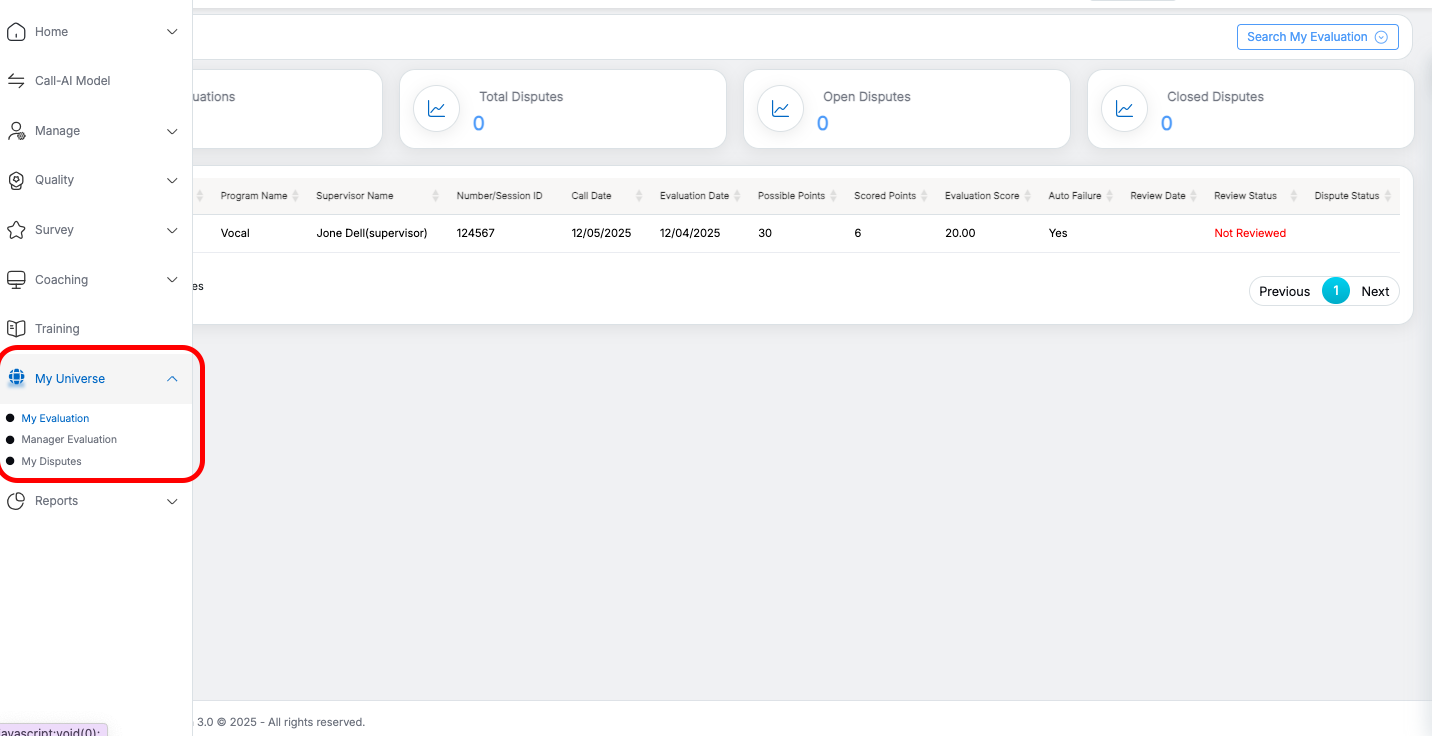
- Open the evaluation pending agent review
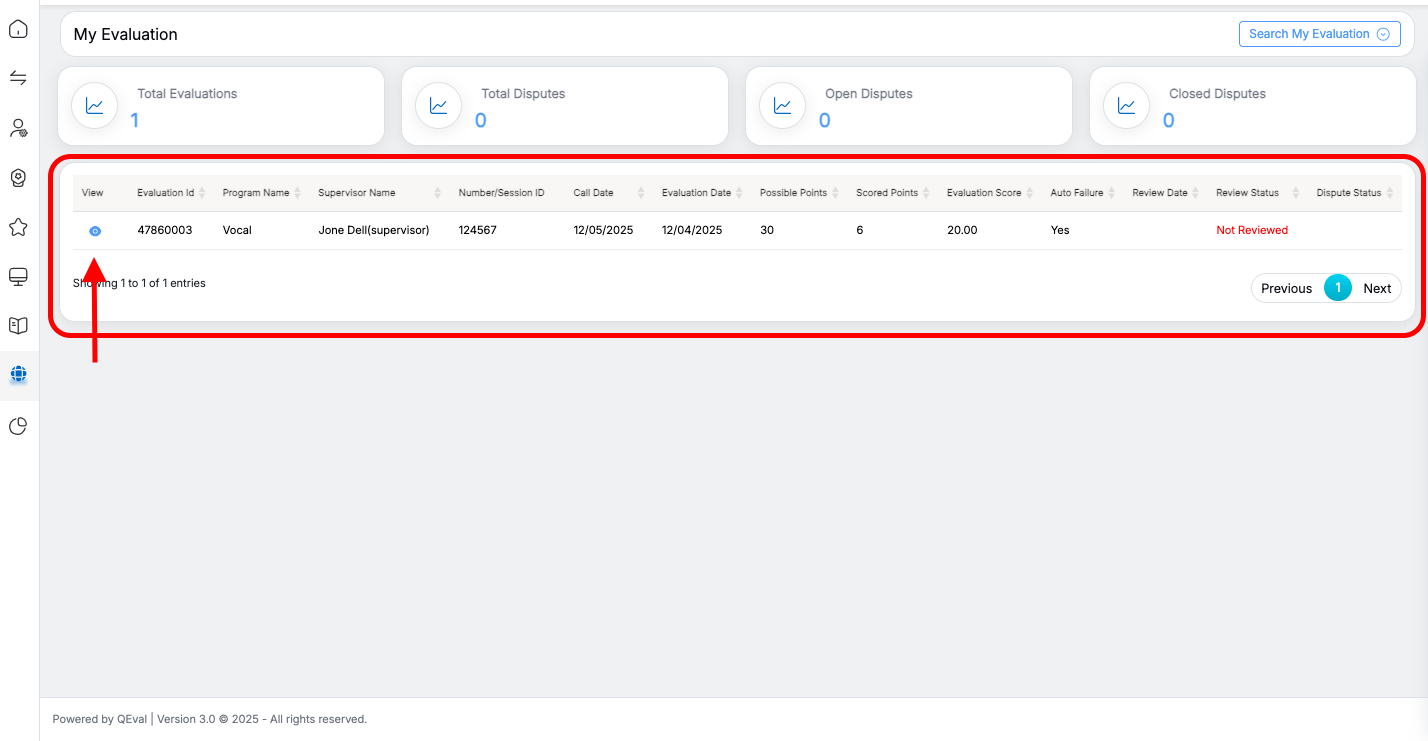
Available Inputs & Actions
- The section Review/Dispute Information appears
- Select Review or Dispute
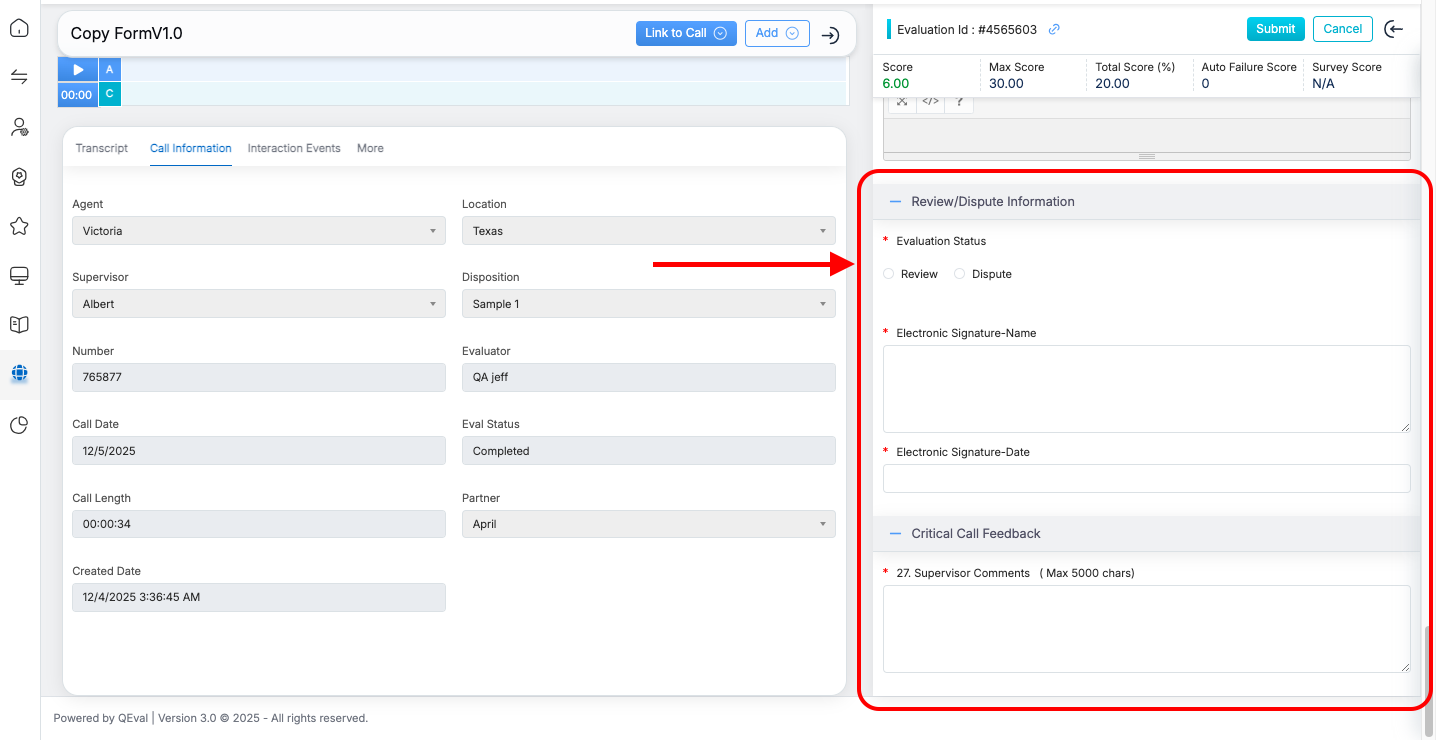
- Enter comments, electronic signature name, and date
- Click Submit
Used when: the agent is absent, unavailable, or no longer active.
B. Supervisor – On Behalf of Another Supervisor
Supervisors with the appropriate access (Team Review enabled) can complete the Supervisor Review/Dispute step for another supervisor.
How to Access and Take Action
-
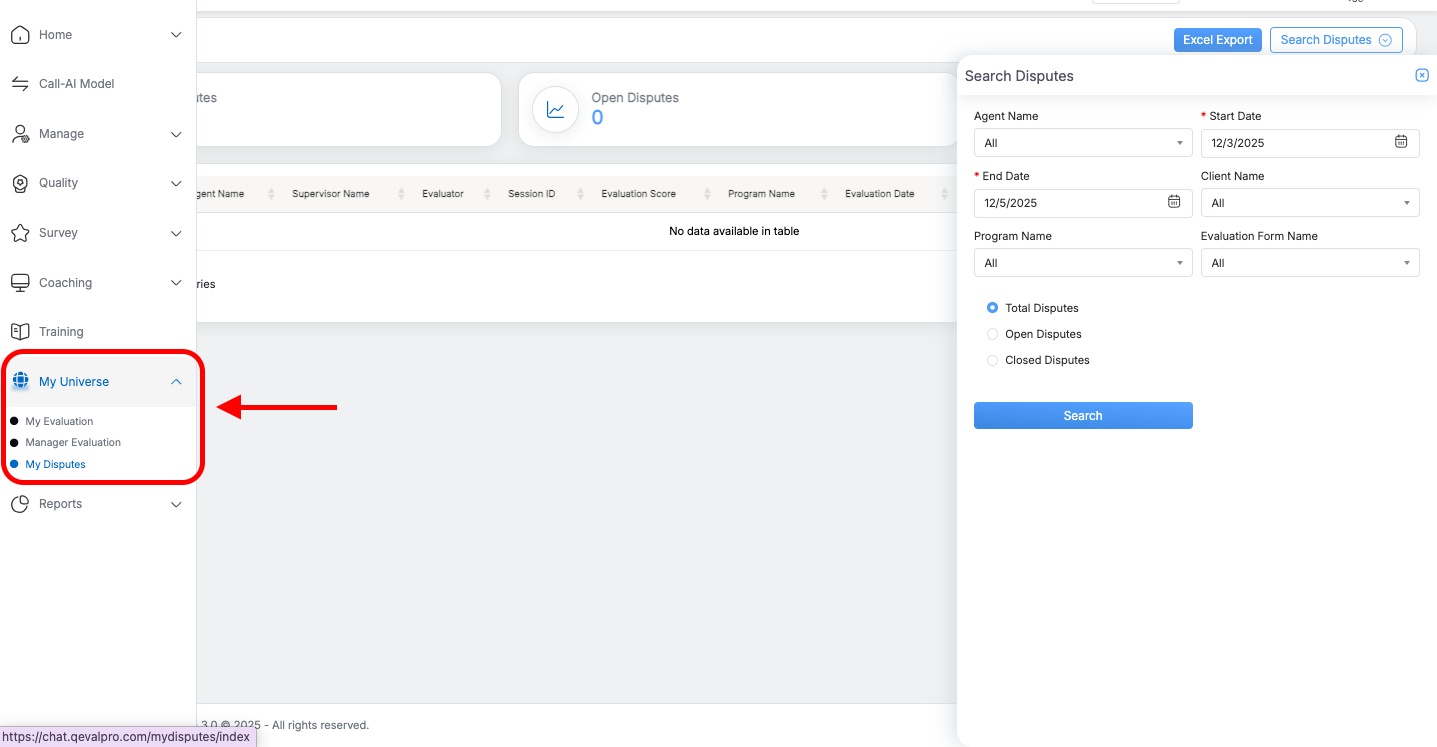
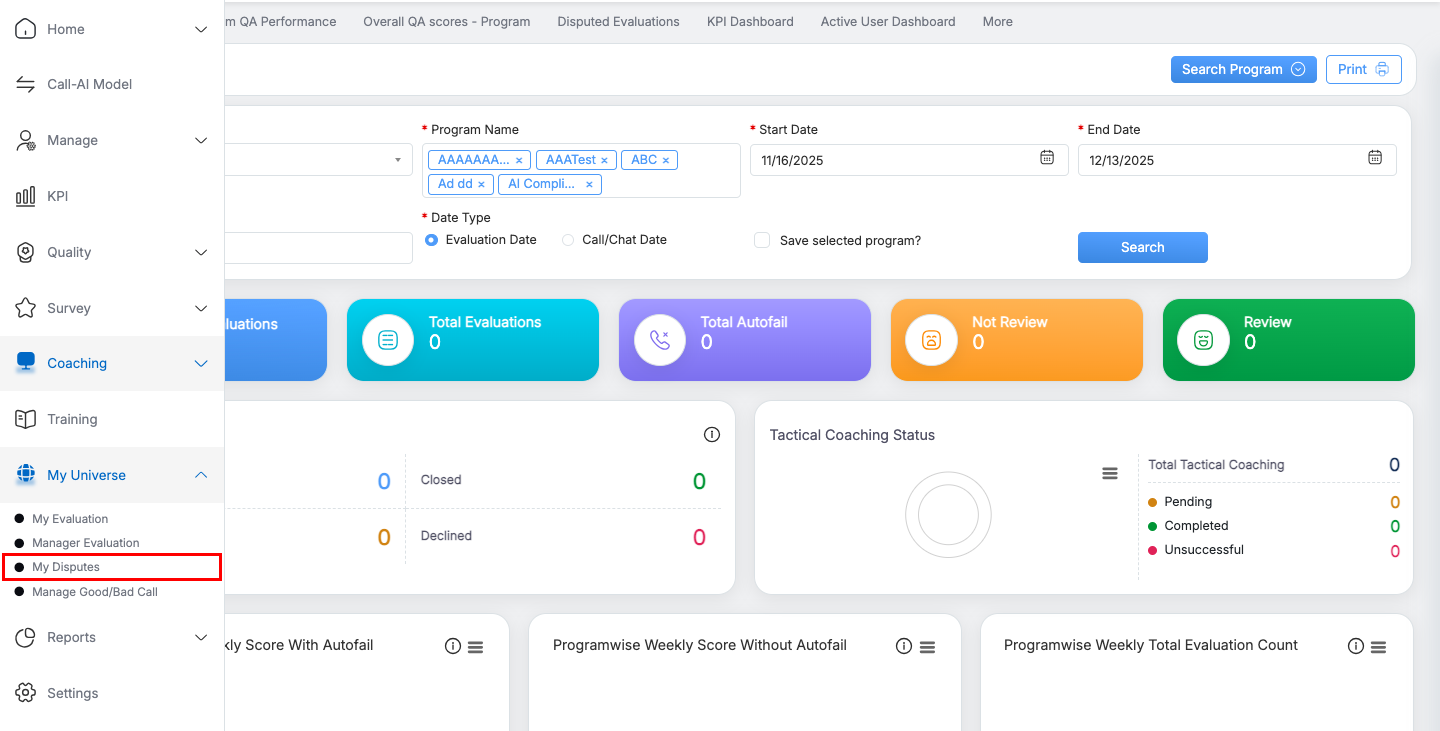
Navigate to QEval → My Universe → My Disputes.
-
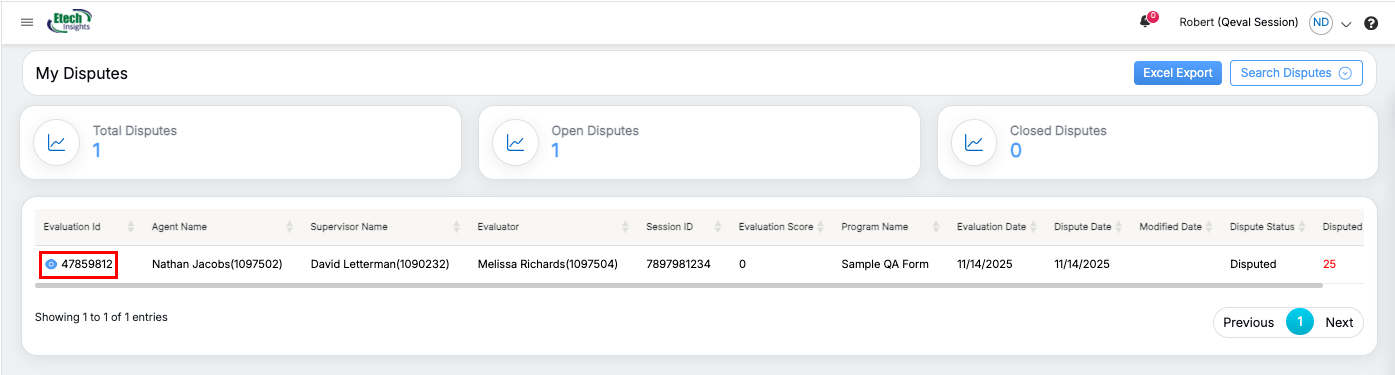
All dispute evaluations will be listed:
-
The supervisor’s own disputes
-
Other supervisors’ disputes (only if Team Review is enabled)
- Use the search and filter options to locate the specific evaluation you need to act on.
-
-
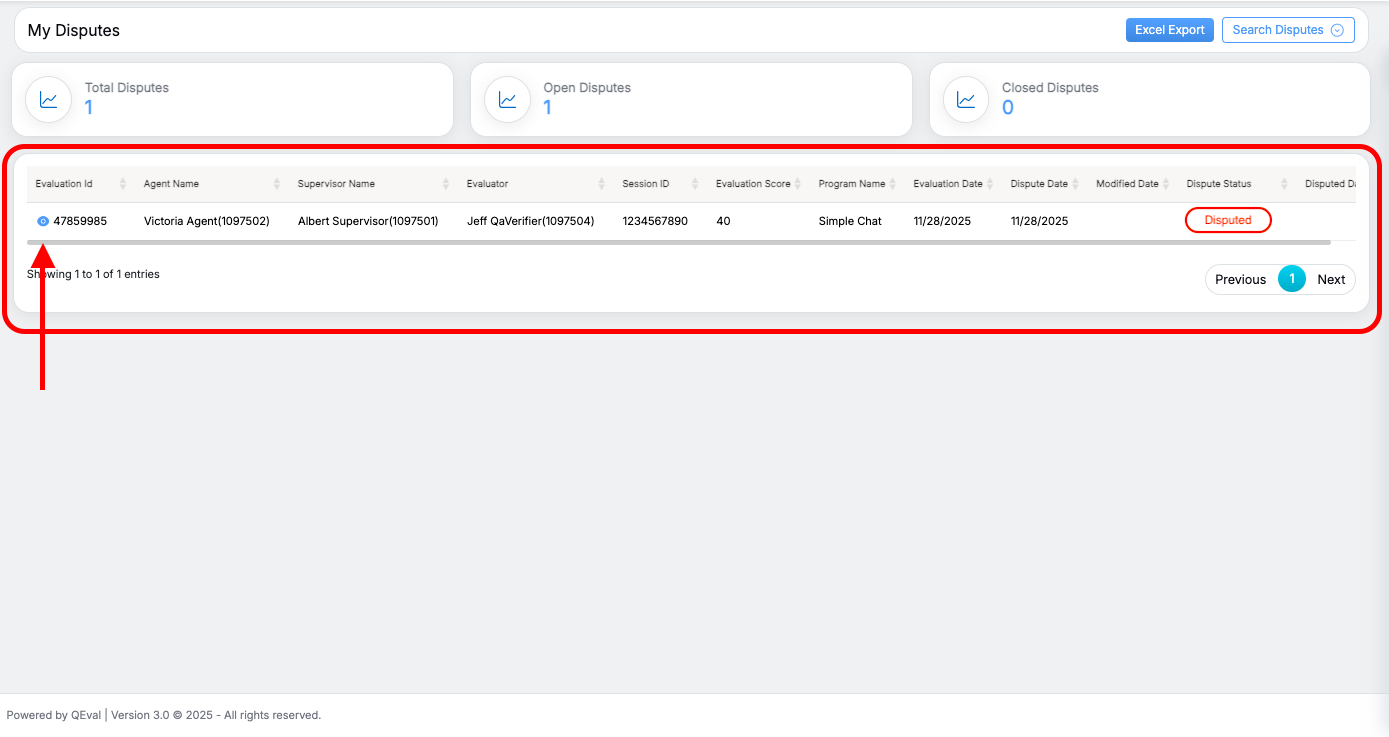
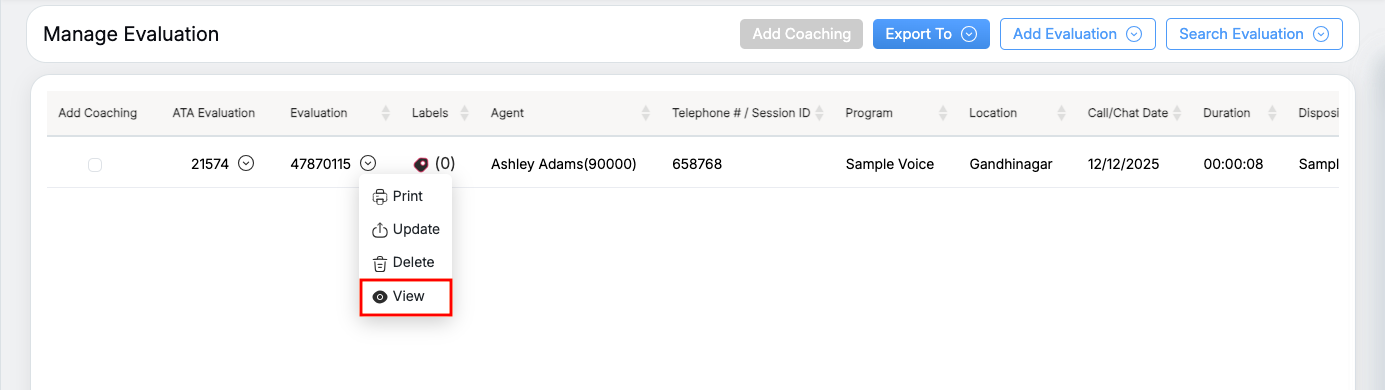
Select the disputed evaluation.
-
If the assigned supervisor has not taken any action yet, the evaluation will be in Disputed status by default.
-
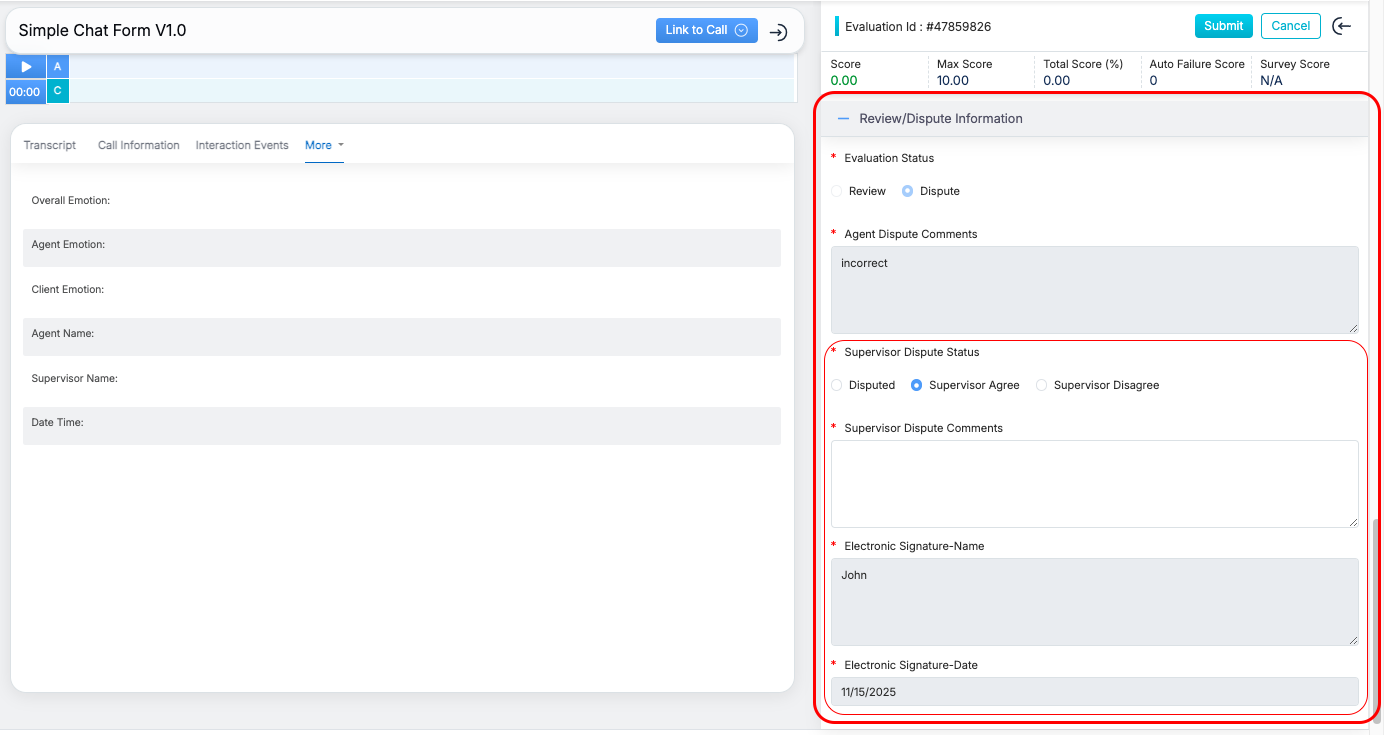
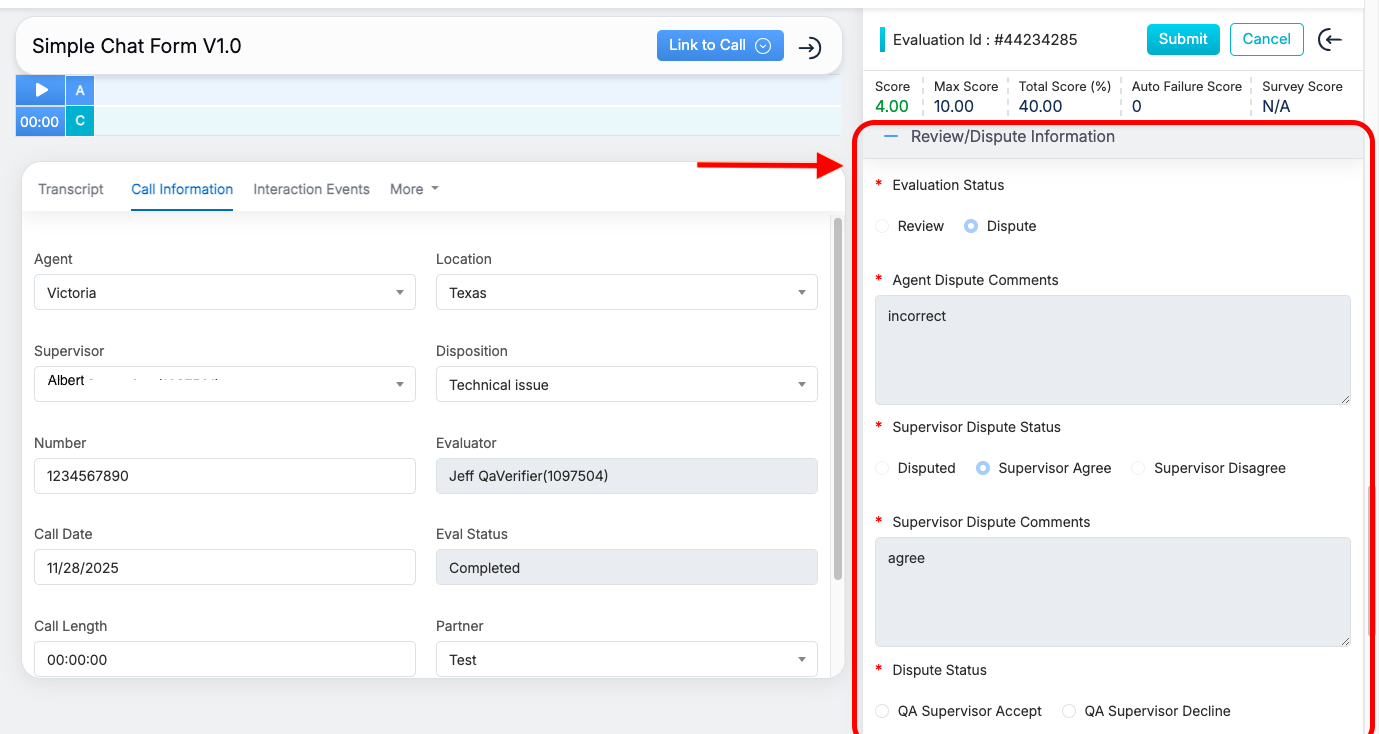
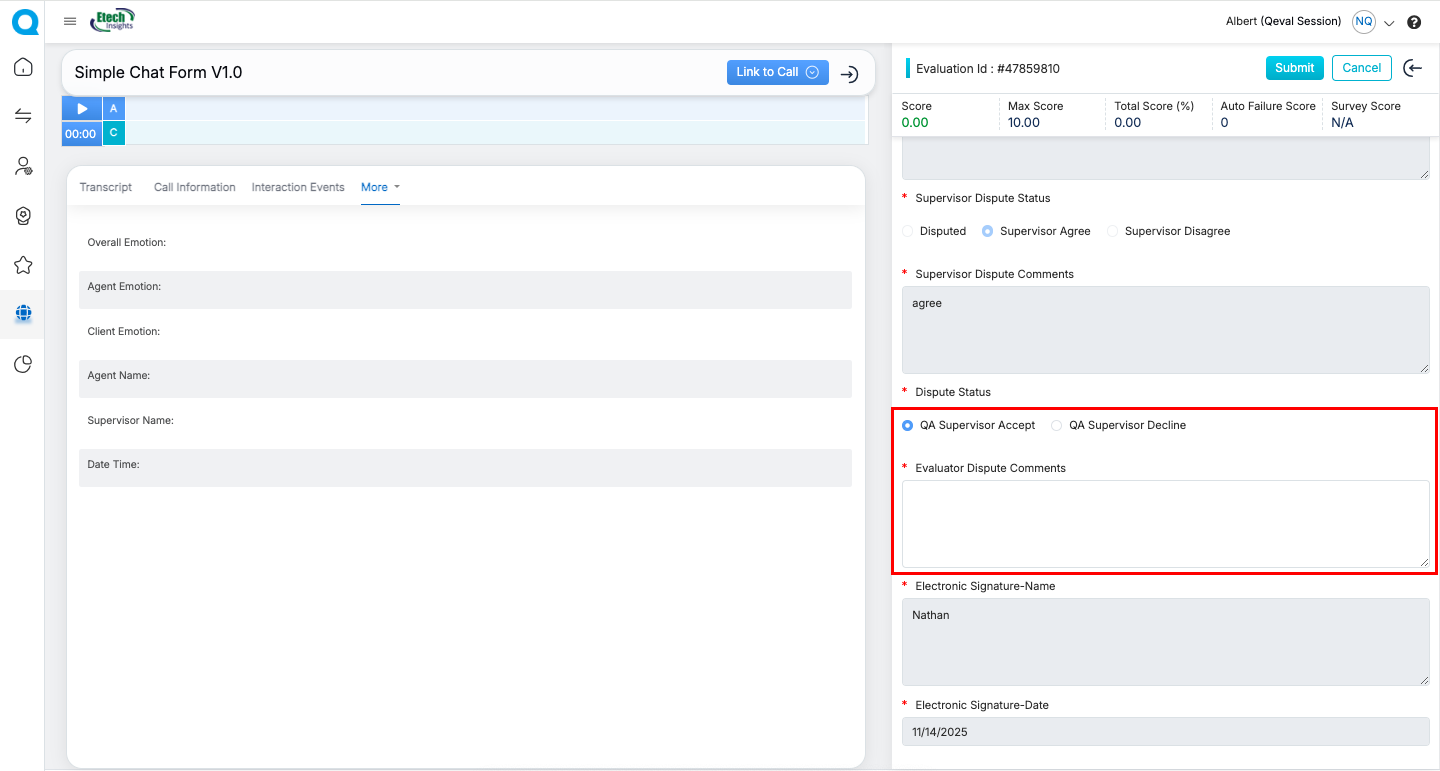
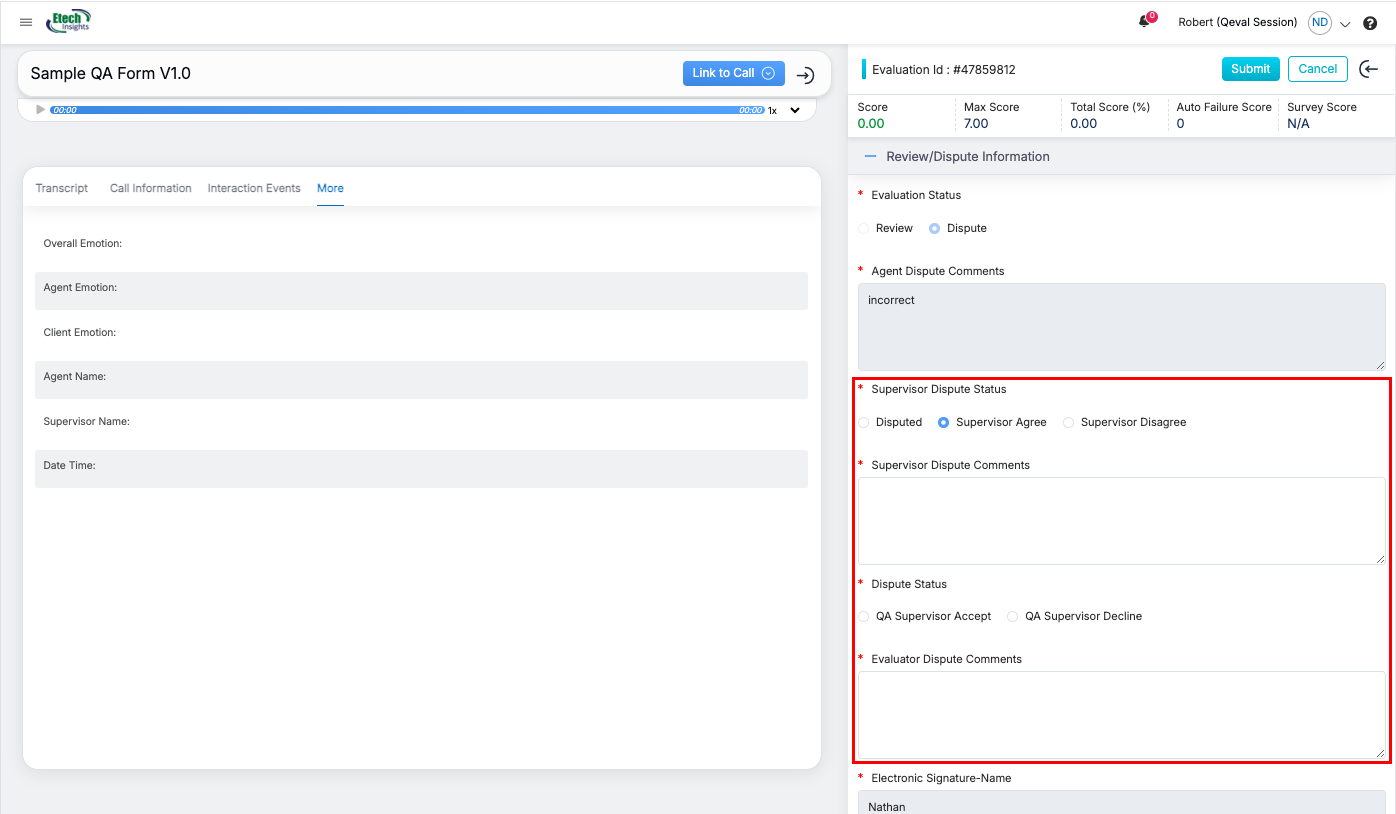
- In the Evaluation form, the supervisor can choose to Agree or Disagree and provide the required comments.
Available Inputs & Actions
-
Section: Review/Dispute Information
Within the supervisor dispute status, the supervisor can:
-
Can either Agree or Disagree
-
Enter Supervisor Dispute Comments
-
Click Submit to record the decision
-
Used When
This process is used when:
-
The assigned supervisor is unavailable, or
-
Supervisor dispute actions are pending and need to be completed by another supervisor with access.
C. QA Supervisor – Acting on Behalf of Another QA Supervisor
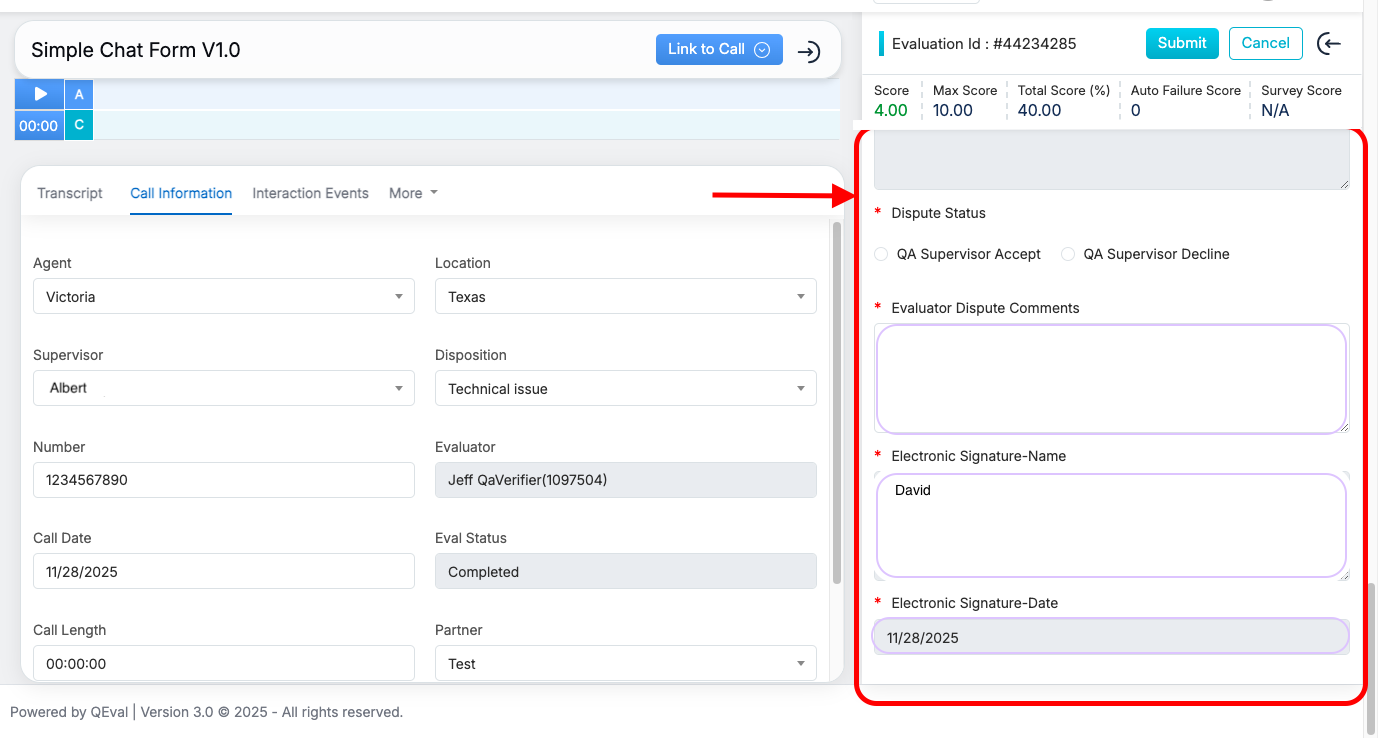
A QA Supervisor can complete the final dispute decision on behalf of another QA Supervisor only if Team Review access is enabled.
How It Works
When Team Review access is enabled for a QA Supervisor:
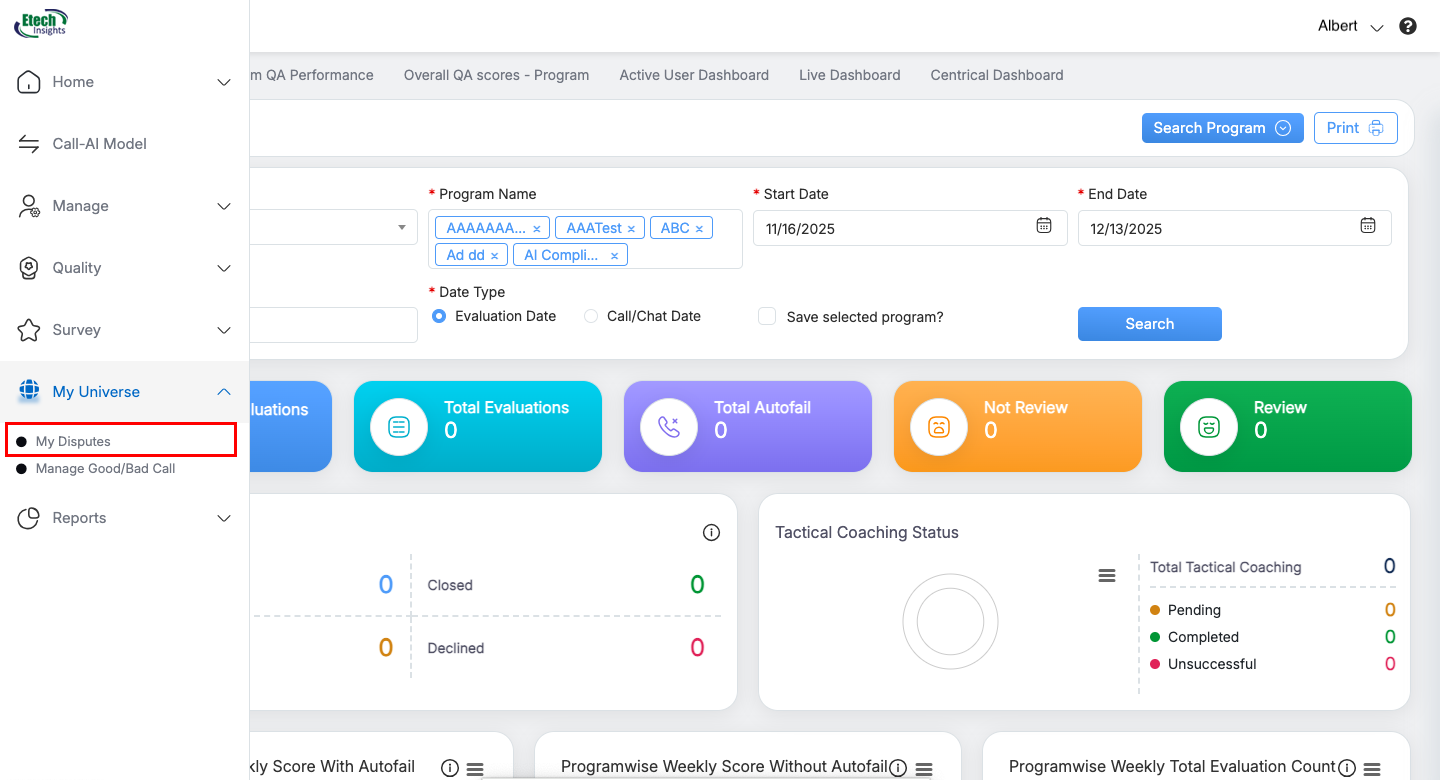
In the QEval Dashboard → My Universe → My Disputes section, the QA Supervisor can see:
- Their own evaluations requiring action.
- Evaluations assigned to other QA Supervisors.
To act on another supervisor’s pending dispute:
-
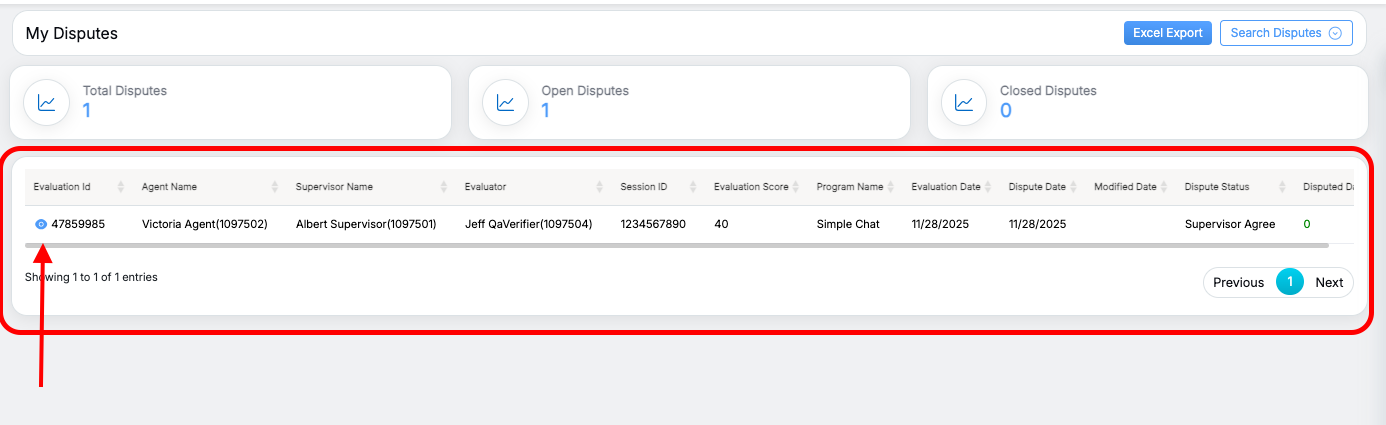
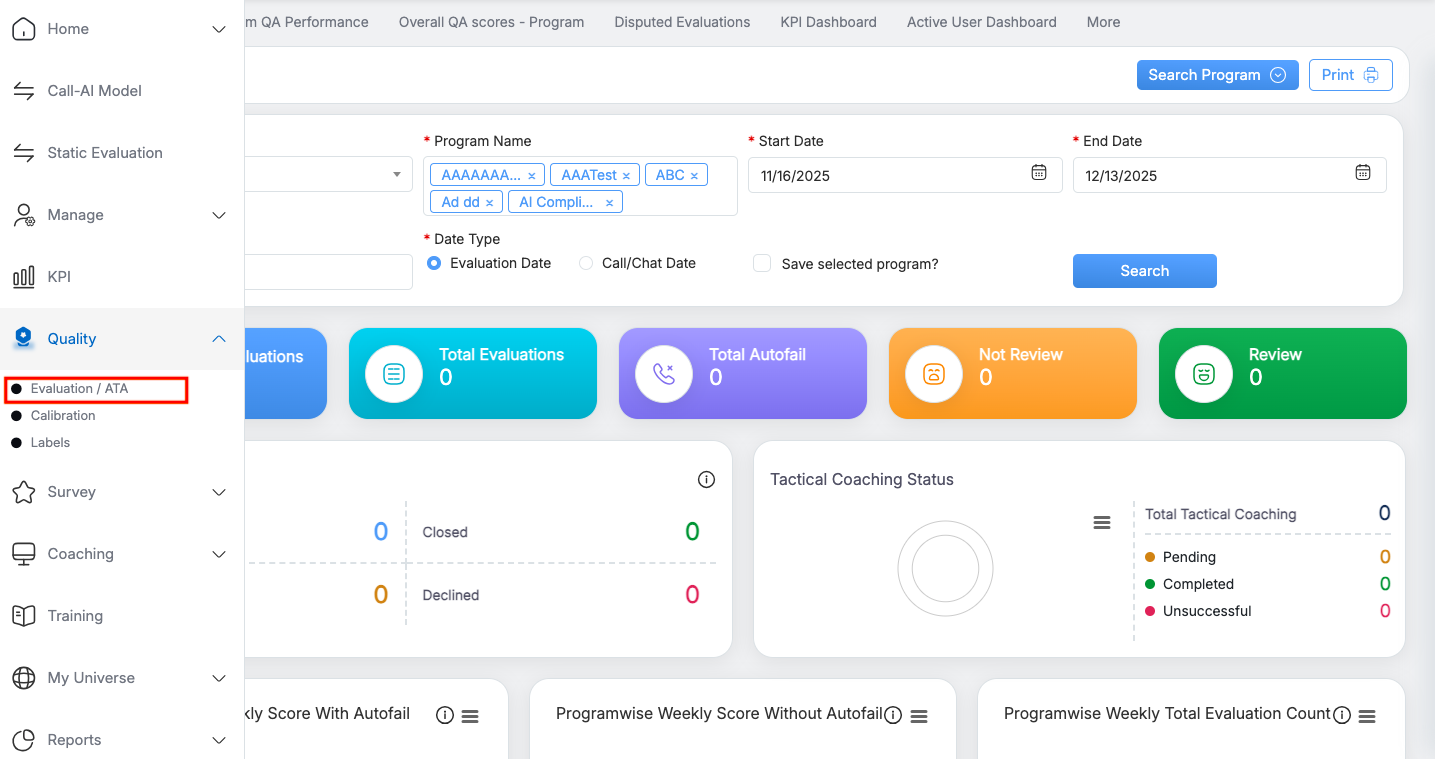
Navigate to: QEval Dashboard → My Universe → My Disputes.
-
Apply filters as needed (Supervisor Name, Agent Name, Date Range, Open Evaluations, etc.).
-
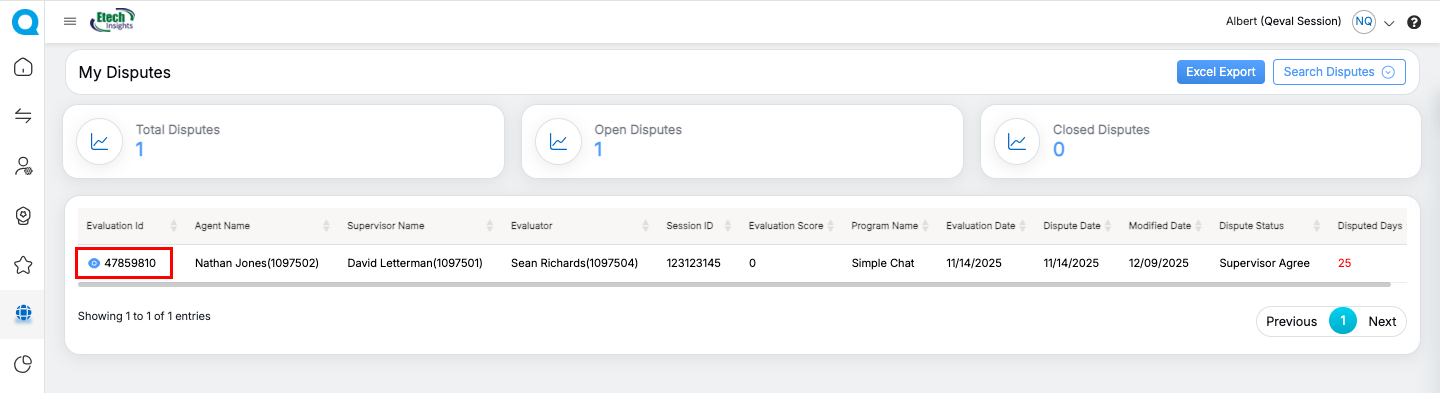
Locate the evaluation you want to review and click the Eye icon to open it.
-
The QA Supervisor can now take action on behalf of the other QA Supervisor.
D. QA Manager – Acting on Behalf of other QA Supervisor
A QA Manager can take final dispute action on behalf of any QA Supervisor when Team Review access is enabled for him and if assigned QA Supervisor is unavailable.
How It Works
With Team Review access enabled:
-
In QEval Dashboard → My Universe → My Disputes
4. Key Benefits
- Ensures evaluation progress even when responsible users are unavailable
- Helps close pending reviews before cycle deadlines
- Supports cross-hierarchy workflow continuity
- Improves SLA adherence
- Full transparency through audit trails
5. Summary Table
| User Role | Can Perform On Behalf Of | Cannot Perform On Behalf Of |
|---|---|---|
| Supervisor | Their own agents | Another supervisor’s agents |
| Supervisor | Another supervisor (their step only) | The other supervisor’s agents |
| QA Supervisor | Another QA Supervisor (final step) | The other QA Supervisor’s team |
| QA Manager | Any QA Supervisor | Any Supervisor or Agents |
| Admin | Any Agent, Supervisor or QA Supervisor | QA Manager |
Video