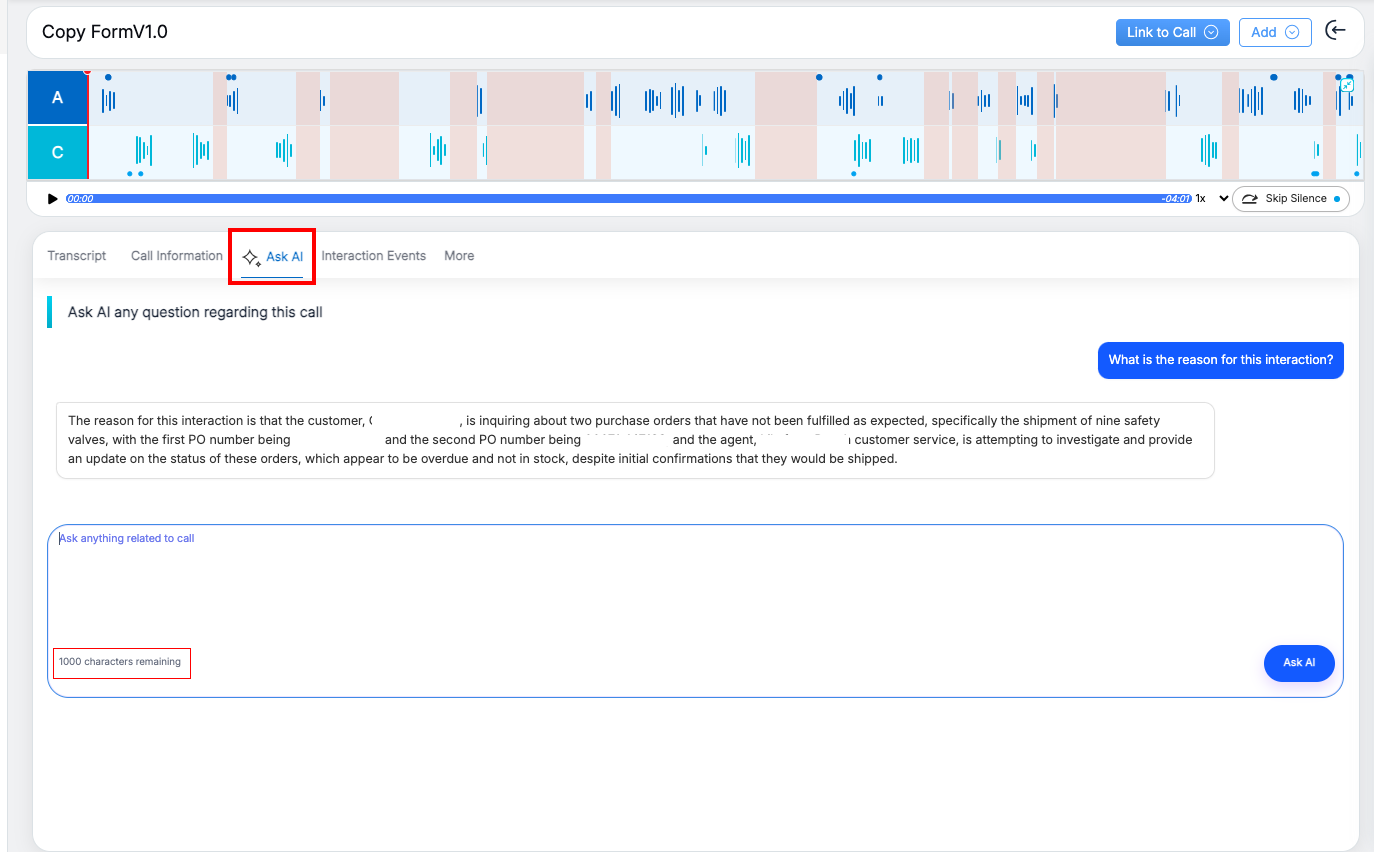
Ask AI is an AI-powered chatbot available within the evaluation page that allows users to ask questions about a specific interaction. It analyzes the available transcript to generate relevant answers.
This feature helps users quickly understand interaction details such as the reason for the interaction, key discussion points, or whether any follow-up is required, without manually reviewing the entire conversation.
How to Use
- Open an evaluation that contains a transcript.
- Navigate to the Ask AI section below the interaction player.
- Enter your question related to the interaction, for example, “What is the reason for this interaction?”
- Click Ask AI.
- View the AI-generated response based on the selected interaction.
Important: The Ask AI field supports a maximum of 1,000 characters per query.
Notes
- Ask AI works only for a single evaluation and does not support general or cross-interaction queries.
- The transcript must be available for Ask AI to function.
Video