The Leaderboard in QEval provides a clear, visual comparison of agent performance based on customer survey feedback. It helps managers and stakeholders quickly identify top-performing agents, compare rankings, and evaluate performance trends within a selected client or program.
Accessing the Leaderboard
To view the Leaderboard, navigate to Survey → Survey Dashboard → Leaderboard from the main menu. The Leaderboard opens with performance data displayed according to the applied filter criteria.
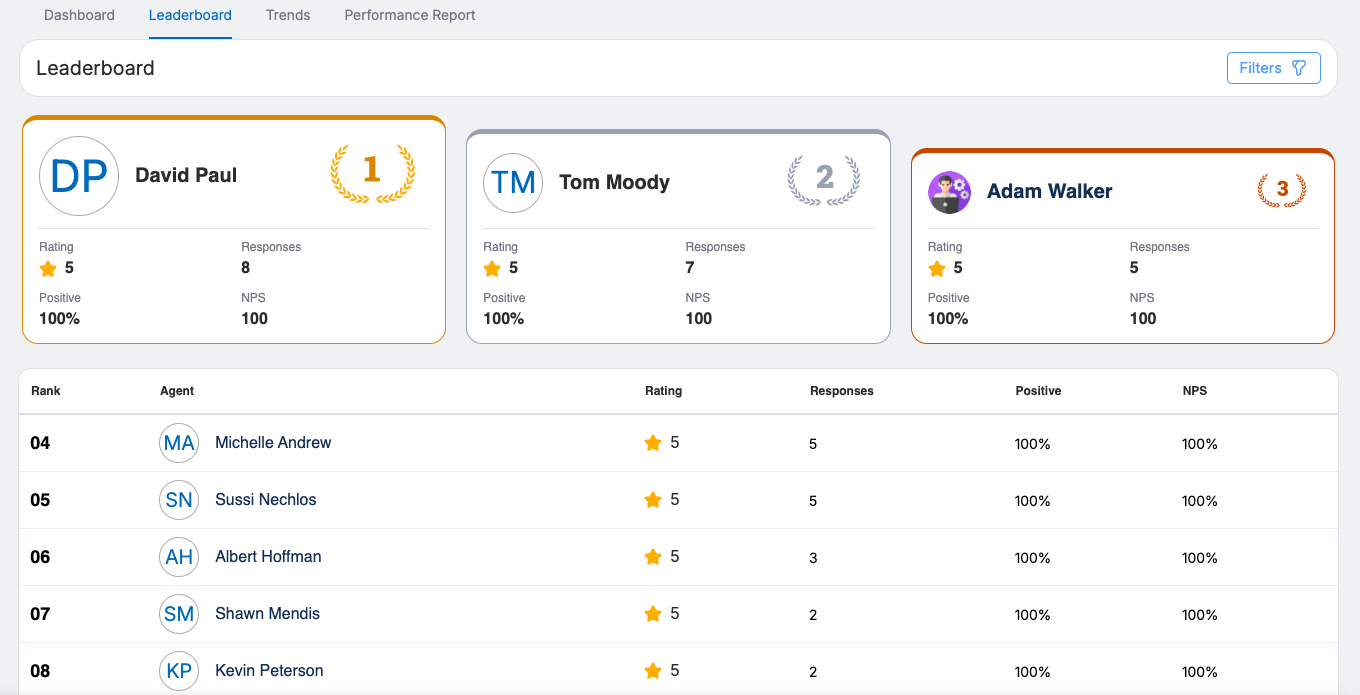
Filter panel
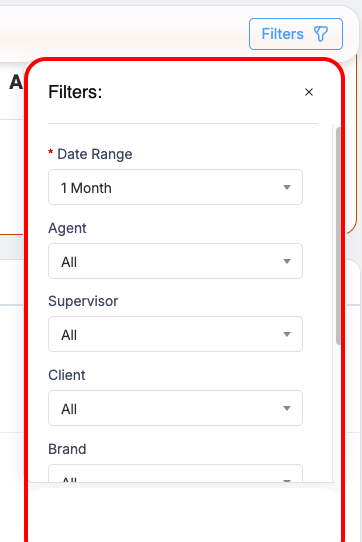
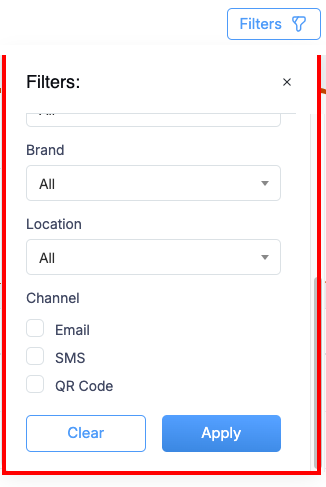
Use the Filters option in top right corner, to refine the Leaderboard results by Date Range, Agent, Supervisor, Client, Brand, Location, and Channel (Email, SMS, or QR Code using checkboxes). Once the required filters are selected, click Apply to update the results accordingly.
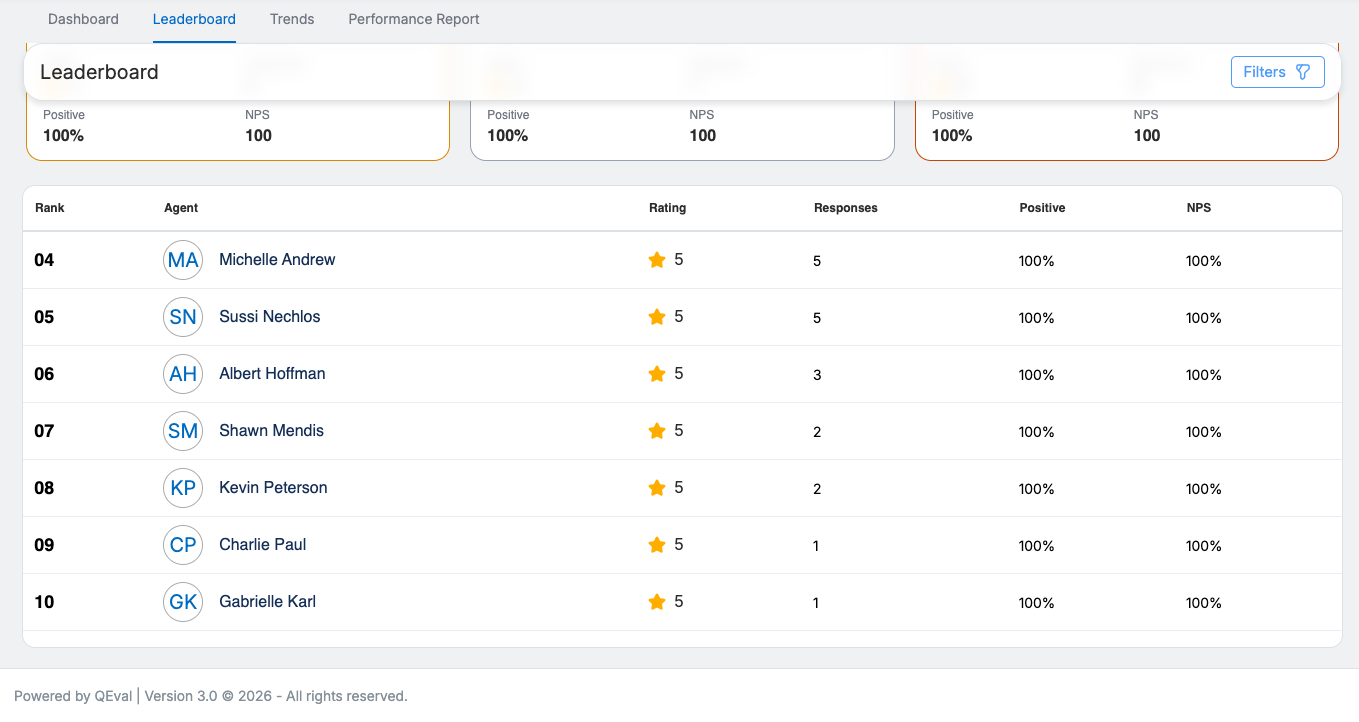
Leaderboard displays the Top 10 Performers
-
Displays the top 10 performers based on survey responses within the selected date range and applied filters.
-
Shows key details for each agent, including:
- Highlights the top three performers at the top using larger cards with brown, grey, and red boundary accents for quick identification.
-
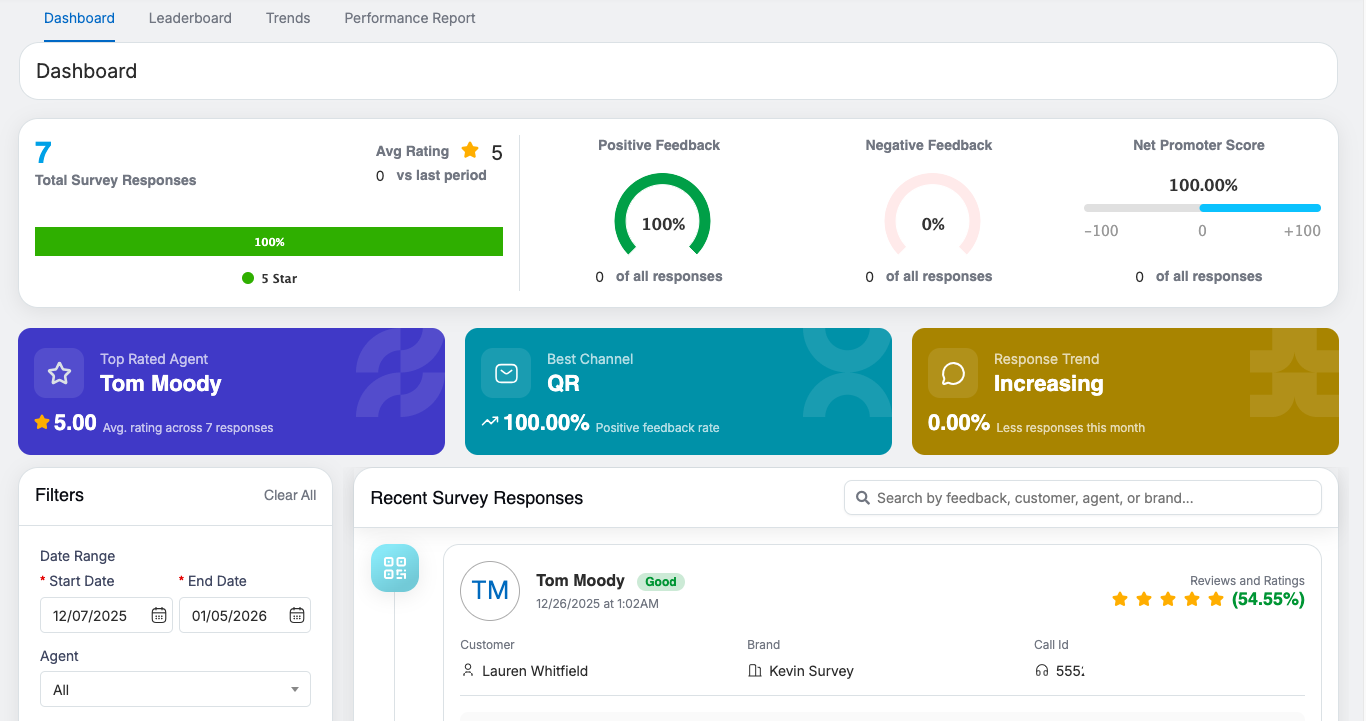
Clicking a performer’s name on the leaderboard opens a dedicated dashboard with detailed performance insights, Quick Cards, NPS metrics, and Positive/Negative feedback trends.
-
The dashboard also shows recent survey responses, enabling trend analysis, performance tracking, and deeper drill-down into customer feedback.
Video